
Prijavi
![[Laser cut and engrave] Wooden wall art with caravan and mountain scenery](https://image-res.atomm.com/resource/xtool/community/attachment/xtool-community/d23287f5-c346-4a4b-b13b-746ae03fd087?x-oss-process=image/resize,m_fill,w_1280,h_960,limit_0/interlace,1/format,webp/auto-orient,1)
Lesena stenska umetnost s karavano in gorsko pokrajino
 Navodilo
landscape
.xcs
Scenarij uporabe
Obdelava z lasersko
Stroj & modul

xTool M1
10WUporabljeni material

3mm topolova vezana plošča

Črn akril 1/8" (3mm)

1/8"(3mm) črni prosojni akril

3mm orehova vezana plošča
.png?x-oss-process=image/resize,m_mfit,w_32,h_32,limit_0/interlace,1/format,webp/auto-orient,1)
Akril Krvavo Rdeča 1/8" (3mm)

Modri akril 1/8" (3mm)

1/8" (3mm) modri prozoren akril

3mm modro turkizno akril, ki sveti v temi

3mm modri ogledalni akril

Akril modri s bleščicami 1/8" (3mm)

230
1542
Informacije
Naredil sem čudovito stensko umetnost iz lesa. Uporabil sem goro, gorovje kot obliko. Uživajte.
Navodilo
1
Korak1: Kako ga narediti

Predogled
Za ta dizajn sem ustvaril pokrajino gorskega grebena in avtodom. Naložil sem dizajn, da ga lahko uporabljaš. Za odpiranje uporabite gumb za prenos. Ko uspešno odprete načrt, sledite naslednjim korakom.
- Najprej dajte material v stroj. Les, akril in celo kovina so vsi materiali, ki bi lahko delovali za ta dizajn.
- Nato povlecite vzorec, ki ga boste položili na material, kjer ga lahko pravilno izrežete.
- Zdaj nastavite parametre za material .
- Zdaj izrežite načrt.
- Počakajte, da se dizajn konča
- Ko je dizajn končan, ga nanesite na drug kos lesa, akrila ali kovine. Poskusi narediti dva kosa različnih barv za kontrast.
- Prilepite vzorec
- Ko se lepilo posuši, je vzorec končan, uživajte!
Komentarji
Predelave


Morda vam bo všeč tudi

Lesena rezina z motivom prikupne miške, sončnice in buče

18
121

Leseni obesek iz šiva – Lasersko graviranje in rezanje

80
1097

Čarovnica pred Luno

14
62

Stojalo za roko v obliki kostnjaka za noč čarovnic z obešeno mačjo svetilko

12
78

Gengar Pokemon Halloween tematski leseni zaznamek

5
62

Zložljiv lesen ventilator s cvetličnim vzorcem

85
363

Super 3D učinek za ta skrilavčev vlak z vtisnjenim efektom labradorskega psa

34
121

Lesena odprta silhueta sove za okrasitev

28
126

Popolna abeceda za poročno okrasitev - 2 ženski različici + 2 moški različici

26
153

Personaliziran družinski znak za noč čarovnic z lasersko izrezanimi okostnjaki. Bone Sweet Bone. Domači dekor

18
107

Retro laserski rez na prsih. Vintage stil. Lesena zakladnica. Škatla za nakit. Škatla za shranjevanje
43
190

Lovilec sanj

29
145

3D držalo za knjige z metuljem. Datoteke za lasersko rezanje Cookbook Rest. Lesena odprta razstava knjig. Stojalo za knjige. Knjižnični dekor SVG

19
126
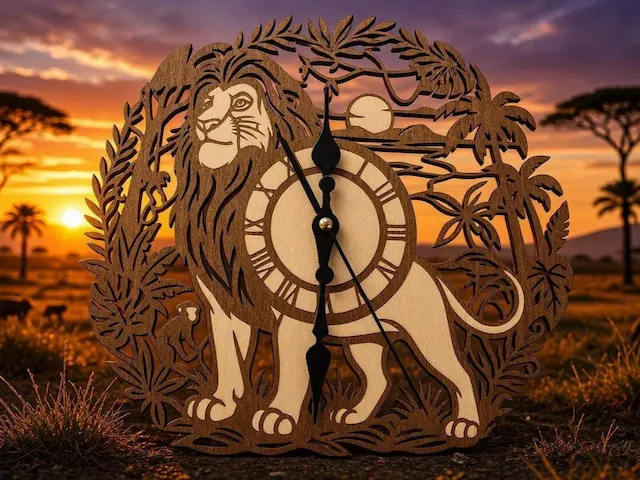
Okrogla lesena stenska ura z motivom leva na savani

22
130

Okras metulja in tropskih cvetlic

21
80

3D vilinska vrata za noč čarovnic. Mini Witch Hat House lasersko izrezane datoteke. Strašljiva domača dekoracija. Clipboard Witchy SVG. Otroci. Otroci. Mišja luknja
15
42

Dekoracija za navdušence nad kombijem in potovanji ✌️
8
50

GIF
Kljuka v obliki kosti za pse

11
54