Report
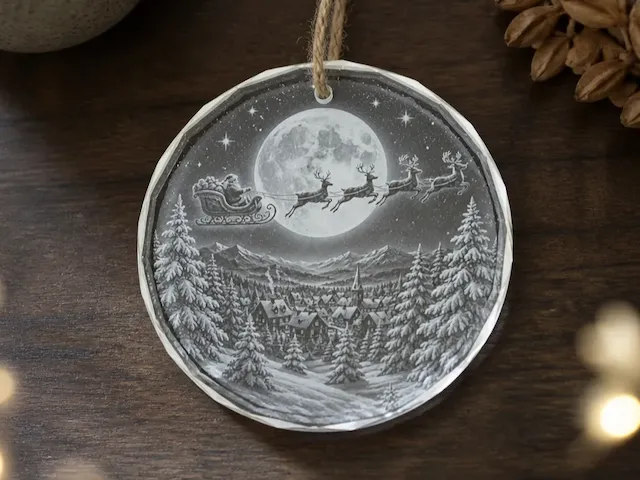
Round Christmas Night Light with Engraved Santa's Sleigh and Snowy Landscape Decors
ID 284863
 Instruction
Files
Original files
AuthorM1 Ultra · Black-coated glass gobo
1
Add Make Profile
Same design, different machine, material, or any improvement · Earn 50 Credits
Tips for a great Make Profile →
216
Information
      This night light was made in two stages.
An engraving on the back of the mirror with the M1 Ultra for the father's sleigh, the moon and the stars.
And a Christmas decoration in front of the mirror with the Omnie 01
Instruction
1
Step1: Engraving on the back of the mirror with the M1 Ultra

Preview
Preview
To make this engraving, I used the Xtool M1 Ultra by placing the mirror back (black background) upwards, marked the processing surface and positioned my engraving on the defined circle.
2
Step2: Setting up the scenery with the Omnie 01

Preview
Preview

Preview
3 More images
To do this, position the mirror on the tray with the reflective side up, do the scan and then the smart mask in order to position the scenery correctly.
Once the process was finished, I put this pretty mirror on a backlit support.
Comments
License

This work contains AI-generated content.


You may also like

weihnachtsman mond

0
1

Christmas Pendants

13
95

Père Noël sur acrylique transparent

4
31
Crystal Ornaments

13
94

Christmas canvas art with Santa in sleigh and reindeers

68
340

Laser Cut Christmas Wall Art with Santa Sleigh and Pine Trees

27
72

Illuminated Santa Claus and Winter Village Silhouette Light Box

0
2

Erster versuch

2
9

ardoise noel

0
0


Advent calendar with tea lights and retractable Santa Claus. (small changes)

6
42


Decorazione da parete natalizia con Babbo Natale, renne e paesaggio invernale

73
374

$3.59
$3.59
$5.98
Credits359
Santa's Flying Sleigh Ornament

63

Christmas mural with festive city scenery and Santa Claus in a sleigh

1
0

Laser Cut Wooden Christmas Santa Sleigh Wall Art Decor

15
63

Christmas Advent Calendar with Winter Landscape and Santa Claus
0
2

santa sledge in sky
3
28

Santa Sleigh SVG DXF, Christmas Village Wall Art, Reindeer Laser Cut File, Winter Mountain Scene, Christmas Wood Sign Digital Download

0
10

CIRCULO MONTAÑAS Y TRINEO PAPA NOEL
20
60