
Report


Landmark & Personal Ornaments


This project is created with Atomm AI
Files

Original files
AuthorF1 Ultra · 1/8"(3mm) Basswood Plywood
2


Add Make Profile
Same design, different machine, material, or any improvement · Earn 50 Credits
Tips for a great Make Profile →
100
Source Image Generated with Atomm AI
Tap to View Prompt and Remix It!

view prompt

view prompt

view prompt

view prompt
Information
      I live in a small county of only about 40,000 residents.  We are in a historic area from the gold rush and are a tourist destination.  Many of our retail business community made the comments that there weren't many options for branded items of our county's history.

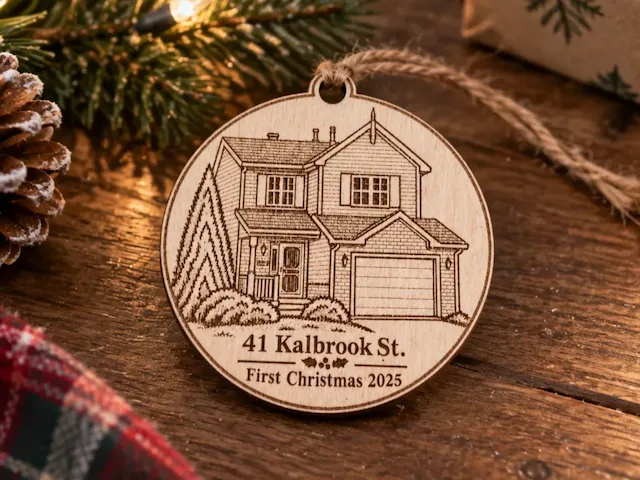
So, for Christmas I started making ornaments that displayed many of the prominent locations within the county.  This morphed into doing ornaments for local businesses of their store front and personal residences in the historical portion of town.

Enjoy!
Instruction
1
Step1
These ornaments started with photos of the subject. Then using Atomm I had it create two files one for detail and one for cutting.
I chose to make two passes, one for the detail and one for cutting. Placing the material on the honeycomb so as not to cut into the base of the F1 I set the focus to ¼" above the bass wood sheet. This allows a darker engraving. Once the detail work was done I refocused for the bass wood level. Once this is done you must retake an image of the work from the camera and adjust your design to overlap the detail work already done. This is due to refocusing and changing the angles. This will not realign perfectly so some trial and error may be required.
Comments
Remixes
License

This work contains AI-generated content.


You may also like

personalized ornament

0
0

Personalized Reindeer Christmas Ornament

2
38

Personalized House Portrait First Christmas Ornament

1
16

Personalized Round Wooden Christmas Ornament Display Stand

0
1

Merry Christmas Dawn Personalized Gnome Ornament

2
26

$6.99
$6.99
$11.65
Credits699
Personalized Gingerbread Ornament SVG Bundle

1

Personalized Dog Ornament

2
24
Personalized Wooden Wreath Christmas Ornament with Bow

1
1
Personalized Stefano Wooden Christmas Ornament with Snowflake and Holly Motif

20
163

Christmas Gnome Ornament with Blank Banner for Personalization

3
11

bluey personalized ornaments
0
20

Personalized Penguin Christmas Ornament with Snowflake Motif
2
55

Personalized Laser Cut Reindeer Christmas Ornament with Red Hat

4
23

Personalized Snowflake Bauble Ornaments with Backplate

7
47

Ugly Sweater Christmas Ornament with Personalized Name Tag

4
37

$6.99
$6.99
$11.65
Credits699
Personalized Christmas Ornaments SVG Bundle
1

Personalized Jessie Bear Christmas Ornament with Santa Hat and Pinecones

5
26

Personalized Laser Cut Gingerbread Man Ornament with Name

23
140