
Report
![[Laser cut and engrave] Fox wood stack](https://image-res.xtool.com/resource/xtool/community/attachment/xtool-community/85cbb4a7-c268-4505-8aeb-cec418826955?x-oss-process=image/resize,w_1200,h_900,limit_0/interlace,1/format,webp/auto-orient,1)
![[Laser cut and engrave] Fox wood stack](data:image/png;base64,iVBORw0KGgoAAAANSUhEUgAAAAoAAAAKCAYAAACNMs+9AAAAAXNSR0IArs4c6QAAABdJREFUKFNjZCASMBKpjmFUId6QIjp4AAppAAuXjCs4AAAAAElFTkSuQmCC)
![[Laser cut and engrave] Fox wood stack](https://image-res.xtool.com/resource/xtool/community/attachment/xtool-community/85cbb4a7-c268-4505-8aeb-cec418826955?x-oss-process=image/resize,w_200,h_150,limit_0/interlace,1/format,webp/auto-orient,1)
![[Laser cut and engrave] Fox wood stack](https://image-res.xtool.com/resource/xtool/community/attachment/xtool-community/f28e6850-c2ab-474c-ac86-e2cdd4904ef1/img_v3_00df_78c0fa67-71f7-4db8-8260-4b51d901edcg.jpg?x-oss-process=image/resize,w_200,h_150,limit_0/interlace,1/format,webp/auto-orient,1)
Fox wood stack
 Remix
Remix Instruction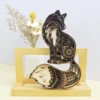
img_v3_00df_78c0fa67-71f7-4db8-8260-4b51d901edcg
.webp
Application scenario
Laser
Machine & module

xTool P2
40WMaterial used

1/8"(3mm) Basswood Plywood

3mm Basswood Plywood

152
1705
Information
I purchased this file, you can go to this site to buy it: https://www.designfind.com/howtos/13331
This remix is based on
https://www.etsy.com/listing/970286354/laser-cut-files-fox-mandala-svg-and?click_key=ec43714c63fe17fdd3c714c6cd09bb04e0a87f6c%3A970286354&click_sum=cbbc53b7&ga_search_query=fox&ref=shop_items_search_1&pro=1
https://www.etsy.com/listing/970286354/laser-cut-files-fox-mandala-svg-and?click_key=ec43714c63fe17fdd3c714c6cd09bb04e0a87f6c%3A970286354&click_sum=cbbc53b7&ga_search_query=fox&ref=shop_items_search_1&pro=1Instruction
1
Step1: Importing files
.png?x-oss-process=image/resize,m_fill,w_1500,h_1125,limit_0/interlace,1/format,webp/auto-orient,1)
Preview
Import the XCS file into the software and confirm the size, machining position and machining mode.
Place the board in the machining area, refresh the page, click on the distance measurement, adjust the parameters and prepare for engraving.
2
Step2: Selecting different layers
.png?x-oss-process=image/resize,m_fill,w_1500,h_1125,limit_0/interlace,1/format,webp/auto-orient,1)
Preview
Select different layers and set the processing parameters for making cuts.
3
Step3: Assembly

Preview
Assemble each partially machined board to your liking and you have a beautifully stacked carved fox.
Comments
