![[Laser cut and engrave] United States Map Keychain with American Flag Pattern](https://image-res.atomm.com/resource/xtool/community/attachment/xtool-community/b879c878-9db9-4093-9432-46fb24d26d00.jpeg?x-oss-process=image/resize,w_1200,h_900,limit_0/interlace,1/format,webp/auto-orient,1)
![[Laser cut and engrave] United States Map Keychain with American Flag Pattern](data:image/png;base64,iVBORw0KGgoAAAANSUhEUgAAAAoAAAAKCAYAAACNMs+9AAAAAXNSR0IArs4c6QAAABdJREFUKFNjZCASMBKpjmFUId6QIjp4AAppAAuXjCs4AAAAAElFTkSuQmCC)
![[Laser cut and engrave] United States Map Keychain with American Flag Pattern](https://image-res.atomm.com/resource/xtool/community/attachment/xtool-community/b879c878-9db9-4093-9432-46fb24d26d00.jpeg?x-oss-process=image/resize,w_200,h_150,limit_0/interlace,1/format,webp/auto-orient,1)
![[Laser cut and engrave] United States Map Keychain with American Flag Pattern](https://image-res.atomm.com/resource/xtool/community/attachment/xtool-community/6209ccc4-33f2-4c52-9160-4a831fe978c7.jpeg?x-oss-process=image/resize,w_200,h_150,limit_0/interlace,1/format,webp/auto-orient,1)
United States Map Keychain with American Flag Pattern
 Instruction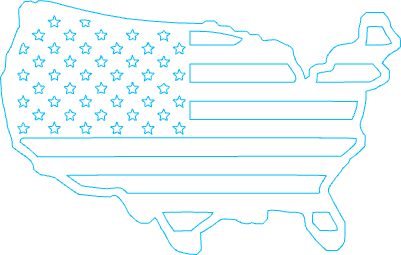


Information
      This project provides a simple and original instruction for cutting wooden keychains using the xTool M1 Ultra (10W diode laser).
The instructions are based on my own setup and testing, focusing on practical use, machine configuration, and common checks before running the job. The keychain size can be adjusted freely to match personal preference or project needs.
Please note that the default settings are optimized for basswood plywood. If you choose a different material, the laser settings will need to be adjusted accordingly, and results may vary if parameters are not recalibrated.
Before starting, make sure the file includes separate Engrave and Cut operations, as the software may occasionally consolidate them automatically.
Instruction
Step1: Machine Set up
⚠️ Important:
If you change the material, the default settings included in this file will also need to be adjusted.
Using a different wood, MDF, or acrylic may result in poor or unsatisfactory results if the parameters are not recalibrated.
XCS may sometimes automatically consolidate operations.
Before running the job, verify that Engrave and Cut are still separated, and manually reassign them if needed.
- Power ON the xTool M1 Ultra
- Install the honeycomb bed
- Place the wood sheet on the honeycomb
- Secure material using magnets, ensuring flatness
Step2
- Open xTool Creative Space (XCS)
- Import the bookmark file
- Position the design within the material area
- Perform Auto Focus
- Use Frame to confirm alignment
Step3
Acceptance Criteria
Engraving is clear and legible
Consistent engraving depth
No excessive burn marks
Clean cut-through edges
Dimensions per design
Step4: Finishing & Storage
FINISHING (IF APPLICABLE)
Light edge sanding (grit 220–320)
Clean engraving residue
Optional sealing or oil finish
STORAGE
Store keychain flat
Protect from moisture and bending
Avoid stacking without separators
Remixes
License



You may also like

Laser Engraved American Flag Keychain


United States 250th Anniversary Commemorative Medal or Keychain Keyring 1776-2026


Laser Engraved Wooden Sloth Keychain with Metal Ring


Round inlay flag keyring


Laser Engraved Wooden Cat Keychain with Metal Ring


American Flag Keychain with Integrity Service Courage Inscription


Wooden keychain featuring a semi truck and American flag motif


Patriotic keychain with number 4 and American flag design


Wooden Keychain Featuring a Soaring Eagle Illustration


Round American Flag Keychain with Star and Stripe Pattern


Laser Cut Wooden Dog Keychain with Joy Text


Laser Engraved Wooden Keychain with Custom Photo Image


Laser Engraved Wooden Dog Portrait Keychain Staffordshire Bullterrier

Laser Cut Cat Head Keychain with Metal Fishbone Charm


Laser Engraved Proud French Mastiff Owner Leather Keychain Keyring- Fully Customizable!


Keychain Cat Norwegian Forestcat/ Schlüsselanhänger Katze


Dog Tag/Keychain for Pet Lovers


Laser Cut Wooden Cat Keychain with Cute Engraved Design
