
![[Laser cut and engrave] Porte-clés en bois avec motifs de petits dragons mignons](https://storage-us.atomm.com/resource/xtool/community/attachment/xtool-community/48f8dca8-7eb5-40c7-b8d7-4359649fce2c.png?x-oss-process=image/resize,w_1200,h_900,limit_0/interlace,1/format,webp/auto-orient,1)
![[Laser cut and engrave] Porte-clés en bois avec motifs de petits dragons mignons](data:image/png;base64,iVBORw0KGgoAAAANSUhEUgAAAAoAAAAKCAYAAACNMs+9AAAAAXNSR0IArs4c6QAAABdJREFUKFNjZCASMBKpjmFUId6QIjp4AAppAAuXjCs4AAAAAElFTkSuQmCC)
![[Laser cut and engrave] Porte-clés en bois avec motifs de petits dragons mignons](https://storage-us.atomm.com/resource/xtool/community/attachment/xtool-community/48f8dca8-7eb5-40c7-b8d7-4359649fce2c.png?x-oss-process=image/resize,w_200,h_150,limit_0/interlace,1/format,webp/auto-orient,1)
![[Laser cut and engrave] Porte-clés en bois avec motifs de petits dragons mignons](https://storage-us.atomm.com/resource/xtool/community/attachment/xtool-community/b4d2ca3a-35d1-439d-9b90-e5431d27ae01.jpg?x-oss-process=image/resize,w_200,h_150,limit_0/interlace,1/format,webp/auto-orient,1)
![[Laser cut and engrave] Porte-clés en bois avec motifs de petits dragons mignons](https://storage-us.atomm.com/resource/xtool/community/attachment/xtool-community/aa94cc1c-15c6-4438-ad48-71ab7bf770a2.jpg?x-oss-process=image/resize,w_200,h_150,limit_0/interlace,1/format,webp/auto-orient,1)
Kawaii Baby Dragon Keychain –Grumpy Puff Dragon Chibi Charm - Moody Bean Dragon
 Instruction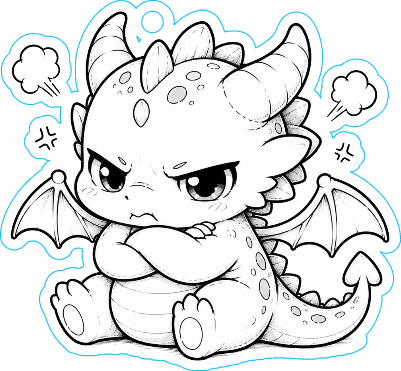


Information
      Meet the cutest little dragons ever 🐉✨

This kawaii baby dragon keychain is part of an original fantasy collection featuring tiny dragons with unique personalities, emotions, and magical vibes. Each dragon is carefully designed with oversized expressive eyes, adorable chubby proportions, and soft engraved details for an irresistibly cute result.

Laser engraved and cut from wood, these tiny fantasy companions are perfect for:
✨ keys
✨ backpacks
✨ pencil cases
✨ ita bags
✨ dragon lovers & fantasy fans
✨ cute collectible accessories

Each dragon has its own personality:
sleepy, shy, chaotic, greedy, magical… collect them all and choose your favorite tiny guardian 💫

Features:

Original kawaii fantasy design
High detail laser engraving
Lightweight wooden keychain
Cute collectible style
Perfect small gift for fantasy lovers

Designed with love for cute creature fans and cozy fantasy aesthetics 🖤
Instruction
Step1: Download the file
Download the XCF file to your computer.
Step2: Open in xTool Studio
Launch xTool Studio and import the XCF file.
Step3: Adjust your settings

Set your material, power, and speed according to your machine and wood type.
(Always run a small test first!).
Adjust the settings according to your machine and material.
The included settings are optimized for an xTool S1 10W using 3 mm plywood.
Make sure to set the correct material height (focus).
Frame the working area and move the design if needed.
Step4: Start the laser
Place your material, frame the design, and start cutting/engraving. Enjoy your make! ✨
Step5: Keychain Assembly Tutorial (with Tassel)
🪜 Step-by-step assembly
1- Prepare the charm
Make sure the laser cut is clean and the hole is fully open.
💡 Tip: lightly sand the edges if needed.
2- Open the jump ring
Using flat nose pliers:
twist the jump ring sideways (not pulling apart)
open just enough to slide the pieces in
Do not pull outward — it weakens the ring.
3- Attach the charm
Slide the wooden charm onto the jump ring.
Make sure it moves freely.
4- Add the tassel
Slide the tassel loop onto the same jump ring.
Order doesn’t matter, but charm + tassel on same ring looks best.
5- Close the jump ring
Using pliers:
twist back to original position
ensure the ring is fully closed
check there is no gap
✅ This prevents pieces from slipping out.
6- Attach to the key ring
If not already connected: attach the jump ring to the main key ring or use the small chain if included
