









































Report
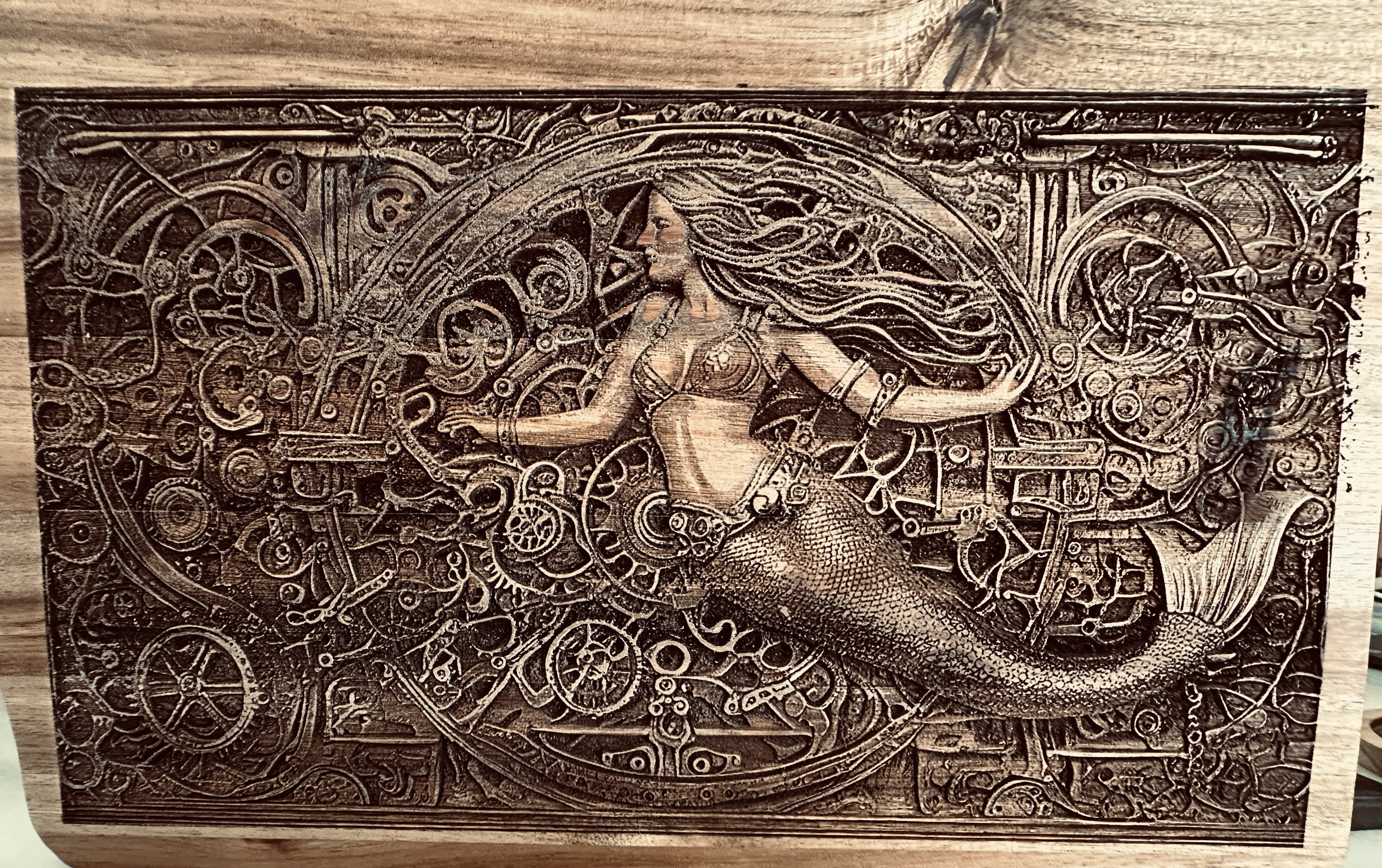
![[Laser cut and engrave] Steampunk Mermaid](https://image-res.xtool.com/resource/xtool/community/attachment/xtool-community/a095a54b-3dcb-463c-a62c-0de7fb5a0a86?x-oss-process=image/resize,w_1200,h_900,limit_0/interlace,1/format,webp/auto-orient,1)
![[Laser cut and engrave] Steampunk Mermaid](data:image/png;base64,iVBORw0KGgoAAAANSUhEUgAAAAoAAAAKCAYAAACNMs+9AAAAAXNSR0IArs4c6QAAABdJREFUKFNjZCASMBKpjmFUId6QIjp4AAppAAuXjCs4AAAAAElFTkSuQmCC)
![[Laser cut and engrave] Steampunk Mermaid](https://image-res.xtool.com/resource/xtool/community/attachment/xtool-community/a095a54b-3dcb-463c-a62c-0de7fb5a0a86?x-oss-process=image/resize,w_200,h_150,limit_0/interlace,1/format,webp/auto-orient,1)
![[Laser cut and engrave] Steampunk Mermaid](https://image-res.xtool.com/resource/xtool/community/attachment/xtool-community/00314faa-adda-45f7-b472-0a55fc428d0e/IMG_3874.jpeg?x-oss-process=image/resize,w_200,h_150,limit_0/interlace,1/format,webp/auto-orient,1)
![[Laser cut and engrave] Steampunk Mermaid](https://image-res.xtool.com/resource/xtool/community/attachment/xtool-community/17a306a8-d8d1-498a-9c69-847308ef333f/IMG_3821.jpeg?x-oss-process=image/resize,w_200,h_150,limit_0/interlace,1/format,webp/auto-orient,1)
![[Laser cut and engrave] Steampunk Mermaid](https://image-res.xtool.com/resource/xtool/community/attachment/xtool-community/c31e8089-1858-4f27-8c07-2b8f7f907332/IMG_3817.jpeg?x-oss-process=image/resize,w_200,h_150,limit_0/interlace,1/format,webp/auto-orient,1)
Steampunk Mermaid
IMG_3874
.jpeg
Show 1 more
Application scenario
Laser (9min)
Machine & module

xTool D1 Pro
20WMaterial used

Acacia wood cutting board
136
1721
Information
Using AI on Xtool Projects, I requested a Steampunk Mermaid. Using lightburn I engraved on the back of a cutting board 11” x 8”. I did the engraving in three layers, the first pass was 3750/ 80% power. 2nd pass same setting but rotated the angle 35 degrees. The final layer, I adjusted the image in LB to push the darks and increased the contrast almost all the way up. So only the really dark spots engraved. I also rotated to 90 degrees on this pass.
Comments


