











































報告
![[Laser cut and engrave] Puzzle gift card](https://storage-us.atomm.com/resource/xart/result/261840/f26d26d2-af11-4620-9517-496e9fde5085.png?x-oss-process=image/resize,w_1200,h_900,limit_0/interlace,1/format,webp/auto-orient,1)
![[Laser cut and engrave] Puzzle gift card](data:image/png;base64,iVBORw0KGgoAAAANSUhEUgAAAAoAAAAKCAYAAACNMs+9AAAAAXNSR0IArs4c6QAAABdJREFUKFNjZCASMBKpjmFUId6QIjp4AAppAAuXjCs4AAAAAElFTkSuQmCC)
![[Laser cut and engrave] Puzzle gift card](https://storage-us.atomm.com/resource/xart/result/261840/f26d26d2-af11-4620-9517-496e9fde5085.png?x-oss-process=image/resize,w_200,h_150,limit_0/interlace,1/format,webp/auto-orient,1)
![[Laser cut and engrave] Puzzle gift card](https://storage-us.atomm.com/resource/xtool/community/attachment/xtool-community/517c3d4a-e1a6-4da5-afab-77de917e15ed.jpg?x-oss-process=image/resize,w_200,h_150,limit_0/interlace,1/format,webp/auto-orient,1)
![[Laser cut and engrave] Puzzle gift card](https://storage-us.atomm.com/resource/xtool/community/attachment/xtool-community/775a6ea1-31ae-4fd9-9fd3-63f39399cdc1.jpg?x-oss-process=image/resize,w_200,h_150,limit_0/interlace,1/format,webp/auto-orient,1)
![[Laser cut and engrave] Puzzle gift card](https://storage-us.atomm.com/resource/xtool/community/attachment/xtool-community/14acaa5e-7046-4628-8735-8c00e2adbfcb.jpg?x-oss-process=image/resize,w_200,h_150,limit_0/interlace,1/format,webp/auto-orient,1)
パズルギフトカード
SH
.xcs
アプリケーションシナリオ
レーザー加工 (30min)
機械とモジュール

xTool F1 Ultra
20W互換性のある · 12
使用される材料

3mmポプラ合板
3
534
情報
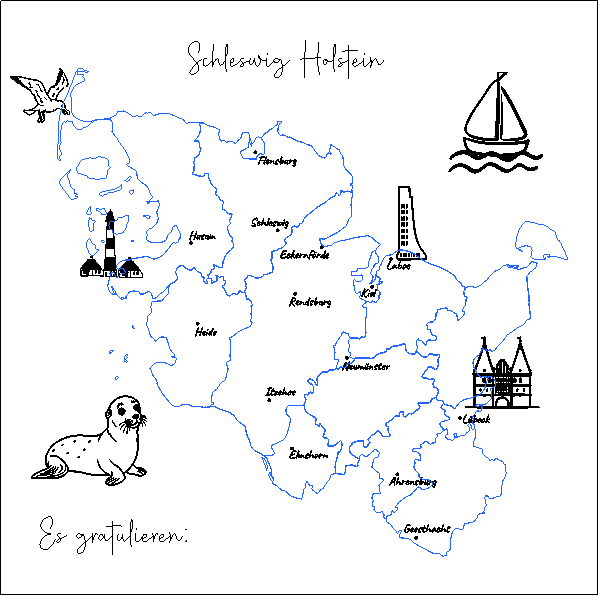
      まず、シンボルと国境線をレーザーで照らします。
カットマットの上に置き、中心にしっかりと置きます。
ラベル表示を無効にし、カットラインを有効にしてください。
暗い焦げを防ぐために、両面にテープを貼ったり、後ろから切ったりすることもできます。そうすれば切断線だけが鏡像で対応すればいいのです。
試してみて楽しんでくださいね!

まず、シンボルと国境線をレーザーで照射します。カットベースに置き、しっかりと中央に置きます。文字を無効にして、切断線を起動します。

暗い焦げ跡を避けるために、両面にテープを貼り、裏側から木板を切ることができます。あとは切断線をミラーリングするだけで済みます。試してみて楽しんでくださいね!
コメント


