
Report
![[DTF Printing,Other] Pink t-shirt with sparkling rhinestone cherry graphic](https://storage-us.atomm.com/resource/xtool/community/attachment/xtool-community/532f8c24-df11-4ece-9bef-79cfe929f076.gif)
![[DTF Printing,Other] Pink t-shirt with sparkling rhinestone cherry graphic](data:image/png;base64,iVBORw0KGgoAAAANSUhEUgAAAAoAAAAKCAYAAACNMs+9AAAAAXNSR0IArs4c6QAAABdJREFUKFNjZCASMBKpjmFUId6QIjp4AAppAAuXjCs4AAAAAElFTkSuQmCC)
![[DTF Printing,Other] Pink t-shirt with sparkling rhinestone cherry graphic](https://storage-us.atomm.com/resource/xtool/community/attachment/xtool-community/82438b64-828a-40f3-a609-da0740c46f51.png?x-oss-process=image/resize,w_200,h_150,limit_0/interlace,1/format,webp/auto-orient,1)
![[DTF Printing,Other] Pink t-shirt with sparkling rhinestone cherry graphic](https://i.ytimg.com/vi/5h3l4CYKNzg/hqdefault.jpg)
![[DTF Printing,Other] Pink t-shirt with sparkling rhinestone cherry graphic](/_nuxt/video_icon.B5w3Xr8w.png)
![[DTF Printing,Other] Pink t-shirt with sparkling rhinestone cherry graphic](https://storage-us.atomm.com/resource/xtool/community/attachment/xtool-community/b7e97f1e-fc23-4120-8c3b-f8076f54c893.png?x-oss-process=image/resize,w_200,h_150,limit_0/interlace,1/format,webp/auto-orient,1)
xTool WonderPress: DTF Cherry Tee
 Instruction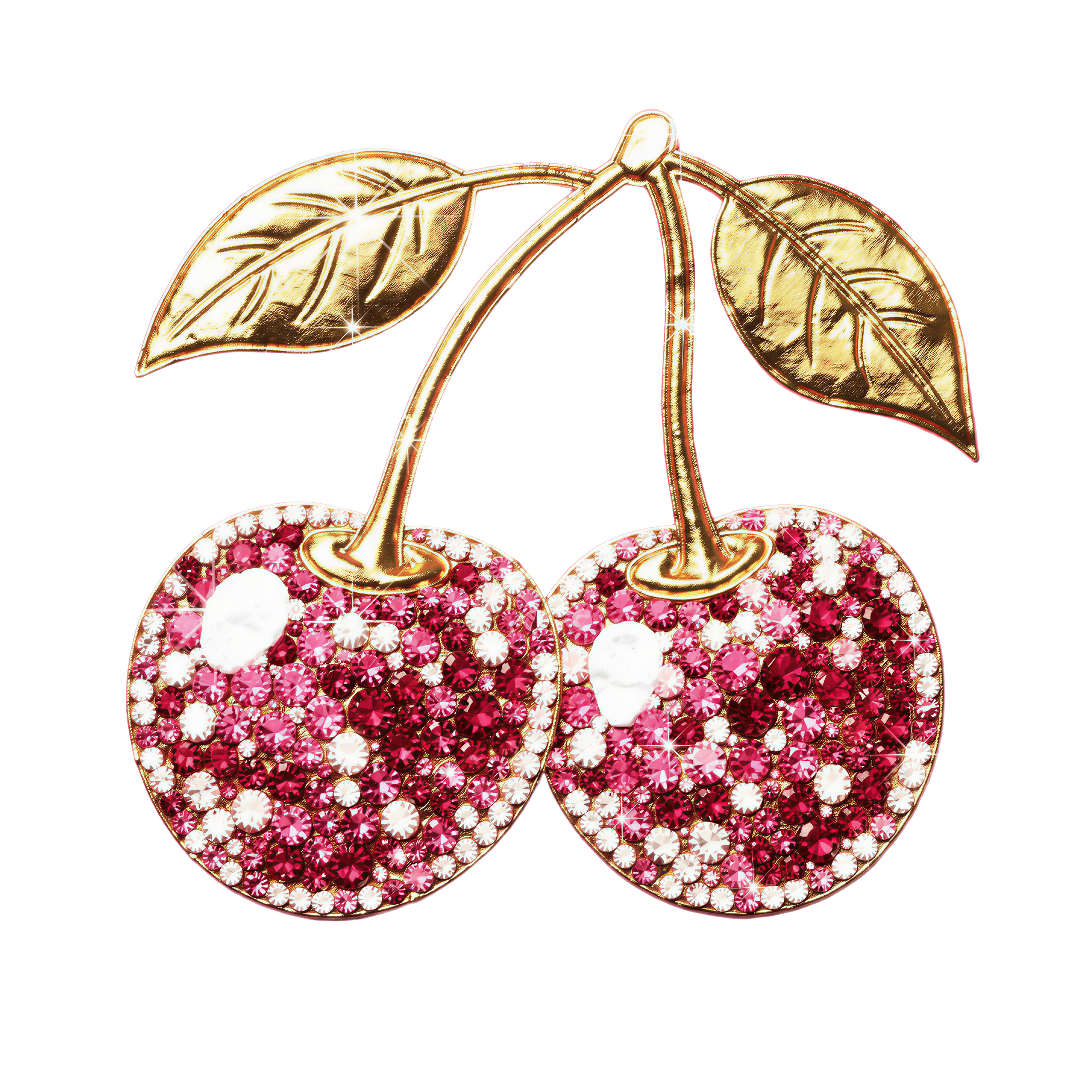
Cherry Tee
.png
Application scenario
DTF、Other
Machine & module

xTool WonderPress
Heat Press Module+Craft Oven ModuleMaterial used
xTool Selected DTF Film

38
1115
Information
      Reimagine the heat press. Unlock infinite crafting possibilities from 2D to 3D! ✨
Meet xTool WonderPress: Play with Heat. Create beyond Press.

✨ 5 Core Processes in 1 Workstation:
▪️ 2D Heat Transfer
▪️ DTF Curing
▪️ Craft Baking
▪️ 3D Sublimation
▪️ Vacuum Forming
Instruction
1
Step1: Newly launched: xTool WonderPress
2
Step2: Heat Press Module + Craft Oven Module

Preview

Preview
Unlike traditional presses that rely on guesswork, WonderPress combines industrial power with surgical precision through four core breakthroughs:
- 2X Heat Density: Double the heating tubes for ultra-even distribution. No cold spots—just perfect, edge-to-edge transfers.
- True 100kg Pressure: Intense, consistent force drives adhesive deep into fibers, preventing peeling or fading for long-lasting durability.
- Intuitive Rotary Control: A high-precision knob and 1.8 mm vivid screen replace clunky buttons for smoother, second-perfect settings.
- Infinite Expandability: More than just a press. Swap in the 3D Form or Craft Oven modules anytime to unlock infinite crafting possibilities.
3
Step3: How To Use
Thanks to the automated design, using the Heat Press Module becomes very simple for you!
- IF you have DTF machines, just print your design first.
- Change the Craft Oven Module and start DTF Curing.
- Then put your printed-film into xTool WonderPress: Heat Press Module.
- Open xTool App to adjust your settings (there are also preset automatic parameters in the App).
- Just press the button!
- Done!
Comments
