
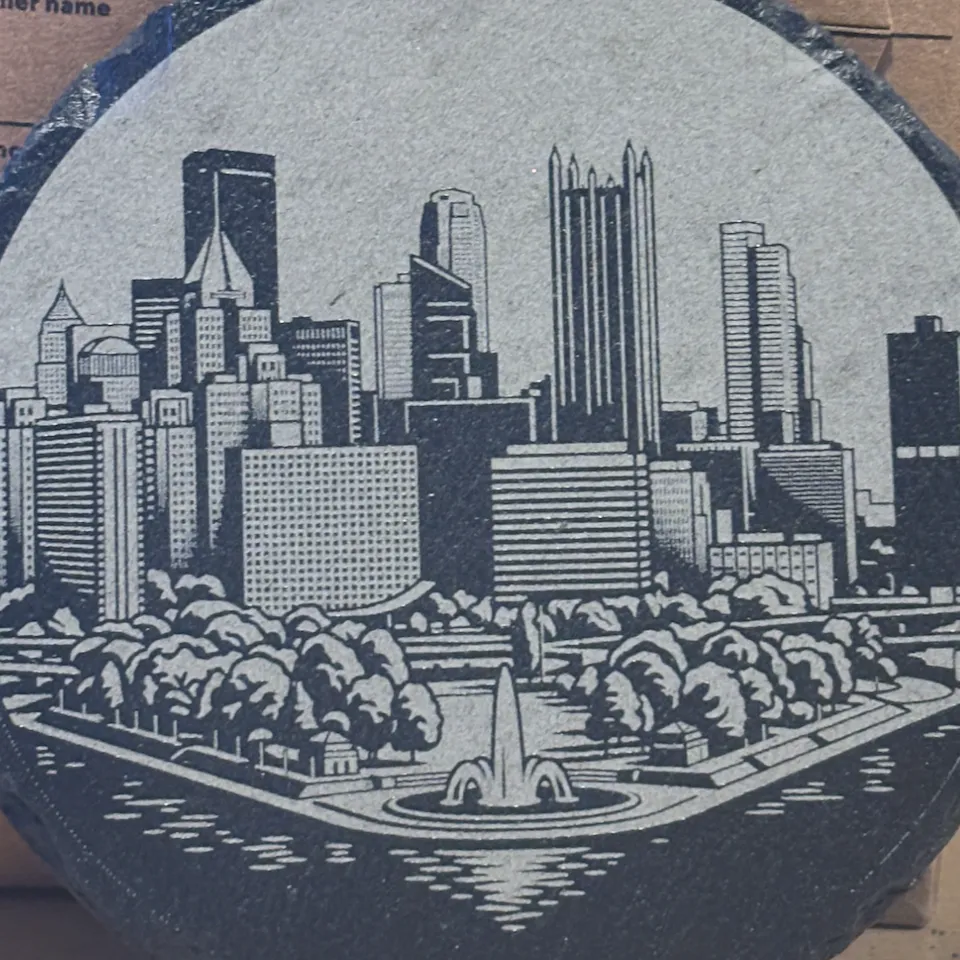
Round Rock Coaster
I use round black slate coasters. I apply a coat or two of Clear Gloss Enamel Spray Paint and allow to dry before engraving. I also use Xtool's AI feature to take the image and make it black and white for slate engraving. And last, I invert the image. Then place, align, and engrave! Hope this helps!
MachineF1 Ultra(Blue light · 20W)
Processing ModeProcess on baseplate
Processing typeEngrave
Thickness4.5mm
Material colorBlack
SettingsPass1
Speed80mm/s
Power70%
DPI350DPI
Dot duration190s
Bitmap modeJarvis
Engraving modeBi-directional
Engraving methodDotting
Laser typeBlue light
Frequency30kHz
Pass1
Speed80mm/s
Power70%
DPI350DPI
Dot duration190s
Bitmap modeJarvis
Engraving modeBi-directional
Engraving methodDotting
Laser typeBlue light
Frequency30kHz
Version: 2.0.0

Parameter ConverterLimited-time Free
Convert to My Machine Parameters0
Precautions
 Wear goggles that match the wavelength of the light source
When operating with open covers or using open-type devices, be sure to wear laser goggles that match the wavelength of the light source. Different light sources (blue light/infrared/CO2/UV) have different wavelengths; please pay attention to whether the wavelength protected by the goggles matches the laser;
 Prevent high-temperature burns after processing
Freshly processed materials and cuts are very hot; please wait for cooling or wear gloves to pick up parts; do not touch them directly.
Did these settings work?No results yet
No one has shared a result yet. Be the first to let other makers know if these settings worked.