Zgłoś
![[Laser cut and engrave] 3D Printed Decorative Medallion Featuring Snake Design](https://storage-us.atomm.com/resource/xtool/community/attachment/xtool-community/945ff36a-60da-49c4-9720-523187a54bfb.jpeg?x-oss-process=image/resize,w_1200,h_900,limit_0/interlace,1/format,webp/auto-orient,1)
![[Laser cut and engrave] 3D Printed Decorative Medallion Featuring Snake Design](data:image/png;base64,iVBORw0KGgoAAAANSUhEUgAAAAoAAAAKCAYAAACNMs+9AAAAAXNSR0IArs4c6QAAABdJREFUKFNjZCASMBKpjmFUId6QIjp4AAppAAuXjCs4AAAAAElFTkSuQmCC)
![[Laser cut and engrave] 3D Printed Decorative Medallion Featuring Snake Design](https://storage-us.atomm.com/resource/xtool/community/attachment/xtool-community/945ff36a-60da-49c4-9720-523187a54bfb.jpeg?x-oss-process=image/resize,w_200,h_150,limit_0/interlace,1/format,webp/auto-orient,1)
![[Laser cut and engrave] 3D Printed Decorative Medallion Featuring Snake Design](https://storage-us.atomm.com/resource/xtool/community/attachment/xtool-community/be294559-4ee9-49e8-8cda-9049fa676491.jpeg?x-oss-process=image/resize,w_200,h_150,limit_0/interlace,1/format,webp/auto-orient,1)
![[Laser cut and engrave] 3D Printed Decorative Medallion Featuring Snake Design](https://storage-us.atomm.com/resource/xtool/community/attachment/xtool-community/de47cbc4-10aa-4043-919a-0bb294dfa221.jpeg?x-oss-process=image/resize,w_200,h_150,limit_0/interlace,1/format,webp/auto-orient,1)
Tłoczenie monety z wężem
 Instrukcja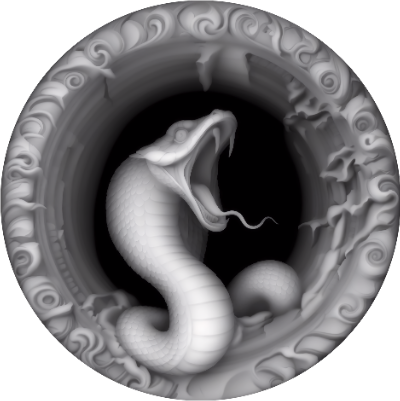
SnakeCoin
.xcs
Pokaż pozostałe (1 elementów)
Scenariusz zastosowania
Przetwarzanie laserowe (120min)
Maszyna i moduł

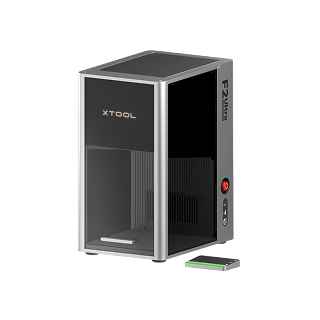
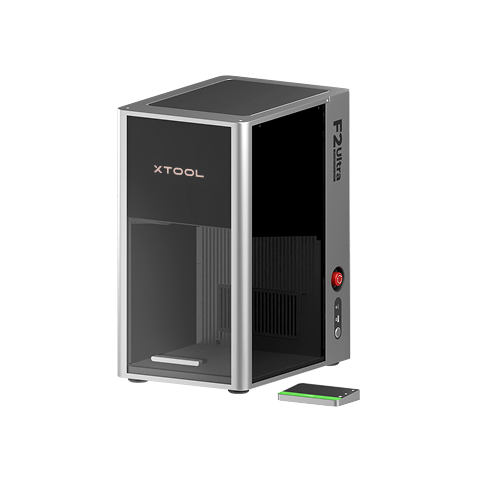
xTool F2 Ultra
60W, 40W
xTool F2 Ultra (Single)
60WKompatybilne · 8
Materiał użyty

Arkusz Stali Nierdzewnej 304 o wymiarze 5/64" (2mm)
72
944
Informacja
      Wytłoczyłem mapę głębi na stalowej blankowej monetze.

Mapa głębi podana tutaj: https://www.laser-pics.com/image/animals-depth-map-22da5/
Cała zasługa dla autora wątku Nicky Norton
Instrukcja
1
Krok1: Załaduj plik xcs
Otwórz plik .xcs i wycentruj wzór na swojej Coin. Naciśnij Process i rozpocznij cięcie.
2
Krok2: Obróbka postprodukcyjna

Podgląd
Usuń warstwę tlenku szczotką drucianą lub narzędziem dremel
Komentarze