신고
![[Laser cut and engrave] How to Batch Process](https://image-res.xtool.com/resource/xtool/community/attachment/xtool-community/0c467482-0e41-4364-98ae-b6563beb6874?x-oss-process=image/resize,w_1200,h_900,limit_0/interlace,1/format,webp/auto-orient,1)
![[Laser cut and engrave] How to Batch Process](data:image/png;base64,iVBORw0KGgoAAAANSUhEUgAAAAoAAAAKCAYAAACNMs+9AAAAAXNSR0IArs4c6QAAABdJREFUKFNjZCASMBKpjmFUId6QIjp4AAppAAuXjCs4AAAAAElFTkSuQmCC)
![[Laser cut and engrave] How to Batch Process](https://image-res.xtool.com/resource/xtool/community/attachment/xtool-community/0c467482-0e41-4364-98ae-b6563beb6874?x-oss-process=image/resize,w_200,h_150,limit_0/interlace,1/format,webp/auto-orient,1)
![[Laser cut and engrave] How to Batch Process](https://image-res.xtool.com/resource/xtool/community/attachment/xtool-community/21edc58b-518f-45a9-a2af-49f8cbeceefc/20240625_143843.jpg?x-oss-process=image/resize,w_200,h_150,limit_0/interlace,1/format,webp/auto-orient,1)
![[Laser cut and engrave] How to Batch Process](https://image-res.xtool.com/resource/xtool/community/attachment/xtool-community/bb7fe58a-a189-465a-bb70-919ee7972c80/20240625_143845.jpg?x-oss-process=image/resize,w_200,h_150,limit_0/interlace,1/format,webp/auto-orient,1)
배치 처리 방법
 지침
지침
batch engraving
.xcs
응용 시나리오
레이저 (20min)
기계 및 모듈

xTool F1 Ultra
20W사용된 재료

나무 열쇠고리
40
1016
지침
1
단계1: 설계 1

미리보기

미리보기
가장 먼저 해야 할 일은 배치 인그레이브 모드로 전환하는 것입니다. 그런 다음 디자인을 하나로 결합하세요. 저에게 이것은 물고기 세트입니다. 다음으로, 초록색 버튼을 눌러 자료의 윤곽선을 만들어
야 합니다.2
단계2: 설계 2

미리보기
이제 프레임 아웃라인 모드에서 재료가 완전히 설정되었는지 확인한 후 저장 버튼을 클릭하세요. 다음으로, 다른 과정처럼 레이저를 시작
해야 합니다.3
단계3: 재료

미리보기
이
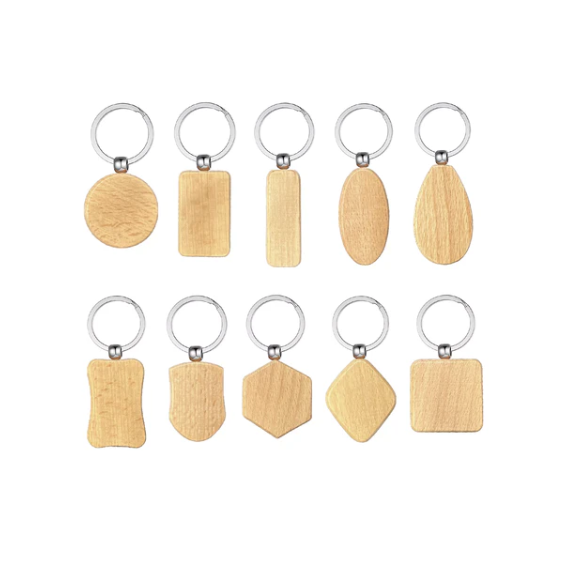
번에는 제가 여러 개 가지고 있는 직사각형 열쇠고리를 사용했는데, 좋은 점은 원하는 재료를 어떤 재료든 사용할 수 있다는 거예요.
4
단계4: 레이저 시간

미리보기
이제 레이저를 쓸 시간입니다. 중요한 점은: 이 작업에는 레이저 안전 안경이 필요합니다. 가능한 한 밀폐하되, 열쇠고리가 들어갈 공간도 충분히 남겨두세요. 안전 지침을 반드시 준수하세요.
5
단계5: 끝났어

미리보기
네
각인은 끝났어. 잘 했어요.
댓글