
Ask any maker which laser they bought first and the answer is usually a CO2 laser cutter. It is the machine that made the whole hobby accessible: one tool that cuts wood, engraves leather, and etches glass without needing a different laser for each material.
The short answer:
- A CO2 laser cutter generates its beam by electrically exciting a gas mixture — mostly carbon dioxide — sealed inside a glass tube.
- That wavelength is absorbed well by organic materials, which is why CO2 lasers excel at wood, acrylic, leather, fabric, and paper.
- It is the most versatile laser type for makers, cutting and engraving far more materials than fiber or diode lasers.
- Most desktop models run 40–100 watts, enough for hobby and small-business work without industrial pricing.
- The tradeoff is metal: CO2 lasers struggle with bare reflective metal, where fiber lasers take over.
How does a CO2 laser cutter work?
Inside a sealed tube, an electrical current excites a mix of carbon dioxide, nitrogen, and helium gas. That excitement releases light at a wavelength around 10.6 micrometers — invisible, but extremely well absorbed by organic and semi-organic materials. Mirrors bounce that beam through the machine and a lens focuses it down to a fine point at the material surface, where it cuts or engraves depending on power and speed.
What can you cut and engrave with a CO2 laser?
- Wood — plywood, MDF, hardwood; both cutting and detailed engraving
- Acrylic — clean-edged cuts and frosted engraving on cast or extruded sheet
- Leather — cutting shapes and engraving fine detail without a die
- Fabric and felt — clean-cut edges with no fraying, unlike scissors
- Paper and cardstock — intricate cuts for cards and invitations
- Glass — surface frosting (not deep engraving) on the outer layer only
Bare reflective metal is the one common material CO2 lasers do not handle well — the wavelength reflects off polished metal instead of being absorbed, which is where fiber lasers take over.
How to do laser cutting with a CO2 laser
- Design or import your file, setting which lines cut and which areas engrave.
- Load the material flat on the honeycomb bed and focus the laser to the correct height.
- Pick power and speed settings for the material and thickness — most software includes presets to start from.
- Run the job with air assist on to clear smoke and debris from the cut line as it goes.
- Remove and clean the piece, peeling protective film and sanding any char if needed.
What is a CO2 laser cutter?
A CO2 laser cutter is the machine built around this gas-tube technology — typically an enclosed cabinet with the tube, mirrors, a moving laser head, and a flat bed for material. Desktop models like the xTool P2S pack a 55W tube, dual cameras for placement, and full enclosure into a machine that fits on a workbench.

Why CO2 laser cutters matter for makers
Versatility is the whole pitch: a single CO2 machine covers wood signs, leather goods, fabric cutting, acrylic displays, and paper crafts, so a maker is not buying a different tool for every material. That is why most people building a laser business start with CO2 and only add a fiber laser later, once metal work specifically justifies the extra machine.
CO2 Laser Cutter Design Examples to Try
These community designs show what a CO2 laser cutter actually does across its best materials. Each is a real file you can open and make for free.
1. Kitchen Conversion Cutting Board
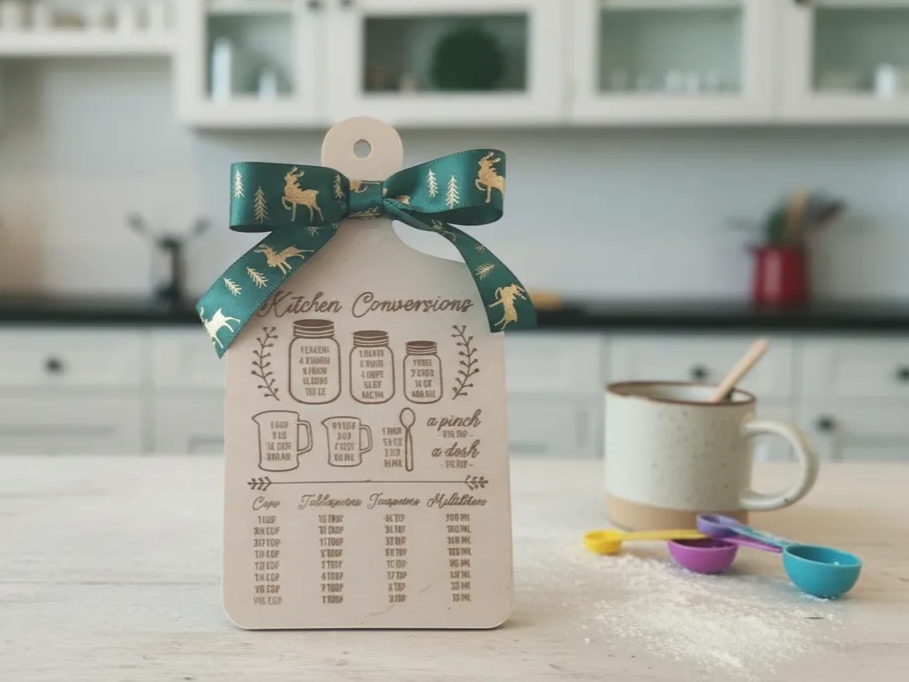
- Material: Wood
- Process: CO2 laser engraving
- Type: Kitchen / Cutting Board
Fine engraved text like this reads crisply because the CO2 beam vaporizes wood fiber cleanly instead of just charring the surface — a detail that shows up the moment you compare it to a rotary-engraved board. Browse more wood chopping board designs in the xTool community.
2. Personalized Acrylic Name Sign
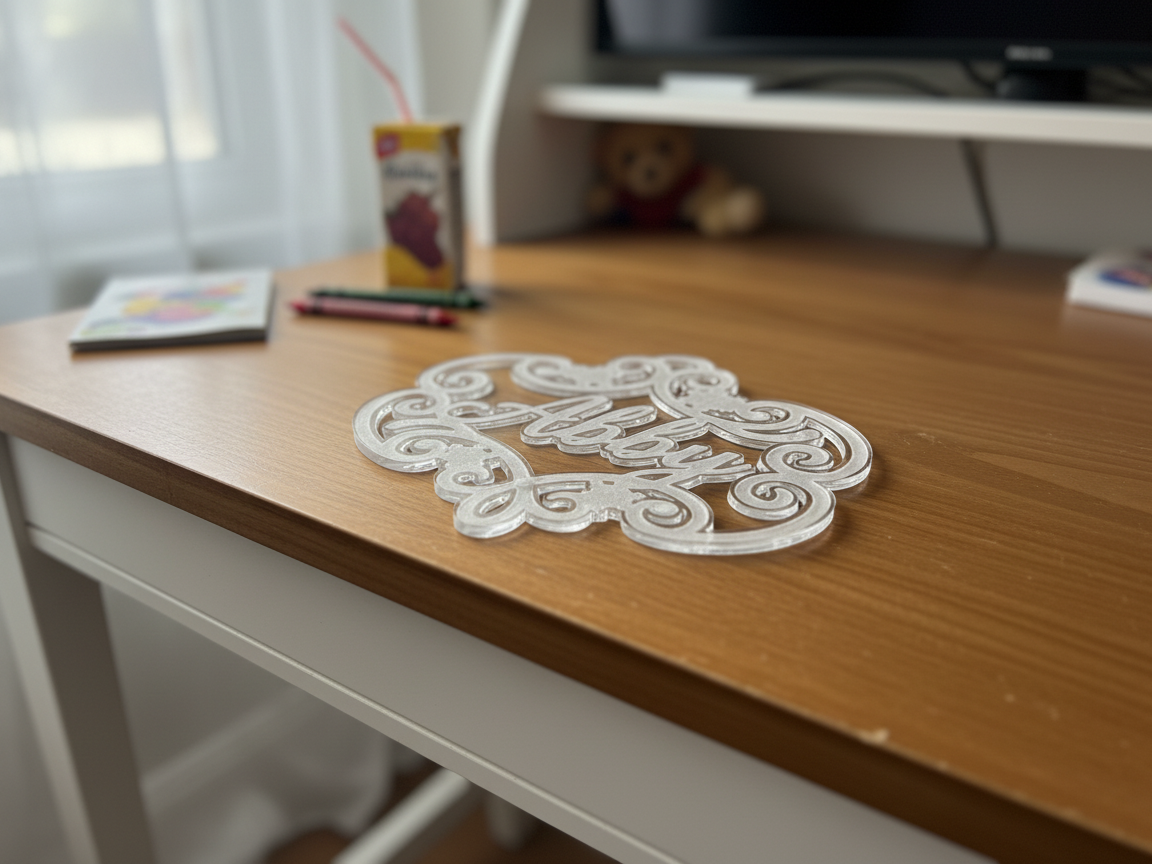
- Material: Acrylic
- Process: CO2 laser cutting
- Type: Home Decor / Sign
Cutting a name straight out of the sheet, letters connected only where the design intends, is a clean single-pass job for a CO2 laser and a design that would be slow to cut by hand. Browse more name sign ideas in the xTool community.
3. Leather Flower Keychain
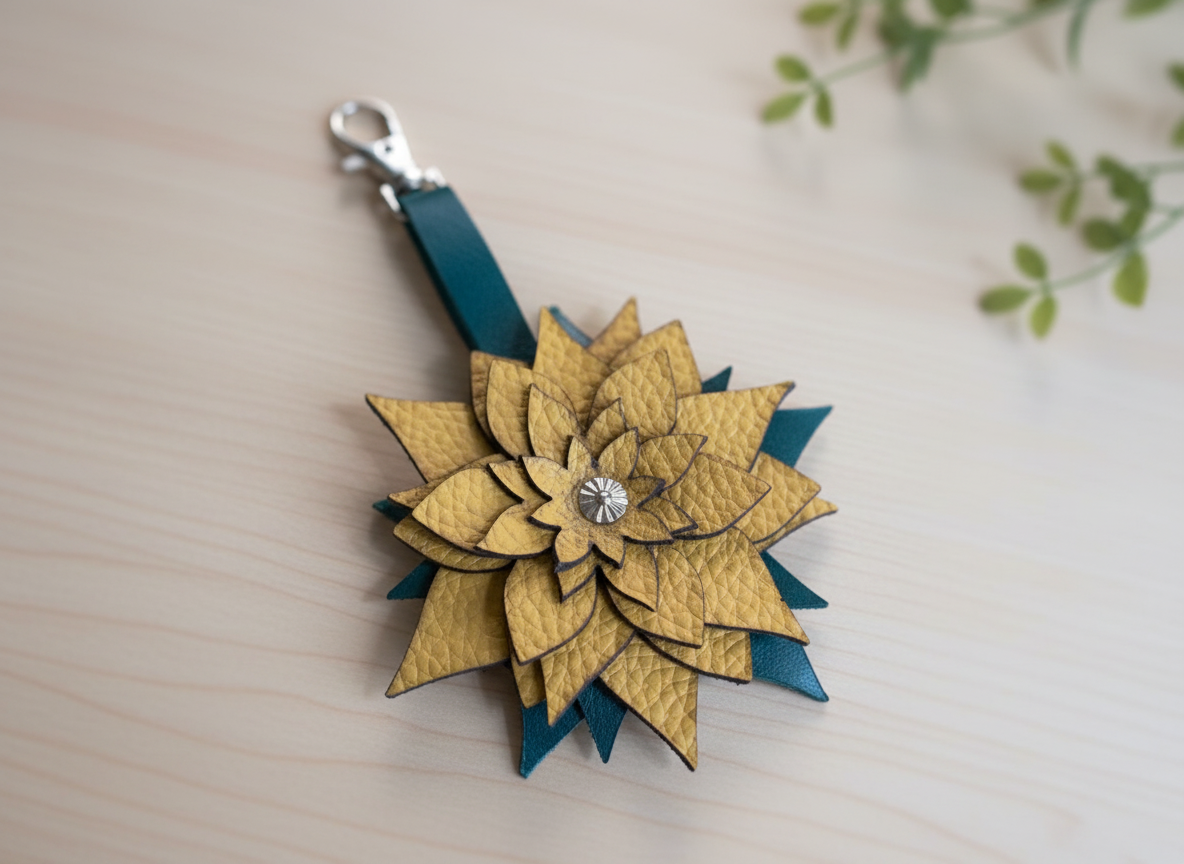
- Material: Leather
- Process: CO2 laser cutting
- Type: Jewelry / Keychain
Leather singes if you push a CO2 laser too hard, but at the right settings it leaves a smooth, sealed edge that needs no additional finishing before adding hardware. Browse more leather keychain projects in the xTool community.
4. Rolled Felt Flower Craft Kit
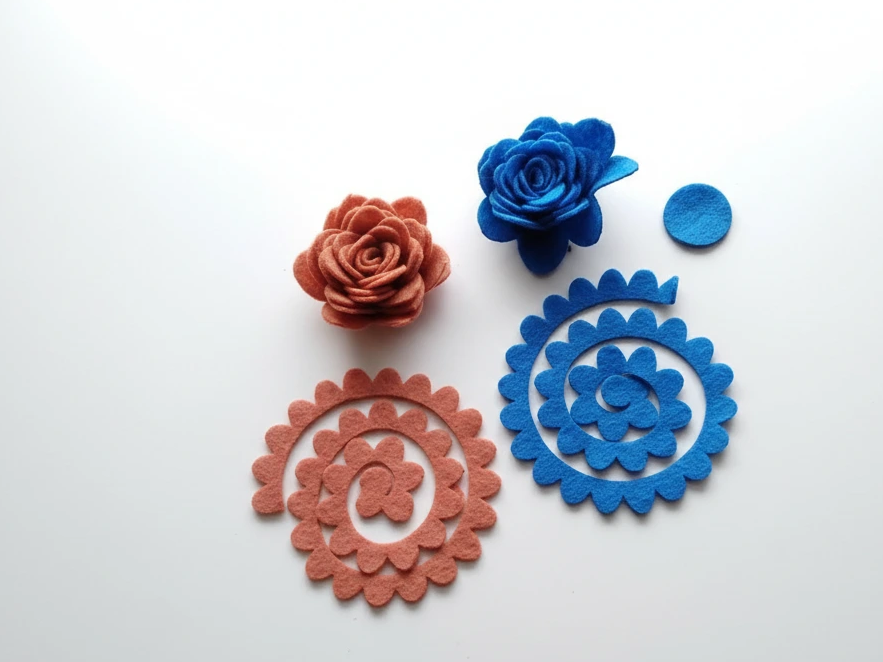
- Material: Felt
- Process: CO2 laser cutting
- Type: Craft Kit
Fabric is the material scissors struggle with most — a CO2 laser cuts a precise spiral through felt with a sealed edge that will not fray, which is exactly what makes it roll cleanly into a rose. Browse more fabric and felt laser projects in the xTool community.
5. Layered Wooden Mandala Wall Art
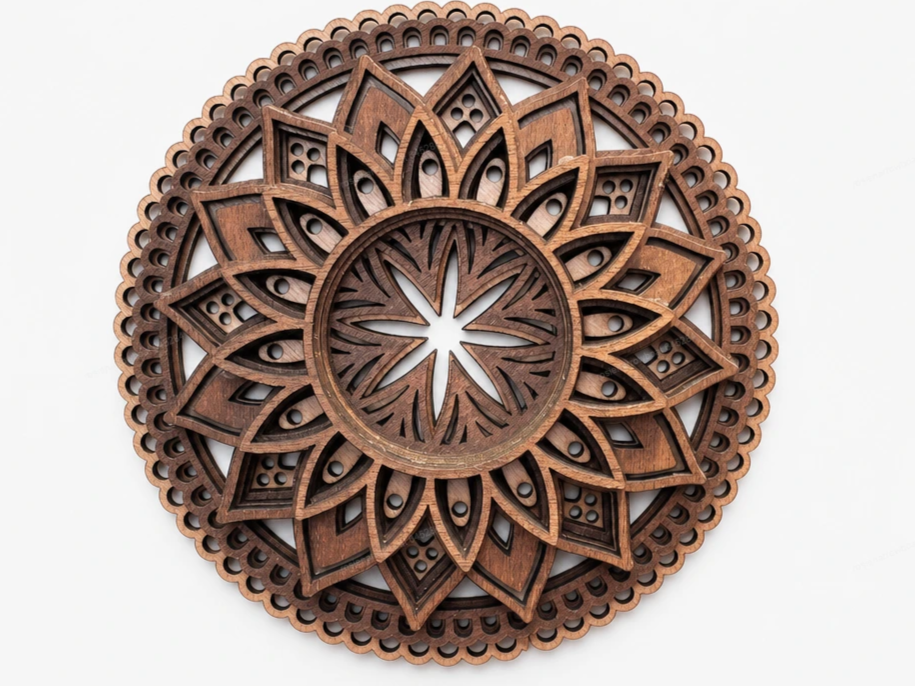
- Material: Wood
- Process: CO2 laser cutting
- Type: Home Decor / Wall Art
A pattern this dense, with dozens of tiny connected cutouts, is where a CO2 laser earns its keep — it holds the fine detail a scroll saw could never keep up with, in one pass. Browse more mandala wall art designs in the xTool community.
Looking for a CO2 laser cutter? The xTool P2 is the desktop standard. Its 55W tube cuts acrylic up to 20 mm and black walnut up to 18 mm, with fast, polished edges.
- Price: starting from $3,399
- Does: cut + engrave
- Laser: 55W CO2
- Work area: 600 × 308 mm
- Materials: wood, acrylic, glass, leather, fabric, paper (not bare metal)
 Shop the xTool P2
The bottom line
A CO2 laser cutter earns its place as most makers’ first laser because almost nothing else matches its material range: wood, acrylic, leather, fabric, and paper all cut and engrave well on the same machine. The one gap is bare metal — know that going in, and a CO2 laser will cover the vast majority of what a maker actually builds.
Frequently Asked Questions about CO2 Laser Cutters
What materials can a CO2 laser cutter not cut?
Bare reflective metals like polished aluminum or stainless steel reflect the CO2 wavelength instead of absorbing it, so cutting fails and engraving is inconsistent at best. PVC and vinyl should also be avoided — they release chlorine gas when cut.
How much does a CO2 laser cutter cost?
Entry-level desktop machines suitable for hobbyists start around $3,000–$8,000. Professional small-studio models with larger beds and higher power run $8,000–$25,000.
Is a CO2 laser cutter safe to use at home?
Yes, with proper ventilation. An enclosed machine with a fume extraction system vented outside (or through a filter) handles the smoke; never run one unattended, and keep a fire extinguisher rated for the materials you cut nearby.
How long does a CO2 laser tube last?
A quality glass CO2 tube typically lasts several thousand hours of run time before output power drops enough to need replacement, with sealed tubes (rated for a set lifespan) and can typically be swapped without replacing the whole machine.
CO2 vs. fiber vs. diode: which laser should I buy first?
Start with CO2 unless your projects are almost entirely metal. It covers the widest range of hobbyist materials, and most makers who eventually need metal work add a fiber laser as a second machine rather than replacing the CO2.
Ready to start cutting?
Turn any idea into a ready-to-cut layered design — or generate your own artwork in seconds.
