
The xTool P2 is a 55W desktop CO2 laser cutter and engraver built for makers who need a large working area and enough power to cut thick acrylic and hardwood in a single pass.
First released in April 2023, it pairs a big 305 × 600 mm bed with a dual-camera vision system, curved-surface engraving, and pass-through openings for oversized materials. This guide covers what the P2 is, what it costs, what it can cut and engrave, and how to set it up and use it.
Key Takeaways
- The xTool P2 is a 55W CO2 laser with a 305 × 600 mm work area.
- It cuts up to 20 mm acrylic and 18 mm black walnut in one pass, at up to 600 mm/s.
- Two cameras handle full-bed preview and precise on-screen placement, plus curved-surface engraving.
- It launched around $3,999; xTool has since succeeded it with the P2S.

What is the xTool P2?
The xTool P2 is a fully enclosed 55W CO2 laser cutter and engraver aimed at serious hobbyists and small businesses.
Its 55W glass laser tube gives it real cutting power — enough to slice through 20 mm clear acrylic and 18 mm black walnut in one pass — while its generous 305 × 600 mm bed handles large signs, panels, and batch layouts that smaller diode machines cannot.
Two features define the P2. First, a dual-camera system: a wide panoramic camera previews the whole bed while a second camera on the laser head captures close-up detail for precise, on-screen placement.
Second, curved-surface engraving, which lets the P2 wrap artwork onto rounded objects. Add front and back pass-through openings for long stock, and the P2 becomes a large-format CO2 tool rather than a starter engraver.
| Spec | xTool P2 |
|---|---|
| Released | April 2023 |
| Laser | 55W CO2 glass laser tube |
| Work area | 305 × 600 mm (~23.6" × 12") |
| Max material height | Up to 3" (75 mm) Z travel |
| Max cutting (one pass) | 20 mm acrylic, 18 mm black walnut |
| Max speed | 600 mm/s |
| Cameras | Dual (panoramic full-bed + close-up head camera) |
| Signature features | Curved-surface engraving, pass-through openings |
| Software | xTool Creative Space (XCS); LightBurn supported |
What is the pricing of the xTool P2?
The xTool P2 launched at around $3,999. As of July 2026, xTool has released the P2S as its successor, so the standalone P2 is now sold mainly as a refurbished unit, and the original P2 product page redirects to the P2S.
Prices below are in USD and move with xTool’s frequent promotions — always confirm the live figure on the official xTool P2 page.
| Configuration | What you get | Price (approx.) |
|---|---|---|
| xTool P2 (standard, at launch) | The 55W CO2 machine with dual cameras | ~$3,999 |
| xTool P2 (refurbished) | Factory-refurbished P2, when in stock | ~$2,300 and up |
| xTool P2S (current successor) | Upgraded P2 with faster acceleration and stronger air assist | ~$3,399–$4,299 |
| Bundles | P2 plus rotary, riser base, honeycomb, or material packs | bundle pricing on xtool.com |
xTool runs regular seasonal sales (mid-year, Black Friday, new year), so the machine is often available below list. Check the official page for current bundle deals and refurbished stock.
What can the xTool P2 engrave and cut?
As a 55W CO2 laser, the P2 excels at cutting and engraving non-metal materials, and it can mark coated and treated metals:
- Cuts: wood (up to 18 mm black walnut, plywood up to 12 mm), and acrylic up to 20 mm in a single pass. With the riser and slats installed, it handles material up to about 25 mm tall.
- Engraves: wood, acrylic, leather, glass, slate, ceramic tile, paper, and fabric — plus coated metal, anodized aluminum, and pre-coated stainless steel for marking.
- Curved surfaces: the P2 can engrave onto rounded objects, wrapping artwork around the contour rather than only flat stock.
- Cannot cut metal: like all CO2 lasers, the P2 marks metal but does not cut it.
Combined with the large bed and pass-through openings, that range makes the P2 popular for signage, home decor, layered wall art, personalized gifts, and small-batch production. Browse real results in the P2 project gallery.
Where can you buy the xTool P2?
- xTool official store (xtool.com) — current P2/P2S bundles, refurbished stock, warranty, and sale pricing.
- Amazon — the P2 and P2S are listed for fast shipping.
- Authorized resellers — retailers including MatterHackers, Maker Shed, and Best Buy carry xTool CO2 machines.
Real projects people make with the xTool P2
Here are a few community projects made on the P2 — from layered scenic art to 3D assembled decor — pulled from the xTool P2 project gallery:
1. Compass Scenic Cut and Engrave

A framed scenic scene built by cutting and deep-engraving plywood layers into a compass motif. Detailed multi-layer work like this leans on the P2’s 55W power for clean cuts and its dual cameras for aligning each layer precisely on the bed.
Get this design →2. Custom MAMA Acrylic Keychain
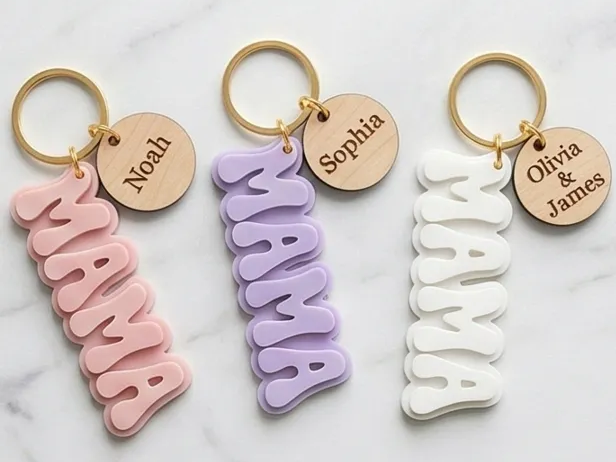
A personalized MAMA keychain cut and engraved from acrylic. Small giftable products like this are quick to batch, and the P2’s clean acrylic cutting and camera-based placement make it easy to fill a whole sheet with pieces in one run.
Get this design →3. Spherical Wooden Tiered Candle Holders

A set of spherical, tiered wooden tealight holders assembled from many precisely cut rings. This kind of 3D build shows the P2 cutting dozens of matching parts on its large bed, ready to slot together into a dimensional decor piece.
Get this design →4. Sea Turtle Scenic Cut and Engrave

A layered sea-turtle scene combining cut outlines with engraved texture and shading. The depth comes from stacking multiple cut wood layers, a technique the P2’s roomy bed and repeatable placement make straightforward for framed, gift-ready art.
Get this design →5. 3D Personalized Wedding Lantern

A personalized Mr-and-Mrs tealight lantern with rustic floral panels, cut and engraved then assembled into a 3D box. Wedding and event decor like this is a strong seller, and the P2 handles both the fine engraved detail and the clean structural cuts.
Get this design →6. Wooden Heart Wedding Table Sign

A heart-shaped wooden wedding table sign with an engraved floral border. Custom signage is one of the most popular uses for a CO2 laser, and the P2’s large bed lets you cut bigger sign blanks and engrave crisp lettering without tiling the job.
Get this design →How to set up the xTool P2
- Unbox and check the machine, power cable, USB cable, exhaust hose, honeycomb/slat panel, focus tool, and any bundled accessories.
- Place it on a flat, sturdy surface with clearance around the exhaust, and route the hose to a window or an xTool smoke purifier.
- Connect power and data, then link the P2 to your computer by USB, Ethernet, or Wi-Fi.
- Install xTool Creative Space (XCS), open it, let it detect the P2, and apply any firmware update.
- Calibrate the cameras so the on-screen preview matches the real bed for accurate placement.
- Set focus with the auto or manual focus tool, and fit the rotary or riser base if your project needs it.
How to use the xTool P2
- Design or import artwork in XCS — text, SVG, image, or DXF — and arrange multiple pieces for batch cutting.
- Place visually with the cameras: the panoramic view shows your material on the bed, so you drag each design exactly where you want it.
- Pick the operation: score, engrave, or cut, and choose a material preset or set your own power, speed, and passes.
- Run a frame preview to confirm placement, then start the job with the lid closed and exhaust running.
- For long stock, open the front and back pass-through doors and feed the material through in sections; for round objects, use curved-surface mode or the rotary.
What materials does the xTool P2 support?
As a CO2 laser, the P2 works with a wide range of non-metal materials and can mark treated metals. A quick reference:
| Category | Examples | Cut / Engrave |
|---|---|---|
| Wood | Basswood, plywood (≤12 mm), black walnut (≤18 mm), bamboo, MDF | Cut + engrave |
| Acrylic | Cast & extruded acrylic up to 20 mm | Cut + engrave |
| Leather & fabric | Genuine & faux leather, felt, canvas, cardstock | Cut + engrave |
| Stone & glass | Slate, marble, ceramic tile, coated glass | Engrave |
| Coated / treated metal | Anodized aluminum, pre-coated stainless steel, coated metal | Engrave (mark only) |
| Not supported | Bare metal cutting, PVC, unknown coated plastics | — |
Always test on scrap first and follow xTool’s material settings; never laser PVC or unknown coated plastics, which release harmful fumes.
xTool P2 alternatives
The P2 (and P2S) isn’t the only desktop CO2 laser worth a look. Here are five alternatives — one from xTool and four competitors — and where each fits.
xTool P3
Bigger xTool CO2
xTool’s flagship CO2 — 80W and a much bigger bed than the P2, with LiDAR autofocus and dual cameras. The step up if you outgrow the P2’s size or speed.
Glowforge Pro
Simplest to start
The most beginner-friendly CO2, with a very simple app. But it’s lower-powered than the P2, has a smaller bed, and puts some features behind a subscription.
OMTech Pronto 75
Most raw power
Far more wattage and a huge floor-standing bed for the money. The trade-offs are bulk, a steeper Ruida/LightBurn learning curve, and none of the P2’s enclosed-desktop polish.
Gweike Cloud Pro II
Budget desktop CO2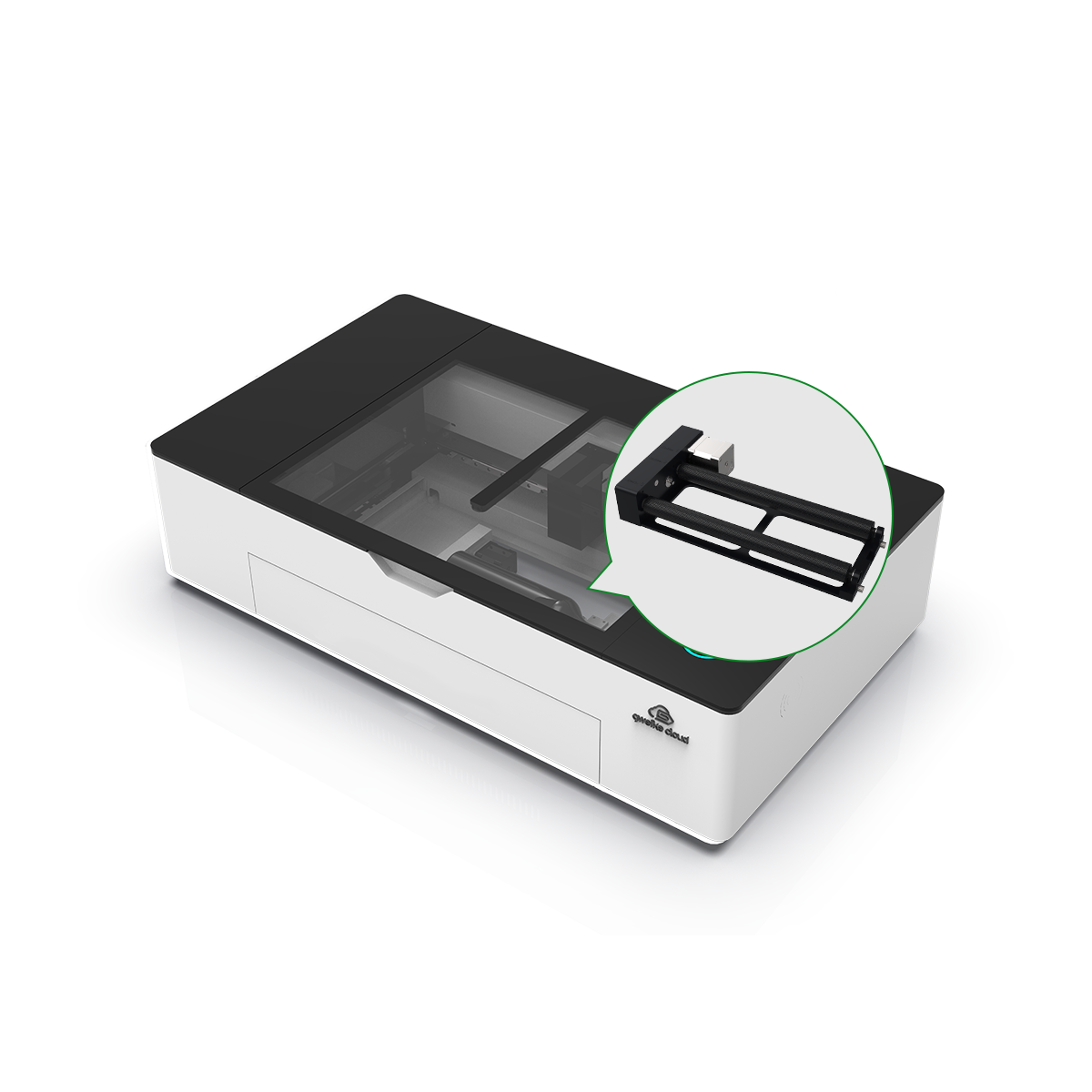
A close price-and-size competitor to the P2 — an enclosed desktop CO2 with a camera and app, at a slightly lower price but with less refinement.
Monport 80W
80W on a budget
More wattage than the P2 for less money, but in an industrial-style body with Ruida controls — no enclosed smart cameras, autofocus, or app to ease the learning curve.
How to choose a CO2 laser
Weigh these factors against your projects and budget, then match them to the machine:
| Priority | What to check | Points to |
|---|---|---|
| Power | Wattage (45–150W) — more watts cut thicker and faster | P2 (55W), Monport (80W), OMTech (150W) |
| Bed size | Working area for your largest pieces | P2 (26×14″), P3 (36×18″), OMTech (40×63″) |
| Ease of use | Enclosed body, camera/autofocus, simple app | P2, Glowforge, Gweike |
| Budget | Machine plus accessories, all in | Monport, Gweike |
| Software | Easy (XCS / Glowforge) vs manual (Ruida / LightBurn) | P2, Glowforge |
The xTool P2 is a strong middle-ground CO2 — enclosed, camera-assisted, and easy via XCS, at a sensible desktop size. Step up to the P3 if you need more power or a bigger bed.
Pick OMTech or Monport for raw power on a budget if you don’t mind industrial software, Glowforge for maximum simplicity, or the Gweike as a lower-cost desktop alternative.
Final thoughts
The xTool P2 brought serious CO2 cutting power to the desktop: a 55W tube that slices 20 mm acrylic in one pass, a large 305 × 600 mm bed, dual cameras for visual placement, and curved-surface engraving.
For makers producing signage, layered art, decor, and personalized gifts — especially in small batches — it remains one of the most capable desktop CO2 lasers, now carried forward by the P2S.
See real builds in the P2 project gallery, then check current pricing on the official xTool P2 page. For a faster diode-laser alternative in an enclosed body, compare the xTool S1.
Frequently asked questions about the xTool P2
How thick can the xTool P2 cut?
In a single pass the 55W P2 cuts up to 20 mm clear acrylic and 18 mm black walnut. Plywood is best kept to 12 mm or less, and with the riser installed you can fit material up to about 25 mm tall.
What is the difference between the xTool P2 and P2S?
The P2S is the newer successor to the P2. Both are 55W CO2 lasers with the same 305 × 600 mm bed and 600 mm/s top speed, but the P2S adds faster motion acceleration, stronger air assist and exhaust, fuller 3D curved-surface engraving, and a USB security key.
Can the xTool P2 cut metal?
No. Like all CO2 lasers, the P2 can engrave and mark coated or treated metals such as anodized aluminum and pre-coated stainless steel, but it cannot cut bare metal.
Does the xTool P2 have a camera?
Yes — two. A panoramic camera previews the whole bed and a close-up camera on the laser head captures fine detail, so you can position designs visually on screen instead of measuring by hand.
What software does the xTool P2 use?
You design and run jobs in xTool Creative Space (XCS), which is free. The P2 also works with LightBurn if you prefer it.
