
Key Takeaways
- An engraving machine is any machine that carves or marks a design into a hard surface — wood, metal, glass, acrylic, leather, and more.
- The three main methods are laser (a light beam), rotary/CNC (a spinning bit), and impact (a struck or dragged tip).
- For makers, a laser engraver is the most versatile and popular choice — fast, detailed, and great on wood, acrylic, leather, and glass.
- Good desktop machines start near $200–$1,000+, depending on the method and materials.
“Engraving machine” is a broad term — it covers everything from a $200 desktop laser to an industrial metal-marking system. If you want to personalize products or mark parts, it helps to know the types and how they differ. This guide explains what an engraving machine is, how the different kinds work, what they can engrave, and how to choose the right one.
What is an engraving machine?
An engraving machine is a computer-controlled tool that cuts, burns, or presses a design into the surface of a material. Instead of printing on top, it creates a permanent mark that's part of the object itself — a monogram on a tumbler, a logo on a wooden sign, or a serial number on a metal part.
The term spans several technologies that reach that result in different ways. Some use a laser beam, some a fast-spinning rotary bit, and some a hard impacting tip. Which one is “best” depends entirely on the materials you work with and what you're making.

How does an engraving machine work?
All engraving machines follow a digital design, but they remove or mark material in one of three ways:

- Laser — a focused beam of light burns or vaporizes the surface, a process also called laser etching. It's contactless, fast, and highly detailed, and it's the most versatile method for everyday materials.
- Rotary / CNC — a spinning cutting bit carves into the surface, like a tiny CNC router. It excels at deep, dimensional engraving and hard metals.
- Impact (dot-peen / diamond-drag) — a hard tip strikes or drags across metal to dent a permanent mark, used industrially for serial numbers and codes.
Types of engraving machines
Those methods map to four kinds of machine you'll actually shop for. Here's how each one works and what it's best at.
Laser engravers
How it works: a focused beam of light burns or vaporizes the surface to leave a mark — contactless, fast, and highly detailed. They come in CO2 (wood, acrylic, glass), diode (budget, compact), and fiber (metal) varieties.
Best for: signs, gifts, and personalized goods in wood, acrylic, leather, and glass. It's the most versatile and popular choice for makers and small businesses — see our full guide to what a laser engraver is.
Rotary / CNC engravers
How it works: a fast-spinning cutting bit carves physically into the surface, like a small CNC router following a digital design.
Best for: deep, dimensional engraving and hard metals — jewelry, trophies, plaques, and industrial parts where a tactile, carved depth is wanted.

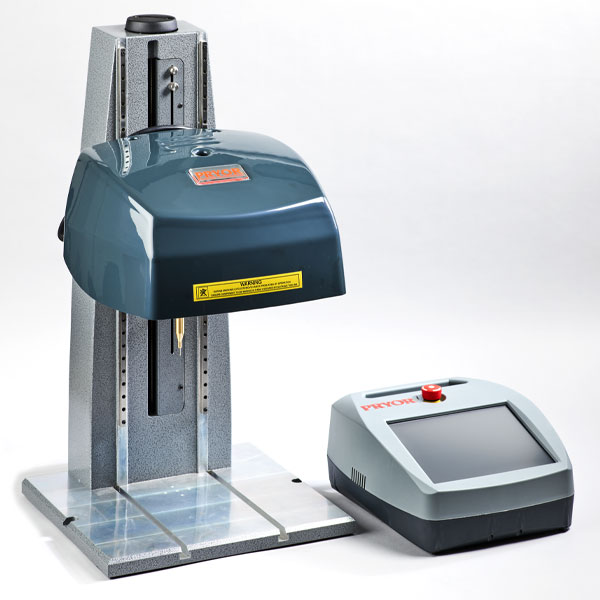
Dot-peen & impact markers
How it works: a hard carbide or diamond tip repeatedly strikes (dot-peen) or drags (diamond-drag) across metal, denting a series of marks to form the design.
Best for: industrial part marking — serial numbers, VINs, logos, and codes stamped permanently into metal parts, quickly and reliably.
Handheld engravers
How it works: a small electric or rotary tool spins or vibrates a hardened tip that you guide across the surface by hand, scratching in the design.
Best for: quick, casual jobs — marking tools, labeling belongings against theft, and small personal touches, at a very low cost.

For most crafters and small businesses making signs, gifts, and personalized goods, a laser engraver offers the best mix of speed, detail, and material range.
Which engraving machine is right for you?
Two quick ways to narrow it down — by what you make, and by who you are.
By what you want to make
- Signs, gifts & personalized goods (wood, acrylic, leather, glass) → a laser engraver — the most versatile, beginner-friendly option.
- Deep, dimensional or soft-metal engraving (jewelry blanks, trophies, tactile carving) → a rotary/CNC engraver.
- Bare-metal marking (stainless, brass, aluminum) → a fiber laser, or a dot-peen marker for serial numbers and codes at speed.
- Quick, occasional freehand marking → a cheap handheld engraver.
By who you are
- Hobbyist / crafter — an enclosed desktop diode or CO2 laser: safe, simple, and endlessly versatile for gifts and decor.
- Small-business / Etsy seller — a faster CO2 or dual diode-plus-fiber laser with a camera, so you can batch orders across wood, acrylic, and coated metal.
- Jeweler / metalsmith — a fiber or MOPA laser for crisp, permanent marks on rings, tags, and tools.
- Woodworker / signmaker — a large-bed CO2 laser or a CNC router for bigger pieces and deep relief.
- Factory / workshop — a dot-peen or fiber marker built for traceability and high-volume part marking.
- DIY / home user — a handheld engraver for the occasional label or personalization, no computer needed.
For the vast majority of hobbyists and small businesses, a laser engraver is the right first machine — and you can explore project ideas in our guide to custom laser engraving.
Best engraving machines to buy (by type)
The right machine depends on the type you need. Here are two solid picks in each category, from beginner-friendly to pro.
Laser engravers (diode & CO2)
The most versatile pick for most makers — cut and engrave wood, acrylic, leather, and coated metals with light.
xTool S1
Best all-rounder
The xTool S1 is a fully enclosed diode laser, one of the safest ways to start engraving at home. A class-1 cover, auto-focus, and a built-in camera make placing and running designs simple.
It cuts and engraves wood, acrylic, and leather, and the 40W module speeds up thicker cuts; add the infrared module and it marks bare metal too.
xTool S1: the do-it-all diode machine for a versatile first purchase.
Glowforge Aura
Easiest to start
A compact, plug-and-play diode laser with an HD camera and famously simple cloud software, so you can frame and finish a first project in minutes.
It is limited to thinner, mostly organic materials on a small bed, which makes it a light hobby tool rather than a production machine.
Glowforge Aura: the gentlest on-ramp for total beginners.
Fiber / metal laser engravers
For marking and deep-engraving bare metal — jewelry, tools, and industrial parts.
xTool F1 Ultra
Best for metal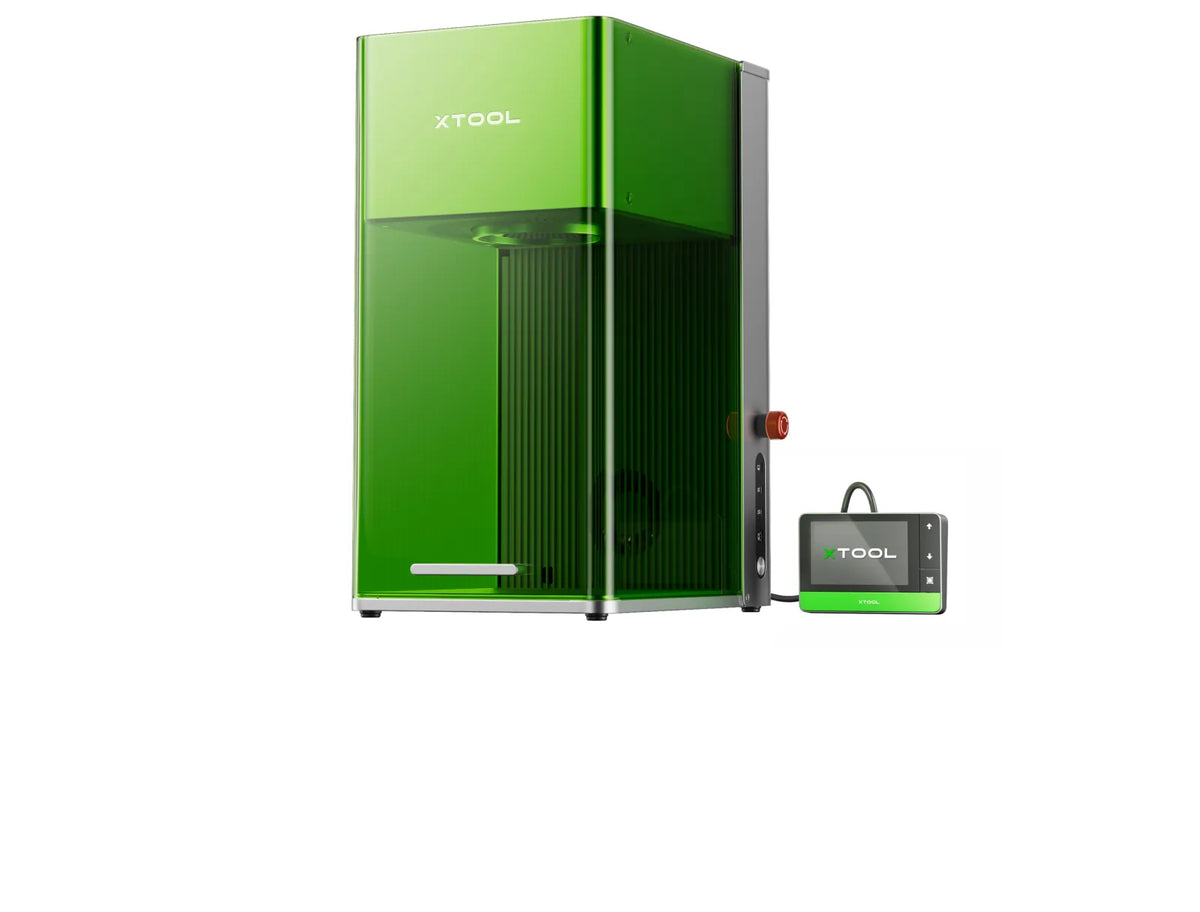
A dual-source engraver combining a 20W fiber laser with a 20W diode, so one machine marks stainless, brass, aluminum, and gold and also engraves wood, leather, and acrylic.
A high-speed galvo and smart camera make it fast and accurate enough for batch jewelry and tool marking.
xTool F1 Ultra: the most versatile metal engraver for makers and small brands.
xTool F2 Ultra
Best for production
A flagship 60W MOPA fiber engraver whose adjustable pulse enables true color marking on stainless and fast, deep engraving on hard metals.
Built for pro-grade speed and repeatability, it suits a business scaling metal output across jewelry, tools, and batch runs.
xTool F2 Ultra: the production workhorse for a metal-focused business.
Rotary & CNC engravers
A spinning bit or drag tip physically carves the surface — good for soft metals and 3D depth.
Cricut Maker 3
Craft add-on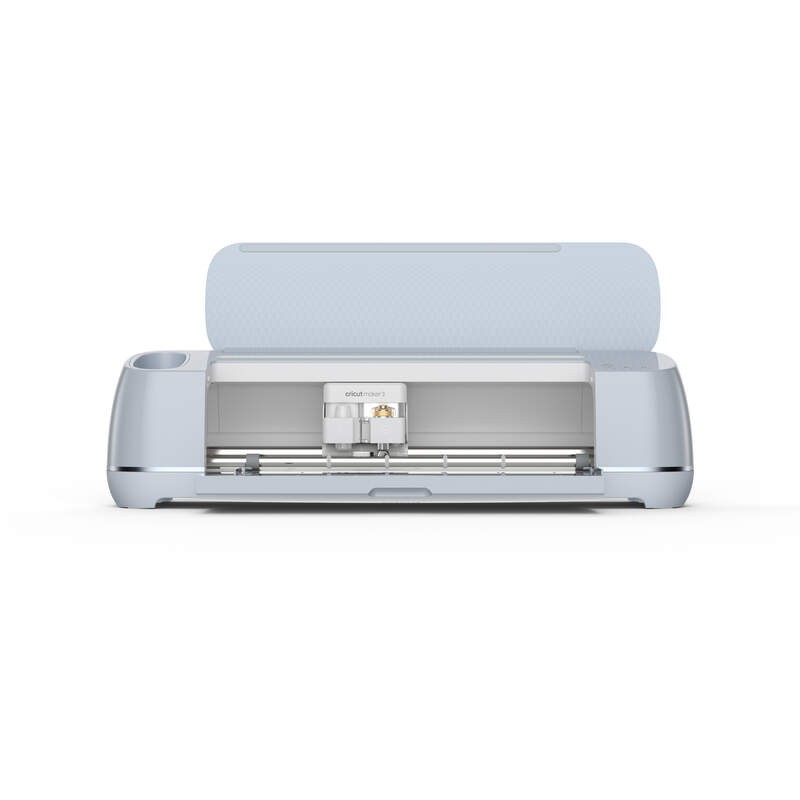
Primarily a craft cutter, the Maker 3 also engraves through a QuickSwap tip that drags a fine line into soft metals, acrylic, and leather.
It won't match a laser or CNC for depth, but it is a handy bonus if you already own one for cutting.
Cricut Maker 3: best for crafters wanting light monogramming as an add-on.
Genmitsu 3018-PROVer V2
Budget CNC
An affordable 3-axis desktop CNC that engraves and mills with a rotating bit into wood, acrylic, PCB, and soft metals like aluminum.
The work area is small and it takes some tuning, but it delivers genuine deep, mechanical engraving for very little money.
Genmitsu 3018-PROVer V2: the budget way into true rotary/CNC engraving.
Handheld / pen engravers
Cheap, freehand tools for quick DIY marking — no computer needed.
Dremel 290 Engraver
Cheapest option
A corded handheld engraver with a carbide stylus and adjustable stroke depth that etches metal, glass, wood, and plastic freehand.
There is no software or setup — you write or trace by hand, which makes it ideal for quick labels and tool marking.
Dremel 290 Engraver: the cheapest, simplest way to hand-mark hard materials.
General Tools 505
Cordless pen
A cordless, battery-powered engraving pen with a diamond tip for fine freehand marking of glass, metal, ceramic, and hard plastic.
Lightweight and pocket-sized, it is made for asset marking and detailed etching wherever a cord would get in the way.
General Tools 505: best for portable, precise hand-etching and marking valuables.
What can you engrave?
Between the different machine types, engraving covers an enormous range of materials and products:
- Wood — signs, plaques, cutting boards, and coasters.
- Metal — jewelry, tools, tumblers, and industrial part marking.
- Acrylic & plastic — signs, keychains, awards, and tags.
- Glass & slate — frosted tumblers, coasters, and trophies.
- Leather — wallets, belts, patches, and personalized goods.
- Stone & ceramic — tiles, pet memorials, and decor.
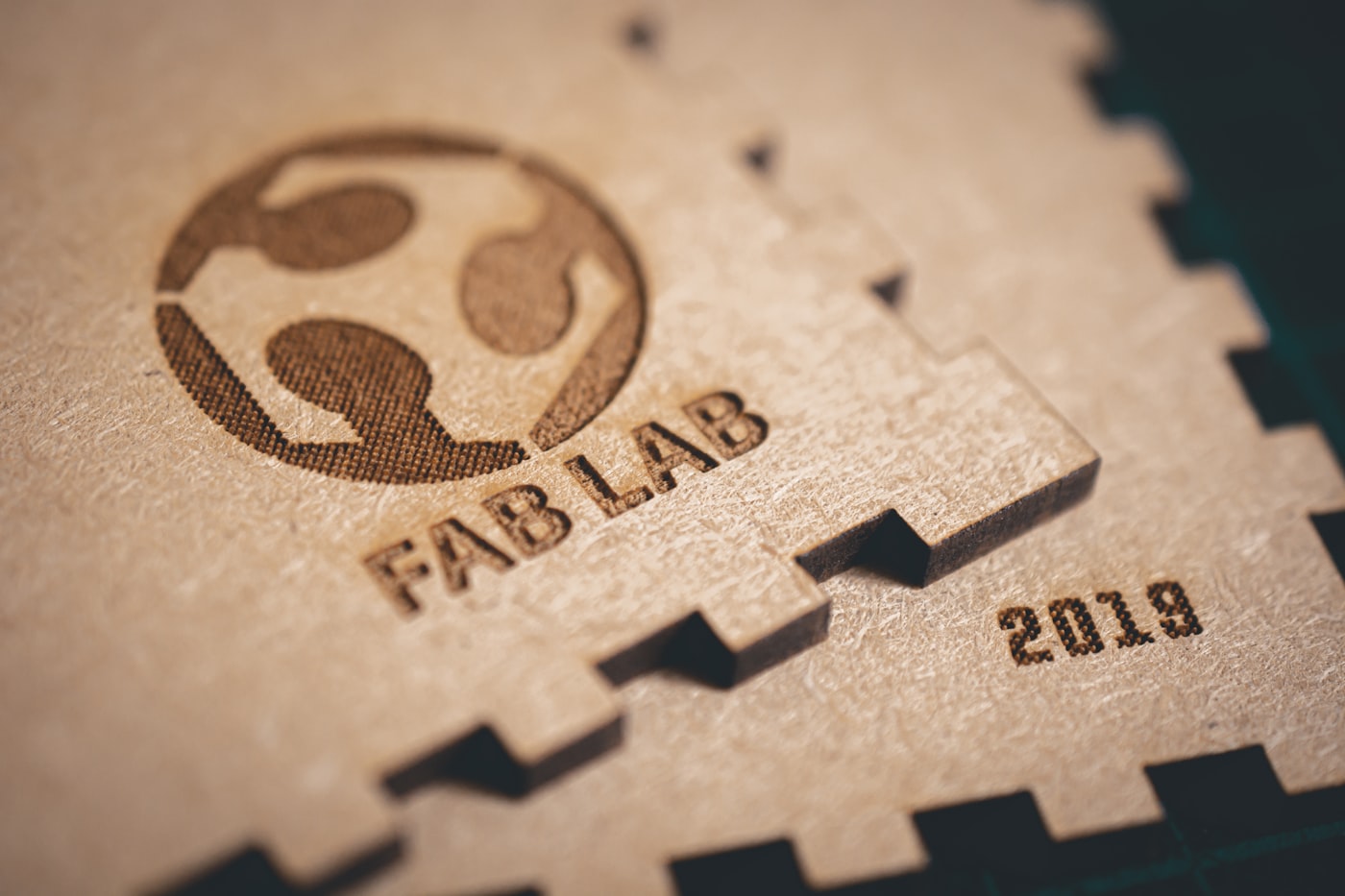
Match the material to the method: lasers own wood, acrylic, leather, and glass; rotary and impact machines handle deep metal work and industrial marking.
How to choose an engraving machine
Start from the materials and products you want to make:
- Your materials. Wood, acrylic, leather, and glass → a laser. Deep metal engraving → rotary/CNC. Marking metal parts → dot-peen.
- Detail vs. depth. Lasers give fine, photographic detail; rotary machines give deep, tactile, three-dimensional cuts.
- Work area & power. Bigger beds and more power handle larger pieces and thicker or harder material.
- Ease of use. Modern laser engravers with a camera and simple software are the most beginner-friendly.
- Budget & space. Compact diode lasers are cheapest; CO2 and CNC machines cost and weigh more.
The bottom line
An engraving machine carves a permanent design into a surface — using a laser beam, a spinning rotary bit, or an impacting tip. The right type depends on your materials: lasers for wood, acrylic, leather, and glass; rotary/CNC for deep metal work; dot-peen for industrial marking. For most makers, a versatile laser engraver is the best all-round choice — fast, detailed, and easy to learn.
Frequently asked questions about engraving machines
What is the best type of engraving machine for beginners?
For most beginners, a laser engraver is the best starting point. It's fast, highly detailed, contactless (so there's no bit to break), and handles the materials most crafters use — wood, acrylic, leather, and glass. Modern desktop lasers come with easy software and a camera for placing designs. A compact diode laser is the cheapest way in, while a CO2 laser offers more power and versatility. Rotary and dot-peen machines are more specialized and better suited to metal work.
Can one engraving machine do all materials?
Not really — each type has a sweet spot. A CO2 laser covers a huge range (wood, acrylic, leather, glass) but can't engrave bare metal. A fiber laser does metal but less on organics. Rotary/CNC engravers handle deep metal and hard materials but are slower and messier on wood. Many makers pick a versatile laser first for everyday materials, then add a second machine (like a fiber laser) only if they need to engrave bare metal.
What's the difference between a laser engraver and a rotary engraver?
A laser engraver burns the design in with a focused beam of light — contactless, fast, and finely detailed, ideal for wood, acrylic, leather, and glass. A rotary engraver uses a physical spinning bit to carve into the surface, which gives deeper, more tactile, three-dimensional marks and works on hard metals. Lasers win on speed and fine detail; rotary machines win on depth and metal. Your materials and the look you want decide which fits.
How much does an engraving machine cost?
It spans a wide range. Compact diode laser engravers start around $200–$500, versatile CO2 lasers run roughly $1,000 and up, and rotary/CNC and industrial dot-peen systems can cost several thousand dollars or more. Price tracks the method, work-area size, power, and features like cameras and autofocus. Handheld engravers are the cheapest option at well under $100, but they're for small, casual jobs rather than detailed or production work.
Is engraving permanent?
Yes. Unlike a printed or applied design, engraving physically alters the surface — burning, cutting, or denting the material — so the mark is permanent and won't peel, fade, or wash off. That durability is exactly why engraving is used for everything from personalized gifts and awards to industrial serial numbers. The depth and contrast vary by method and material, but in all cases the design becomes a lasting part of the object rather than a coating on top of it.
