![[Laser cut and engrave] Coffee Bean Productivity Tracker Set](https://storage-us.atomm.com/resource/xtool/community/attachment/xtool-community/ed016e6b-0e84-4356-8472-77f79fdffaab.jpeg?x-oss-process=image/resize,w_1200,h_900,limit_0/interlace,1/format,webp/auto-orient,1)
![[Laser cut and engrave] Coffee Bean Productivity Tracker Set](data:image/png;base64,iVBORw0KGgoAAAANSUhEUgAAAAoAAAAKCAYAAACNMs+9AAAAAXNSR0IArs4c6QAAABdJREFUKFNjZCASMBKpjmFUId6QIjp4AAppAAuXjCs4AAAAAElFTkSuQmCC)
![[Laser cut and engrave] Coffee Bean Productivity Tracker Set](https://storage-us.atomm.com/resource/xtool/community/attachment/xtool-community/ed016e6b-0e84-4356-8472-77f79fdffaab.jpeg?x-oss-process=image/resize,w_200,h_150,limit_0/interlace,1/format,webp/auto-orient,1)
![[Laser cut and engrave] Coffee Bean Productivity Tracker Set](https://storage-us.atomm.com/resource/xtool/community/attachment/xtool-community/226e7440-aa5e-4ca3-b06f-80787907166c.jpeg?x-oss-process=image/resize,w_200,h_150,limit_0/interlace,1/format,webp/auto-orient,1)
![[Laser cut and engrave] Coffee Bean Productivity Tracker Set](https://storage-us.atomm.com/resource/xtool/community/attachment/xtool-community/1cc27ed0-eb3c-4402-a055-bba6592f2ce4.jpeg?x-oss-process=image/resize,w_200,h_150,limit_0/interlace,1/format,webp/auto-orient,1)
![[Laser cut and engrave] Coffee Bean Productivity Tracker Set](https://storage-us.atomm.com/resource/xtool/community/attachment/xtool-community/41d81e15-1492-42bb-99a4-ea2f6f2f65e5.jpeg?x-oss-process=image/resize,w_200,h_150,limit_0/interlace,1/format,webp/auto-orient,1)
Coffee Bean Productivity Tracker Set
 Coffee Décor Contest
  Instruction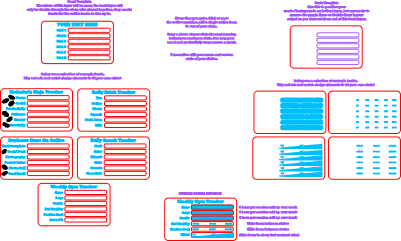


Information
      How many times do you make a coffee or visit the kitchen? Now you can use that coffee break to track your productivity! Simply place coffee beans into the slots to tally up your efforts, or use them as sliders to let your coworkers know you are not in the mood to be messed with today...

I have included a vast selection of template productivity lists and trackers that can be swapped around and customised to your needs! From small business productivity and healthy eating to liquid intake and Gym goals. There is a tracker for you!

Feel free to scale the design or replace artwork as required. It's lots of fun and I can't wait to see what you guys track with them.
Instruction
Step1


First download the design files and open in xTool Studio. I have included lot sof notes and instructions in the design file to help you.
You will need 2 contrasting pieces of plywood or acrylic at least 10cm x 7cm each.
Step2


See master front template to create your own from scratch, or simply drag one of the pre made templates to the cut area.
Make sure to test your cut and engraving power settings on scraps before you use your best material.
Step3


See master back template to create your own design from scratch or simply drag one of the pre made back templates to the cut area.
If this material is different to the first layer, make sure to test your cut and engraving power settings on scraps before you use your best material.
Once you have a front and back you are happy with, super glue them together and display your stats proudly for everyone to see!
Step4

Want to take it a step further? Why not mix and match tally and sliders to create your own perfect stat tracker?
Best of luck, I can’t wait to see what stats you track with these.