











































Reportar
![[Laser cut and engrave] 3D Printed Personalized Name Keychain Eric on Backpack](https://storage-us.atomm.com/resource/xtool/community/attachment/xtool-community/91145eb1-4bf0-44eb-b79e-a6214174e2b4.jpg?x-oss-process=image/resize,w_1200,h_900,limit_0/interlace,1/format,webp/auto-orient,1)
![[Laser cut and engrave] 3D Printed Personalized Name Keychain Eric on Backpack](data:image/png;base64,iVBORw0KGgoAAAANSUhEUgAAAAoAAAAKCAYAAACNMs+9AAAAAXNSR0IArs4c6QAAABdJREFUKFNjZCASMBKpjmFUId6QIjp4AAppAAuXjCs4AAAAAElFTkSuQmCC)
![[Laser cut and engrave] 3D Printed Personalized Name Keychain Eric on Backpack](https://storage-us.atomm.com/resource/xtool/community/attachment/xtool-community/91145eb1-4bf0-44eb-b79e-a6214174e2b4.jpg?x-oss-process=image/resize,w_200,h_150,limit_0/interlace,1/format,webp/auto-orient,1)
![[Laser cut and engrave] 3D Printed Personalized Name Keychain Eric on Backpack](https://storage-us.atomm.com/resource/xtool/community/attachment/xtool-community/a4f3e4dd-1c0d-4032-9878-7c4eea4221dd.jpg?x-oss-process=image/resize,w_200,h_150,limit_0/interlace,1/format,webp/auto-orient,1)
Llavero de acrílico
 Instrucción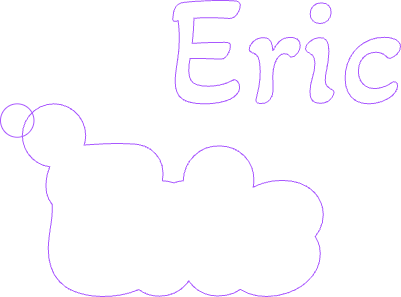
E01 - Acrylic Keychain Orange
.xcs
Mostrar 1 más
Escenario de aplicación
Procesamiento láser
Máquina y módulo

xTool M1 Ultra
20WCompatibles · 7
Material utilizado

Acrílico Azul-Verde de 1/8" (3mm)

Acrílico naranja de 3mm
3
81
Instrucción
1
Paso1

Vista previa
Elige el texto que quieres introducir (por ejemplo, tu nombre) y la fuente
2
Paso2

Vista previa
Crear un marco exterior
3
Paso3

Vista previa
1. Colocar el círculo en la esquina superior izquierda del marco exterior
2. Unir el círculo y el marco
4
Paso4

Vista previa
Luego añade otro círculo en la esquina superior izquierda para crear un agujero para el llavero
5
Paso5

Vista previa
Usa el superpegamento para pegar las piezas entre sí. El nombre será la parte inferior, añade un lazo al círculo de corte y sútale a un cuello.
Comentarios


