
![[Laser cut and engrave] Pumpkin Keychain #DerivativeCreation @xTool](https://image-res.atomm.com/ali-res/community/making/d30e9053-5045-4609-a821-c5d8c8b0266d/Screenshot_20230923_104257.jpg?x-oss-process=image/resize,m_fill,w_1280,h_960,limit_0/interlace,1/format,webp/auto-orient,1)
![[Laser cut and engrave] Pumpkin Keychain #DerivativeCreation @xTool](data:image/png;base64,iVBORw0KGgoAAAANSUhEUgAAAAoAAAAKCAYAAACNMs+9AAAAAXNSR0IArs4c6QAAABdJREFUKFNjZCASMBKpjmFUId6QIjp4AAppAAuXjCs4AAAAAElFTkSuQmCC)
![[Laser cut and engrave] Pumpkin Keychain #DerivativeCreation @xTool](https://image-res.atomm.com/ali-res/community/making/d30e9053-5045-4609-a821-c5d8c8b0266d/Screenshot_20230923_104257.jpg?x-oss-process=image/resize,m_fill,w_160,h_120,limit_0/interlace,1/format,webp/auto-orient,1)
![[Laser cut and engrave] Pumpkin Keychain #DerivativeCreation @xTool](https://image-res.atomm.com/ali-res/community/making/34d9e902-9ad3-4f2b-8c6e-56577f0670c4/Screenshot_20230923_104257.jpg?x-oss-process=image/resize,m_fill,w_160,h_120,limit_0/interlace,1/format,webp/auto-orient,1)
![[Laser cut and engrave] Pumpkin Keychain #DerivativeCreation @xTool](https://image-res.atomm.com/ali-res/community/making/d0c4c215-0c7f-4e79-8897-e643aa0c8f69/20230923_103619.jpg?x-oss-process=image/resize,m_fill,w_160,h_120,limit_0/interlace,1/format,webp/auto-orient,1)
Portachiavi a zucca #DerivativeCreation @xTool
 Remix
Remix Istruzione


Informazione
      Portachiavi a zucca, ispirato alla zucca impilata di xTool 3.
Ho usato il file e creato una mia spin per trasformarlo in un portachiavi.
Questo remix si basa su
Istruzione
Passo1: A partire dal design


Ho caricato il file xTool (Pumpkin Decoration - xTool Projects) che mostrava solo lo sfondo, ma andava bene così, dato che volevo aggiungere una mia interpretazione.
Ho inserito un cerchio e l'ho posizionato sopra sotto il gambo, così ho un foro per l'anello del cerchio.
Una volta posizionato, ho raggruppato il cerchio e la forma della zucca.
Passo2: Inserimento delle immagini


Sul lato sinistro di XCS, ho cliccato su forma e cliccato sulle immagini che volevo (Zucca, fantasma e casa spaventosa)
e le ho messe nella forma di zucca.
Poi ho cliccato su incidere, così le immagini sono state completate e ho impostato le impostazioni per incisione.
La linea esterna, l'ho impostata su taglio. L'ho dimensionato nella misura che volevo per il portachiavi, ho posizionato l'immagine sullo schermo sull'acrilico e ho premuto start sulla macchina.
Passo3: Prodotto finito


Questo è il prodotto finito.
Spero vi piaccia il portachiavi Pumpkin.
Remix


Potrebbe piacerti anche

Luce di Halloween


9 Modelli Tagliati al Laser per Orecchini di Halloween


Set di ciondoli metallici di zucca tagliati al laser per Halloween


Tenace di Halloween con Ghost, Pipistrelli e Zucche


Decorazioni di Halloween a LED Inquietanti


Porta rotonda per Halloween Finestra o Dappi da parete con zucca, fantasma e gatto


Angolo della porta di Halloween


Portachiavi a tema Halloween con nappine a tema tombale e casa infestata

Portachiavi di Halloween in legno con zucca e motivi di pipistrello e luna


Decorazioni appese di Halloween con motivi di zucca, pipistrello, ragnatela e fantasmi


Decorazioni appese a tema Halloween con scene inquietanti

Buon Halloween Cartelli da Parete con motivi di zucca e fantasmi
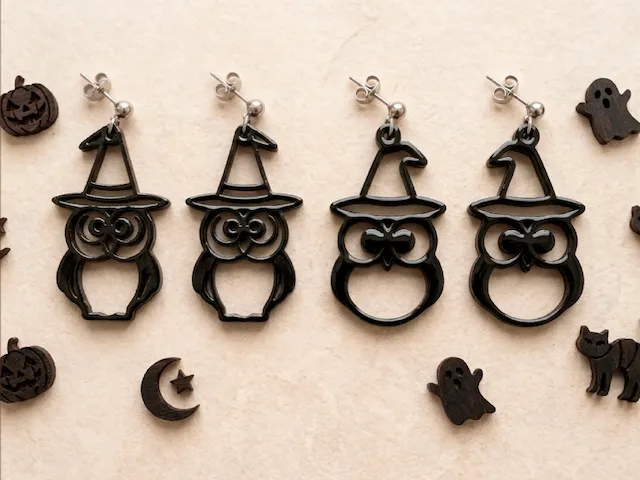
Orecchini a Cappello di Strega con Cappello di Strega di Halloween con Gufo Nero


Portachiavi divertenti di BOO SVG | per laser e taglio


Portachiavi di Halloween Mickey con acrilico nero e vinile olografico


Boo Sheet Halloween Ghost con portachiavi in vinile e acrilico

Scatola ombra della casa infestata di Halloween tagliata al laser

Viticci di zucca
