
Report
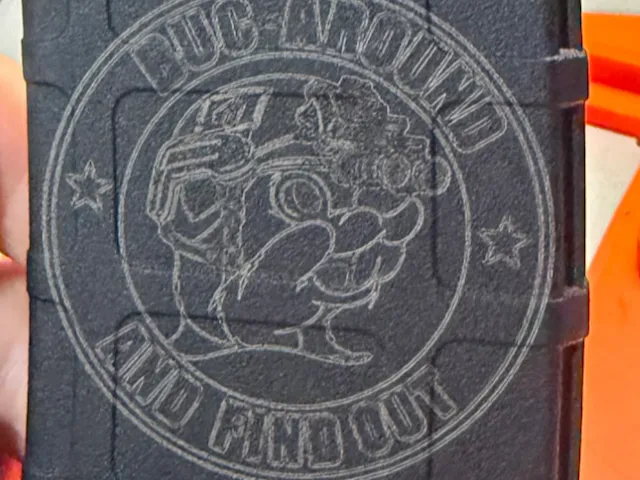
![[Laser cut and engrave] Tactical teddy bear graphic on black rifle magazine](https://image-res.atomm.com/resource/xtool/community/attachment/xtool-community/bfef3049-9e22-40dc-846c-f0cc7cafad41.webp?x-oss-process=image/resize,m_fill,w_1280,h_960,limit_0/interlace,1/format,webp/auto-orient,1)
Tactical Bear Engraved on Magpul PMAG — xTool S1
 Instruction
Tactical Bear xToolS1
.svg
Application scenario
Laser processing (15min)
Machine & module

xTool S1
40WMaterial used

polymer

82
1336
Information
Engraved a detailed tactical bear illustration on a black Magpul PMAG 30 using the xTool S1 diode laser. The design came out crisp with excellent grayscale depth on the polymer surface — no masking needed.
Instruction
1
Step1: Prepare the Design
Import your PNG or SVG file into xTool S1 Creative Space. Set the canvas size to match the PMAG face (~70mm x 100mm).
I used the xTool S1 for this — full review and settings guide at laserengraverexpert.com"
2
Step2: Set Engrave Parameter
- Mode: Grayscale Engrave
- Power: 75%
- Speed: 3000 mm/min
- DPI: 500
- Passes: 1
3
Step3: Position the Material
Place the PMAG flat-side down in the work area. Use the framing function to confirm alignment before running.
4
Step4: Engrave
Run the job. No masking or tape required — black polymer oxidizes cleanly to reveal the design.
5
Step5: Clean Up
Wipe the engraved surface with a dry cloth or soft brush to remove residue.
Comments
Remixes
License



You may also like

Iron on leatherette cutout

1
2

AR15 Pmag30 Tactical Rifle Magazine with Skull Soldier Illustration

44
298

Pirate's Demand; Pirate Bulldog Themed Rifle Magazine

1
8

Tactical Elf

1
3

Rifle Magazine with Wolf Head Graphic

1
4

$10.00
$10.00
Credits1000
Tatical Lion

0

$10.00
$10.00
Credits1000
Finger Print
2

Grim Reaper
1
16

PMAG designs, ENJOY!!!

51
315

$10.00
$10.00
Credits1000
WW XI
3

$10.00
$10.00
Credits1000
Liberty
3

$10.00
$10.00
Credits1000
Hazmat
1

Laser Engraved Rifle Magazine with Bigfoot and American Flag Design
37
246

Poker shotgun magazine

0
5

$10.00
$10.00
Credits1000
chuck
1
Buc Around

1
5

PMAG MASK OUTLINE FOR EXTENSION SLIDE - DESIGN NOT INCLUDED

9
39

$10.00
$10.00
Credits1000
Golden Reaper
0