
Key Takeaways
- A 3D printer is a machine that builds a solid object from a digital file by adding material layer by layer — a process called additive manufacturing.
- The two main types are FDM (melts plastic filament; affordable and easy) and resin (cures liquid with UV light; ultra-fine detail).
- Great beginner models start near $200; choose by build size, ease of use, and whether you need fine detail or big functional parts.
- It adds material to make 3D shapes — the opposite of a laser cutter or engraver, which removes or marks material with a beam.
“3D printer” sounds futuristic, but the idea is simple: instead of printing ink on paper, the machine builds a real, solid object — one thin layer stacked on top of the next. This guide covers what a 3D printer is, how it works, what you can make with one, the main types, how to choose, and the best models in 2026. At the end, we'll clear up a common mix-up: how a 3D printer differs from a laser cutter and engraver.
What is a 3D printer?
A 3D printer is a machine that turns a digital 3D model into a physical object by depositing material layer upon layer until the shape is complete. This approach is called additive manufacturing, because the object is built up by adding material — unlike traditional machining, which starts with a block and cuts material away.
You start with a 3D file (downloaded or designed in CAD software), slice it into hundreds of thin horizontal layers using a “slicer” program, and the printer reproduces those layers one at a time. Stack enough of them and a flat blueprint becomes a solid, three-dimensional part you can hold.
How does a 3D printer work?
Most home 3D printers are FDM machines (Fused Deposition Modeling). They melt a plastic filament and squeeze it out through a hot nozzle that moves precisely across a flat bed, drawing one layer of the object. The bed (or nozzle) then steps down a fraction of a millimeter and the next layer is drawn on top — and so on, hundreds of times, until the part is finished.

Three things make it work: a heated nozzle that melts the plastic, precise motors that position it in X, Y, and Z, and a heated bed that keeps the first layers stuck flat so the print doesn't warp. Resin printers reach the same result a different way — more on that next.
What can a 3D printer make?
Far more than plastic trinkets. Because you can print almost any shape you can model, a 3D printer is genuinely useful around the home, the workshop, and the classroom:
- Replacement parts & repairs — knobs, clips, brackets, and hard-to-find spares for appliances and furniture.
- Functional tools & organizers — jigs, hooks, cable clips, drawer dividers, and custom mounts.
- Toys, models & miniatures — board-game pieces, tabletop figures, and scale models.
- Prototypes — test a product design in your hand before committing to a mold or a manufacturer.
- Hobby & decor — vases, planters, cosplay props, phone stands, and gifts.
- Detailed pieces (resin) — jewelry masters, dental and modeling parts, and highly detailed miniatures.
What it makes are three-dimensional objects. If instead you want to cut flat materials to shape or mark a design onto a surface — signs, coasters, engraved gifts — that is a job for a laser, which we cover in the bonus section below.
Types of 3D printers
For a home buyer, the choice comes down to two families: filament (FDM) and resin. They build the same way in spirit — layer by layer — but use very different materials and suit different projects.

FDM (filament) is the default for most people: cheap, clean, easy, and great for functional parts and larger prints. Resin (SLA/MSLA) cures liquid resin with UV light for incredibly fine detail, at the cost of a messier, more involved workflow. Beginners almost always start with FDM; detail-focused hobbyists add a resin printer later.
How to choose a 3D printer
Match the machine to what you actually want to make and how much fuss you'll tolerate. Five things matter most:
- Ease of use. Auto-leveling and auto-calibration turn a fiddly hobby into plug-and-play. If you want results, not tinkering, prioritize this.
- Build volume. How big can a single print be? Larger beds cost more but save you from slicing big models into glued pieces.
- FDM vs. resin. Functional parts and everyday prints → FDM. Miniatures, jewelry, and fine detail → resin.
- Speed & reliability. Modern machines print faster and fail less. A reliable printer you trust to run unattended is worth more than raw specs.
- Ecosystem & support. Easy-to-find filament, a good slicer, and an active community make ownership far smoother.
The best 3D printers of 2026
A shortlist across budgets and needs, from true beginner machines to a detail-focused resin printer. Prices are approximate and move with promotions, so confirm before buying.
| Model | Best for | Type | Build volume | Price |
|---|---|---|---|---|
| Bambu Lab A1 Mini | for beginners | FDM (filament) | 180 × 180 × 180 mm | ~$199 |
| Bambu Lab A1 | all-around value | FDM (filament) | 256 × 256 × 256 mm | ~$399 |
| Creality Ender 3 V3 SE | budget open-frame | FDM (filament) | 220 × 220 × 250 mm | ~$199 |
| Elegoo Saturn 4 Ultra | for fine detail | Resin (MSLA) | 12K mono LCD | ~$399 |
Bambu Lab A1 Mini
Best for beginners
The A1 Mini is the easiest way into 3D printing. It auto-levels the bed and calibrates flow and pressure the first time you switch it on, so you go from box to first print in minutes with almost nothing to tune.
The build area is small, but for figurines, small toys, and everyday household prints it is fast, quiet, and remarkably forgiving for the price.
Pros
- Truly plug-and-play
- Fast and quiet
- Great value
Cons
- Small build volume
- FDM layer lines
- Add-on for multicolor
Bambu Lab A1 Mini: the no-fuss pick if you just want a printer that works out of the box.
Bambu Lab A1
Best all-around value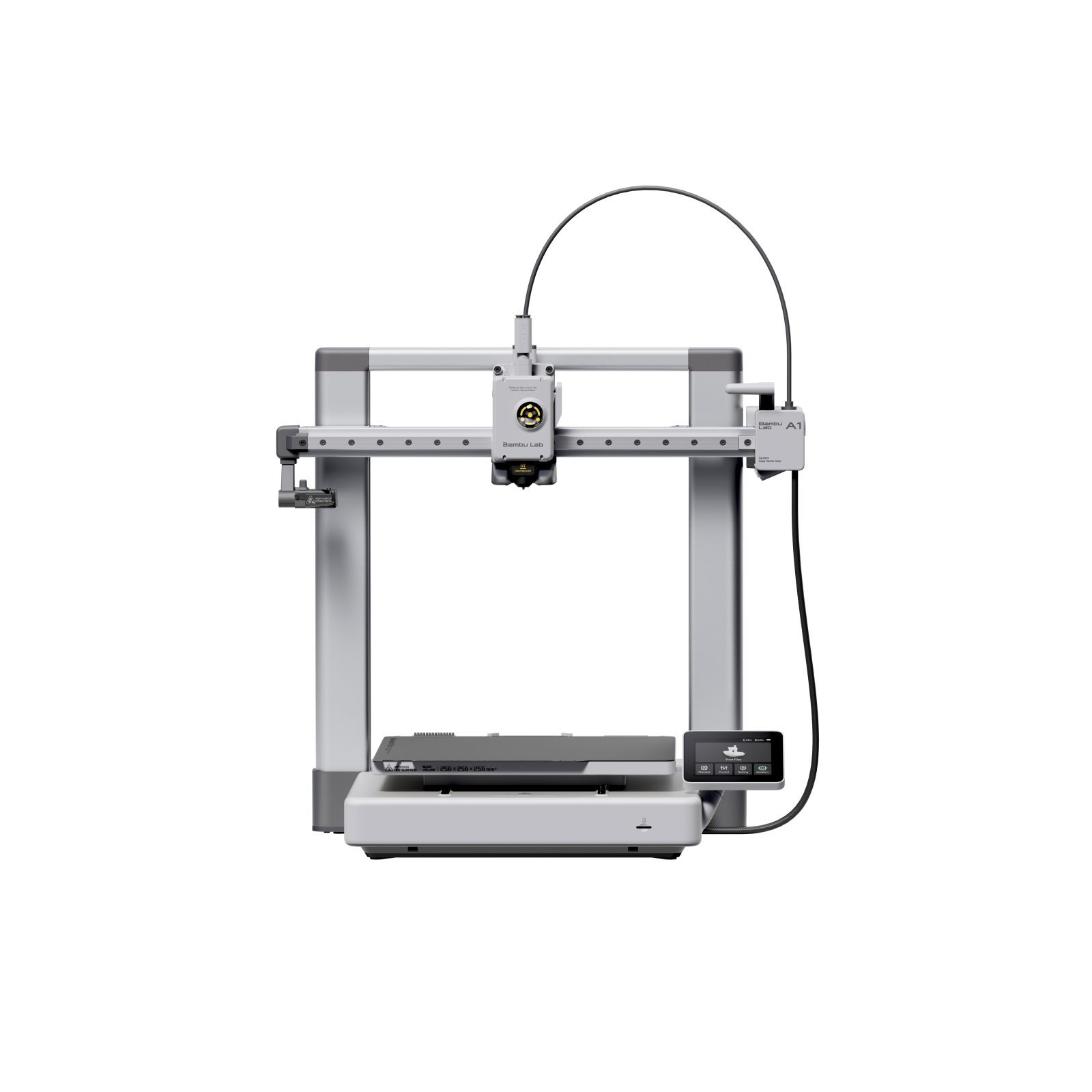
The full-size A1 keeps the A1 Mini's auto-calibration and speed but roughly doubles the build volume, so you can print larger models and functional parts in one piece.
With optional multicolor and reliable, fast results on PLA and PETG, it is the price-to-performance champion for a household that wants to print often without babysitting the machine.
Pros
- Big, fast, easy
- Handles PLA and PETG well
- Optional multicolor
Cons
- Open frame (no enclosure)
- Not ideal for ABS
- Takes desk space
Bambu Lab A1: the best balance of size, speed, and simplicity for most people.
Creality Ender 3 V3 SE
Best budget open-frame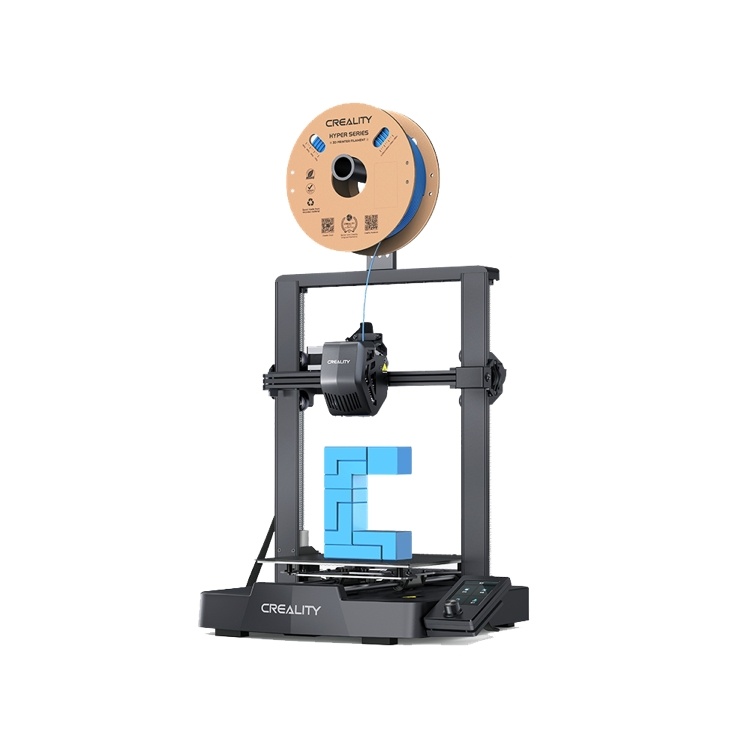
The Ender 3 V3 SE modernizes the classic budget Ender: it adds a direct-drive extruder and CR Touch auto-leveling, so it is far easier to live with than the older kits it descends from.
It is the pick for makers who like to tweak and upgrade — a big, active community and endless mods make it a cheap, capable platform to learn on.
Pros
- Very affordable
- Auto-leveling included
- Huge community and mods
Cons
- More manual than Bambu
- Slower out of the box
- Open frame
Creality Ender 3 V3 SE: the budget workhorse for hands-on makers who like to tinker.
Elegoo Saturn 4 Ultra
Best for fine detail (resin)
A resin printer works differently from the others here: it cures liquid resin with UV light, capturing detail an FDM machine simply cannot. The Saturn 4 Ultra's 12K screen resolves crisp miniatures and jewelry masters with almost no visible layer lines.
The trade-off is process — resin needs careful handling, and prints must be washed and UV-cured after printing. For detail work, the results are worth it.
Pros
- Stunning fine detail
- Large resin build area
- Fast for resin
Cons
- Messy, needs ventilation
- Wash + cure required
- Not for big functional parts
Elegoo Saturn 4 Ultra: the detail champion if you print miniatures or jewelry, not brackets.
How much does a 3D printer cost?
Less than most people expect. Capable beginner FDM printers now start around $150–$250, with excellent all-round machines in the $300–$500 range. Quality resin printers sit in a similar $250–$500 band. Prosumer and enclosed multi-material machines climb past $1,000.
Running costs are modest: a 1 kg spool of PLA filament (roughly $15–$25) prints a lot of parts, and electricity per print is pennies. Budget a little extra for the essentials — spare nozzles and filament for FDM, or resin, gloves, and a wash-and-cure setup for resin.
Bonus: what is a laser cutter and engraver?
People shopping for a 3D printer often run into a very different machine with a similar-sounding name. A laser cutter and engraver uses a focused beam of light — not a hot nozzle — to cut through flat materials or burn a design onto their surface. It doesn't build objects up from plastic; it works on sheet material you already have, like wood, acrylic, leather, paper, and (with the right laser) metal.

That makes it the go-to tool for signs, personalized gifts, coasters, jewelry, and custom engraving — flat and surface work rather than three-dimensional plastic parts. Same word, “printer” or “laser,” but a completely different job from a 3D printer.
What is a 3D laser engraver?
There's a third machine that adds to the confusion: a 3D laser engraver. It's still a laser, but instead of working on a flat surface it works in three dimensions — carving depth, wrapping around curves, or reaching inside clear material. Three forms are common:

That means 3D relief engraving (varying the laser's power to carve a raised, sculpted relief into wood or acrylic, rather than a flat line drawing), curved and cylindrical engraving (spinning tumblers, bottles, or rings under the beam with a rotary so the design wraps all the way around), and sub-surface crystal engraving (a green or UV laser focused inside a glass block to leave a floating 3D design). If that last one interests you, see our guide to the best 3D laser engraving machines.
Want to cut and engrave, not just print in plastic?See our tested picks for laser cutters and engravers that shape and personalize real materials like wood, acrylic, and metal.See the best picks3D printer vs. laser cutter/engraver vs. 3D laser engraver
The simplest way to keep them straight: a 3D printer adds material to build objects, a laser cutter/engraver removes or marks material on a flat surface, and a 3D laser engraver marks in three dimensions — depth, curves, or inside clear crystal. Here's how all three compare.

| 3D printer | Laser cutter / engraver | 3D laser engraver | |
|---|---|---|---|
| Process | Adds material, layer by layer | Cuts through or marks a flat surface | Engraves depth, curves, or inside crystal |
| Works in | Full 3D (builds up) | 2D (flat surfaces) | 3D (depth, curves, interiors) |
| Makes | Solid 3D objects | Flat cut shapes & 2D engravings | Relief, curved & sub-surface designs |
| Materials | Plastic filament or resin | Wood, acrylic, leather, paper, metal | Wood, acrylic, metal, glass & crystal |
| Best for | Parts, prototypes, models, toys | Signs, gifts, coasters, jewelry | Tumblers, reliefs, crystal awards |
| Speed | Hours per part | Minutes per piece | Minutes per piece |
They're complementary, not competitors: plenty of makers own more than one — a 3D printer for three-dimensional parts, a laser cutter/engraver for fast flat work, and a 3D laser engraver for reliefs, tumblers, and crystal. (A laser printer, by the way, is a different thing entirely: an office machine that just prints documents on paper.)
How to choose among a 3D printer, laser cutter/engraver, and 3D laser engraver
Start from what you want to make, not the machine:
- Choose a 3D printer if you want three-dimensional objects — replacement parts, prototypes, toys, models, and functional pieces built from plastic.
- Choose a laser cutter/engraver if you want to cut flat materials to shape or mark flat surfaces — signs, coasters, engraved gifts, jewelry, and decor, fast.
- Choose a 3D laser engraver if you want depth or dimension — sculpted 3D reliefs, engraving that wraps around tumblers and curved objects, or floating designs inside crystal.
- Choose more than one if your projects mix these jobs — they cover different work and pair naturally in one workshop.
If your goal is making and selling personalized products, most people find a laser earns its keep first, because engraved and cut goods are quick to produce and easy to sell. If you mainly need custom parts and prototypes, a 3D printer is the better starting point.
The bottom line
A 3D printer builds solid objects from a digital file by adding material layer by layer. For most people an easy, reliable FDM machine around $200–$400 is the right first buy; step up to resin when you need fine detail. Match the printer to your projects — build size, ease of use, and FDM vs. detail — and you'll get years of use from it. And remember it's a different tool from a laser cutter or engraver: one adds plastic to make 3D parts, the other cuts and marks flat materials.
Frequently asked questions about 3D printers
Is a 3D printer hard to use for beginners?
Not anymore. Modern beginner printers like the Bambu Lab A1 Mini auto-level the bed and calibrate themselves the first time you turn them on, so you can go from unboxing to a first print in well under an hour. You download or design a model, slice it with free software, and press print. There is a learning curve for advanced results, but getting started is genuinely easy today.
How much does a 3D printer cost to buy and run?
A capable beginner FDM printer starts around $150–$250, and excellent all-round machines run $300–$500; quality resin printers sit in a similar range. Running costs are low: a 1 kg spool of PLA filament (about $15–$25) prints many parts, and the electricity per print costs only pennies. Budget a little extra for spare nozzles, filament, or resin supplies.
What's the difference between FDM and resin 3D printers?
FDM printers melt a plastic filament and lay it down layer by layer — they're affordable, clean, and great for functional parts and larger prints. Resin printers cure liquid resin with UV light, capturing far finer detail, which suits miniatures and jewelry. The trade-off is that resin is messier and prints must be washed and UV-cured afterward. Most beginners start with FDM.
What can you actually make with a 3D printer?
Almost any shape you can model: replacement parts and repairs, custom tools and organizers, toys, tabletop miniatures, prototypes, cosplay props, planters, phone stands, and gifts. FDM handles functional and larger items well, while resin excels at highly detailed pieces like jewelry masters. If you can find or design the 3D file, the printer can usually build it.
Is a 3D printer the same as a laser cutter or engraver?
No — they do opposite things. A 3D printer adds material to build solid three-dimensional objects, while a laser cutter or engraver uses a focused beam to cut through or mark flat materials like wood, acrylic, and leather. A 3D printer makes parts and models; a laser makes signs, engraved gifts, and cut shapes. Many makers own both for different projects.