
![[Laser cut and engrave] Bottle Tag](https://image-res.atomm.com/resource/xtool/community/attachment/xtool-community/594a4481-7240-4eed-94c6-9d699cba0c22?x-oss-process=image/resize,w_1200,h_900,limit_0/interlace,1/format,webp/auto-orient,1)
![[Laser cut and engrave] Bottle Tag](data:image/png;base64,iVBORw0KGgoAAAANSUhEUgAAAAoAAAAKCAYAAACNMs+9AAAAAXNSR0IArs4c6QAAABdJREFUKFNjZCASMBKpjmFUId6QIjp4AAppAAuXjCs4AAAAAElFTkSuQmCC)
![[Laser cut and engrave] Bottle Tag](https://image-res.atomm.com/resource/xtool/community/attachment/xtool-community/594a4481-7240-4eed-94c6-9d699cba0c22?x-oss-process=image/resize,w_200,h_150,limit_0/interlace,1/format,webp/auto-orient,1)
![[Laser cut and engrave] Bottle Tag](https://image-res.atomm.com/resource/xtool/community/attachment/xtool-community/283d8a72-1af1-404a-8d8c-70268baa989f/20240416_162234.jpg?x-oss-process=image/resize,w_200,h_150,limit_0/interlace,1/format,webp/auto-orient,1)
![[Laser cut and engrave] Bottle Tag](https://image-res.atomm.com/resource/xtool/community/attachment/xtool-community/107a34f7-abcc-4ca5-b573-302e981a86c0/20240416_162234.jpg?x-oss-process=image/resize,w_200,h_150,limit_0/interlace,1/format,webp/auto-orient,1)
![[Laser cut and engrave] Bottle Tag](https://image-res.atomm.com/resource/xtool/community/attachment/xtool-community/eac9f07a-15bb-46c2-9cb5-313600c881d6/20240416_162343.jpg?x-oss-process=image/resize,w_200,h_150,limit_0/interlace,1/format,webp/auto-orient,1)
![[Laser cut and engrave] Bottle Tag](https://image-res.atomm.com/resource/xtool/community/attachment/xtool-community/1f4af391-2dcb-4c2a-8d0d-2f75c0615a63/20240416_162335.jpg?x-oss-process=image/resize,w_200,h_150,limit_0/interlace,1/format,webp/auto-orient,1)
Étiquette de bouteille
 Instruction


Information
Une étiquette de bouteille pouvant servir de décoration ou d’étiquette cadeau
Instruction
Étape1: Vérification des mesures

Mesurez votre bouteille pour déterminer la taille de l’anneau intérieur devra faire. J’ai fait la mienne en 45 mm pour la bouteille de champagne plus grande.
C’est normal qu’il soit un peu trop gros, mais il faut s’assurer qu’il ne s’ajuste pas seulement au manche mais qu’il puisse dépasser le dessus, qui est parfois plus large.
Étape2: Création de l’anneau de bouteille


Créez un cercle de la taille que vous avez mesurée et créez-en un autre de 20 mm plus grand. Alignez ces cercles verticalement et horizontalement. Assurez-vous que le petit cercle est devant, choisissez les deux, et soustrayez pour créer un anneau. Créez un autre cercle de 15 mm et superposez-le à la forme à mi-chemin et combinez.
Ajoutez un autre cercle de 6 mm au centre du dernier et choisissez Soustraire. Réglez cela sur Coupe.
Étape3: Créer le tag


Faites un cercle de 60 mm. Ajoutez un autre cercle près du centre supérieur de 6 mm. Choisissez ces deux cercles et soustrayez. Ce sera votre tag. Réglez-le sur coupe.
Décidez ce que vous voulez dessus, comme un dessin ou un message. Je choisis « en cas d’urgence ». Haha. Ajoutez vos mots et réglez-les sur Gravure.
Étape4: Couper et assembler

Gravez et découpez vos pièces. J’ai utilisé un contreplaqué en noyer qui est très joli. Je suggère d’utiliser un papier de masquage pour qu’il y ait moins de choses à nettoyer après la gravure.
Utilisez 3 grands anneaux de saut pour relier les deux pièces et il sera prêt à être accroché à votre bouteille. Cela fait aussi une excellente étiquette cadeau !
Remixes
Licence

Projet associé


Vous pourriez aussi aimer

Joyeux anniversaire étiquette personnalisée de bouteille de vin en bois

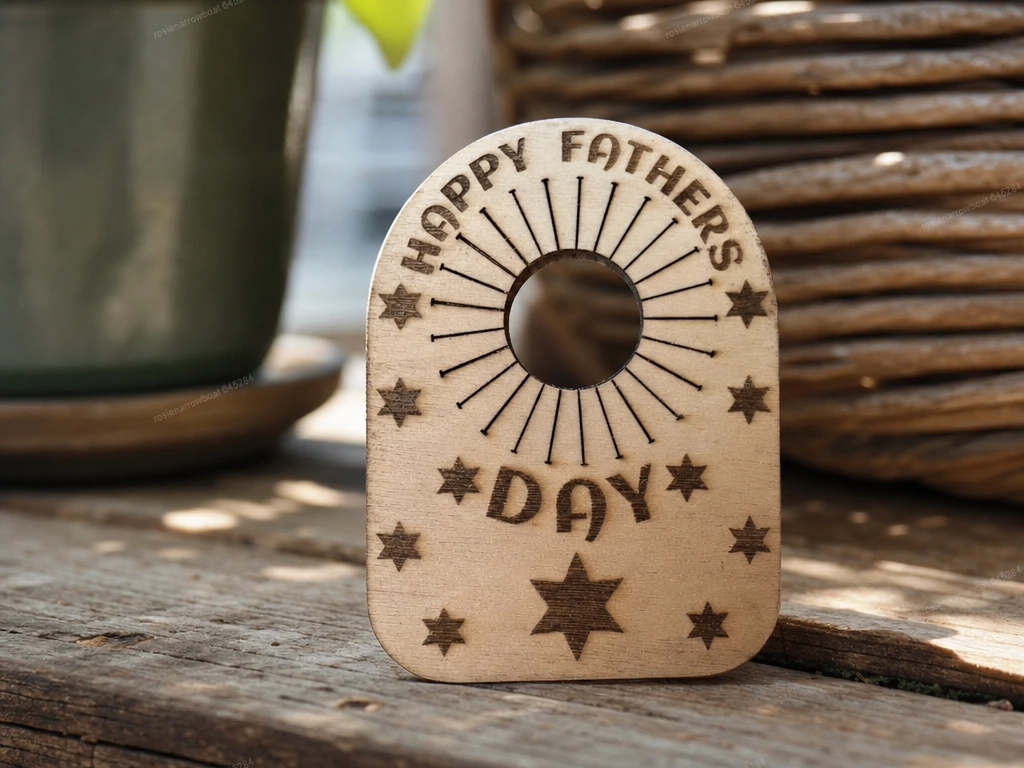
Joyeuse fête des pères Tag à goulot de bouteille en bois


Gnome à étiquettes cadeaux


Étiquette en bois pour la fête des mères


Étiquette d’anniversaire


Tag de Noël


Décorations d’étiquettes cadeaux de Noël


Simple étiquette personnalisée Peeps pour panier de Pâques


Étiquettes cadeaux


Ensemble d’étags de vin pour la Saint-Valentin. J’adore les fichiers découpés au laser par balise de bouteille de vin. Étiquette goulot d’étranglement. J’adore les citations SVG. Modèle d’étiquette de vin suspendu


Tags d’anniversaire


Étiquette de bouteille de vin de Noël

Housse en cuir de bouteille de bière style médiéval


Merci! Tags en bois

Tags cadeaux : Anniversaire ou Noël

Ouvre-bouteille

Étiquette de poison métallique


Étiquette cadeau de fête