![[Laser cut and engrave] #2 Pencil Template by Brown Dog Designs](https://image-res.atomm.com/resource/xtool/community/attachment/xtool-community/72830024-2ad8-4bce-b514-b15bceca8515?x-oss-process=image/resize,w_1200,h_900,limit_0/interlace,1/format,webp/auto-orient,1)
![[Laser cut and engrave] #2 Pencil Template by Brown Dog Designs](data:image/png;base64,iVBORw0KGgoAAAANSUhEUgAAAAoAAAAKCAYAAACNMs+9AAAAAXNSR0IArs4c6QAAABdJREFUKFNjZCASMBKpjmFUId6QIjp4AAppAAuXjCs4AAAAAElFTkSuQmCC)
![[Laser cut and engrave] #2 Pencil Template by Brown Dog Designs](https://image-res.atomm.com/resource/xtool/community/attachment/xtool-community/72830024-2ad8-4bce-b514-b15bceca8515?x-oss-process=image/resize,w_200,h_150,limit_0/interlace,1/format,webp/auto-orient,1)
![[Laser cut and engrave] #2 Pencil Template by Brown Dog Designs](https://image-res.atomm.com/resource/xtool/community/attachment/xtool-community/42b82a70-c9a4-493f-97e8-1dff2be2cc9d.jpg?x-oss-process=image/resize,w_200,h_150,limit_0/interlace,1/format,webp/auto-orient,1)
![[Laser cut and engrave] #2 Pencil Template by Brown Dog Designs](https://image-res.atomm.com/resource/xtool/community/attachment/xtool-community/f0959de7-e670-4b12-92ac-591d60afaa94.jpg?x-oss-process=image/resize,w_200,h_150,limit_0/interlace,1/format,webp/auto-orient,1)
#2 Pencil Template
 Instruction


Information
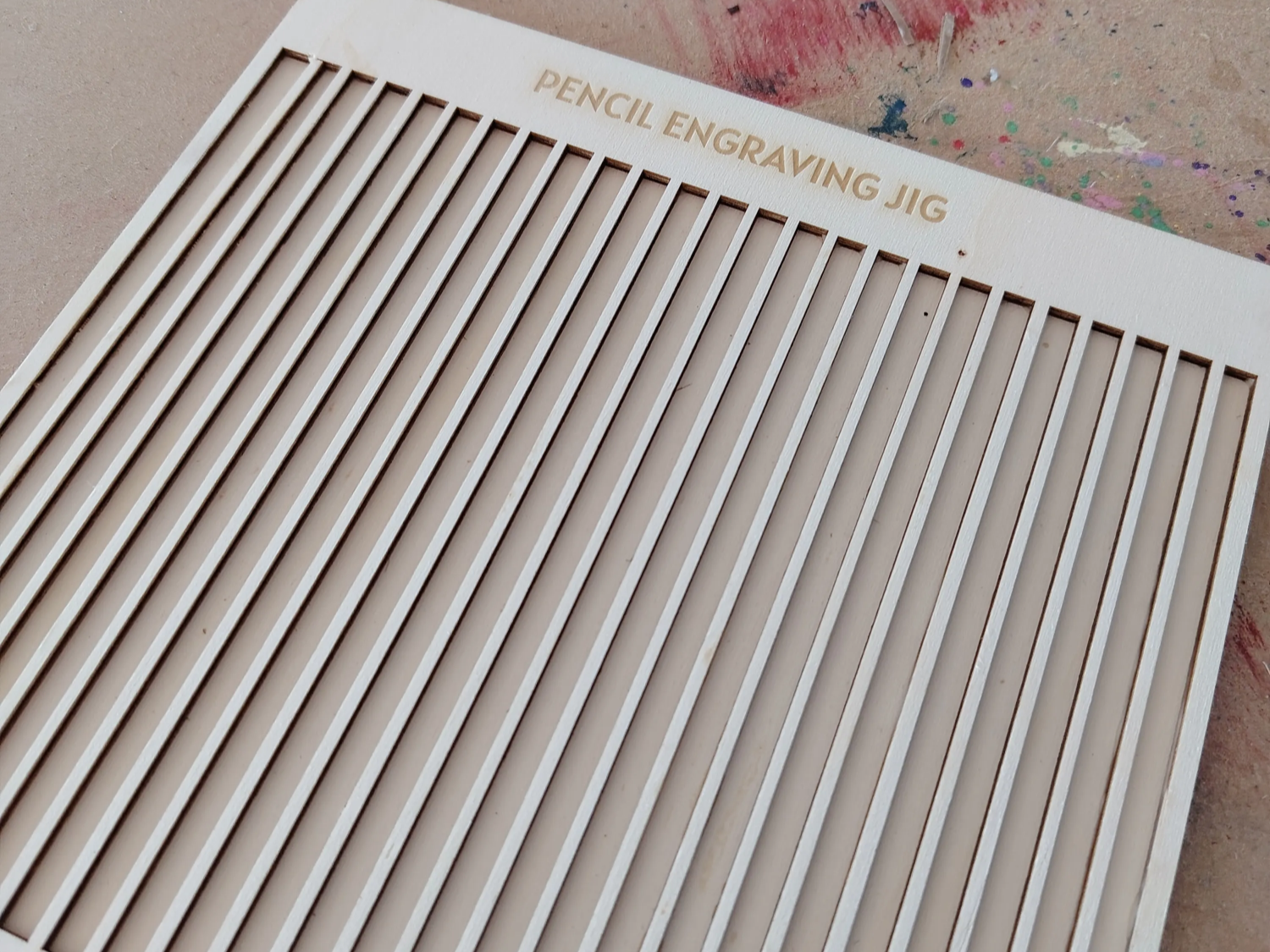
      This #2 Pencil template will allow you to engrave up to 16 #2 pencils at a time allow for fast an easy engraving.

Template size: 8"x 8" or 203.2mm x 203.2mm and is contructed from 3mm Basswood.

Assembly of this two part template is held together with CA glue - The base of this template is not required for the template, if you choose not to use it then keep the Red "Secondary Cut " layer
Instruction
Step1
Set your material on your laser cutting panel and set the laser focus.
Preferred material 3mm Basswood. Orientate your wood so the grain runs width wise on your base it will help stop flare ups.
WARNING: Make sure you have your cutting panel under the material you are going to work with else you will mark your base when you cut out the template.
Step2
Run the file as it is already setup to cut out the template the settings should be good for a focused F1 Ultra. If you are using a different laser to cut this out you may need to adjust the settings.
Step3
Setup another piece of materal to cut out the template base. Do the same thing you did in Step one. Orientate your wood so the grain runs width wise on your base it will help stop flare ups.
** This is not required to use this template **
Step4
If you are cutting out the base for this template disable the Blue and Black layers and enable the Red layer to cut out the base.
Step5
If you have made it this far the you probably cut out the base and you can now attach it to the template with any type of wood glue or CA glue.
We use CA glue to put together our templates.
Once everything has dryed if you choose you can do a light sand on your template to remove any burn marks that may have happened during the cutting process.
Remixes



You may also like

F1 Pencil Jig Made with a P2


F1 Ultra Pencil Jig


Pencil Jig for P2

Laser cut wooden template for pens/pencils

F1 Fixture Template


10mm wide Bamboo Pen Template


Laser Cut Wooden Pencil Engrave Jig Template with Floral Border


Bar Necklace+ keychain Jig 50mm Wooden Template for Crafting
.JPG?x-oss-process=image/resize,m_fill,w_240,h_240,limit_0/interlace,1/format,webp/auto-orient,1)

Pencil Jig Laser Cut Design, Pencil Engraver SVG, Pencil Jig Template


Pen or pencil Jig


Template for wooden key channel

Apple Pencil (2nd Generation) Jig

Pencil Engraving Jig


F1 Baseplate Jigs

Pencil Engraving Jig

Pencil Template


Holzklammern Gravur Jig / Wooden clamps engraving


45mm SS Bar Necklace Jig Template for Jewelry Making