
The xTool S1 is an enclosed blue diode laser, and a diode is picky in a specific way. It cuts and marks organic materials, it marks coatings on top of metal, and it will not touch bare steel at any wattage.
This is the full working list — what the S1 cuts, what it only engraves, what needs a different head, and what you should never put in it. Every setting quoted below has been tested on the machine and head named.
Key Takeaways
- The S1 cuts wood, acrylic, paper, card, leather and synthetic fabric, and engraves stone, slate, tile, glass and coated metal.
- Bare stainless, brass and aluminium need the separate 1064nm infrared module. The blue diode does nothing to them.
- Glass and stone take a surface frost only. Engraving inside a crystal block is a UV job, not an S1 job.
- Never put PVC or unidentified vinyl in it — the chlorine it releases corrodes the machine and is dangerous to breathe.
FYI: what is the xTool S1?
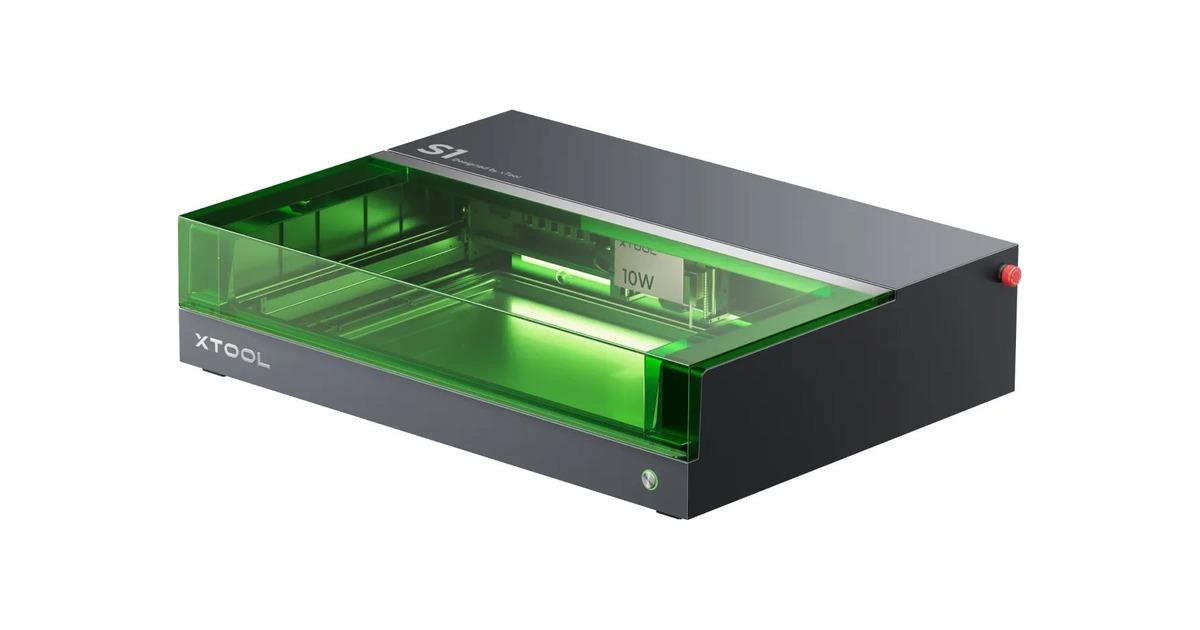
Short version, so the rest of this makes sense. The S1 is xTool’s enclosed diode laser. xTool lists its work area as 498 x 319 mm and its top speed as 600 mm/s.
The machine ships with one blue-diode module, and which one you pick sets most of what follows. Two more heads are sold on their own: a 40W module as an upgrade, and a 1064nm infrared module that is the only S1 head able to mark bare metal.
| Configuration | Head | Price |
|---|---|---|
| S1 20W | 20W blue diode | From $1,299 |
| S1 40W | 40W blue diode | From $1,699 |
| 40W laser module | 40W blue diode | $1,099 on its own |
| 1064nm infrared module | 2W infrared | $599 on its own |
| Refurbished S1 | 10W, 20W or 40W blue diode | From $639 (10W) |
Prices are the current xtool.com bundle prices. The refurbished listing is the only place the 10W tier is still sold. There is no 10W or 20W module on its own — those tiers come with the machine.
That is as much machine as this article needs. For the camera, the autofocus and the rest, read what the xTool S1 is.
What can you engrave and cut with the xTool S1?
The short answer: it cuts organics, it engraves almost everything except bare metal, and one material is genuinely unsafe.
| Material | Cut | Engrave | What to expect |
|---|---|---|---|
| Wood, plywood and MDF | Yes, on 20W or 40W | Yes, on any tier | Cutting is slow and near full power; engraving is fast and light |
| Acrylic and plastic | Yes, on 40W | Yes, on 20W or 40W | Cast acrylic cuts cleanly; two-tone sign plastic engraves beautifully |
| Paper, card and cardboard | Yes, on 10W or 20W | Yes, on any tier | Light, fast passes — it scorches before it cuts if you push power |
| Leather and PU | Yes, on 20W or 40W | Yes, on 20W | High speed, low power. Too much power gives a burnt halo |
| Fabric and felt | Synthetics only, on 20W | Yes, on any tier | Synthetics seal their own edge; cotton frays and scorches |
| Coated and anodized metal | No | Yes, on any tier | You are marking the coating, not the metal under it |
| Stone, slate and ceramic tile | No | Yes, on 20W or 40W | Slate marks at very low power; ceramic tile needs a lot more |
| Glass | No | Surface only, on 40W | A shallow white frost you can feel. Not a carve |
| Bare stainless, brass, aluminium | No | Only with the 1064nm infrared module | A blue diode does nothing to bare metal at any wattage |
Every material links to its own section below. The wattages are the heads these jobs are actually run on, not the minimum that would technically work. PVC is the one material that must never go in at all — see what not to put in an S1.
Wood, plywood and MDF
Wood is the S1’s core material and the one it does both jobs on. The two jobs want opposite settings, which is the single most useful thing to understand about this machine.

A speed-and-power test grid on 4.5mm birch plywood.
Running a grid like this on an offcut is the fastest way to find your own numbers on a new board.
More wood our makers have tested
Engraving is a speed job. Cutting is a power job: basswood plywood at 3mm cuts at 7 mm/s and 75% on the 20W head — roughly forty times slower than an engrave pass on the same board.
Plywood grade matters more than species for cutting: voids and glue lines stop the beam unevenly. The wood material page lists boards with tested settings, and the wood machine comparison puts the S1 against alternatives.
Acrylic and plastic
Cast acrylic cuts cleanly on the 40W head and engraves on any tier. Extruded acrylic cuts too but frosts rather than polishing, which is why sheet grade is worth checking before you buy.

Cut test squares in pink glitter EVA foam.
Foam cuts easily and cheaply, which makes it the best material for proving a new design before you commit.
More plastics our makers have tested
Two-tone sign plastic is the other staple: a yellow-to-black sheet engraves at 250 mm/s and 25% on the 20W, lifting the top colour to reveal the core.
Avoid polycarbonate, which yellows and burns rather than cutting, and anything you cannot identify. The acrylic material page covers which grades behave.
Paper, card and cardboard
Paper cuts and engraves easily, and the risk is the opposite of wood: too much power scorches the edge brown before it cuts through.

A birthday design on white shimmer cardstock.
Card takes a mark at almost no power. The risk here is scorching the sheet, not failing to mark it.
More paper our makers have tested
160g paper engraves at 150 mm/s and 60% on the 20W; thicker corrugated cardboard at 2.5mm engraves at 300 mm/s and 26% on the 10W. Both are light, fast passes.
Air assist matters here more than power — it clears smoke that would otherwise stain the cut edge. The paper material page has cardstock and sticker stock with tested numbers.
Leather and PU
Leather is a high-speed, low-power material on any diode. Push the power up and you get a burnt halo around the mark instead of the clean debossed line you wanted.

A baby-footprint design on a brown PU leather keyring.
Leather wants speed and a light touch. Push the power up and you get a burnt halo instead of a clean line.
More leather our makers have tested
Genuine hide behaves the same: one tested leather engraves at 150 mm/s and 18%. Vegetable-tanned leather darkens more than chrome-tanned, so the same settings give different contrast on different hides.
Cutting leather works on the 20W and up, but test first — thickness varies across a single hide. The leather material page covers which hides behave.
Coated metal and drinkware
This is the most misunderstood entry on the list. A blue diode marks the coating on metal — powder coat, anodising, paint, laserable lacquer — and does nothing at all to the metal underneath.

A star and lettering on a white powder-coated tumbler.
The white coating is removed to reveal the steel below. The metal itself is completely untouched.
More coated metal our makers have tested
That is genuinely useful: tumblers, dog tags, business cards and anodised aluminium all work, and the contrast is excellent. A coated stainless flask engraves at 30 mm/s and 75% on the 40W.
For bare stainless, brass or silver you need the 1064nm infrared module. The metal material page separates coated stock from bare.
Stone, slate and ceramic tile
Hard mineral surfaces engrave well and cut not at all. The beam micro-fractures the surface into a pale mark, and how much power that needs varies more within this group than in any other.

A helmet design on a black slate coaster.
Slate needs remarkably little power. Ceramic tile, in the same family, needs roughly ten times as much.
More stone and tile our makers have tested
Rougher rock takes much more: Stone engraves at 150 mm/s and 100% on the 40W, rock at 220 mm/s and 45% on the 20W. Slate coasters are the classic starting project because they are flat, cheap and forgiving.
Ceramic tile works the same way: a white tile at 220 mm/s and 70%, a thicker floor tile at 100 mm/s and 95%. Glazed tile marks better than unglazed, and a coat of white paint fills the mark if you want more contrast.
Glass
Glass frosts rather than carves. The beam abrades a shallow white layer you can feel with a fingernail, and that is the whole effect available on a diode.

A script design on a glass jar, turned on a rotary.
The rotary keeps the curved surface at a constant distance from the lens, which is what stops the line thinning.
More glass our makers have tested
Clear soda-lime glass engraves at 40 mm/s and 75%; a thinner piece runs at 200 mm/s and 90%. Curved glassware needs a rotary attachment to keep the surface at a constant distance from the lens.
What no diode can do is engrave inside a glass or crystal block without touching the face — that needs a UV laser. The glass and crystal page explains the difference.
Fabric and felt
Fabric is mostly an engraving job, and the fibre decides whether cutting is viable at all. Synthetics melt as they cut, which seals the edge; natural fibres char and fray.

Drinks designs on two round coffee-coloured felt coasters.
Felt is the most forgiving fabric there is, and it needs almost no power at all to take a clean mark.
More fabric our makers have tested
Twill at 0.4mm cuts at 30 mm/s and 100% over two passes — slow and firm, the opposite of engraving. Canvas engraves at 180 mm/s and 35% on the 10W head.
Polyester felt is the most forgiving fabric there is; cotton can only be scorched, never coloured. The fabric material page goes through it fibre by fibre.
What not to put in an S1
PVC and unidentified vinyl
Lasering PVC releases hydrogen chloride, which corrodes the machine from the inside and is dangerous to breathe. If a sheet is not clearly labelled, do not run it. This is the one material that damages the hardware as well as you.
Bare metal, on the diode
Not dangerous, just futile — the beam reflects and nothing happens, at any wattage or number of passes. That is exactly what the 1064nm infrared module is for.
Polycarbonate, ABS and unknown foams
They melt, yellow or release fumes you do not want in the room. Cast acrylic is the material you actually want for clear parts. When in doubt, test a scrap with the extraction running and stay in the room.
Which power tier do you need?
If the work is engraving — signs, patches, tumblers, coasters, tile — the 20W at $1,299 covers all of it, and it is the tier most tested settings are written for.
Go to 40W if you cut regularly, or if glass and stone are part of the work. The extra power mainly buys time on cutting; it does not unlock new materials on its own.
Add the infrared module only if bare metal is genuinely part of the job. At $599 it is a big share of the machine price, and coated stock does not need it. The diode comparison covers the alternatives.
Final thoughts
The S1 is a wide machine with two clear edges. It cuts organics, marks coatings and frosts hard surfaces, which covers most of what a small workshop makes.
What it cannot do is bare metal without infrared, and anything inside glass. Everything else on this page is a settings problem, and settings are the easy part — start from a number someone has already tested on your head and adjust from there.
What materials can the xTool S1 cut?
Wood, plywood and MDF, cast acrylic and most plastics, paper and cardboard, leather and PU, and synthetic fabric. It cannot cut metal, stone, ceramic or glass at any power — those are engrave-only materials on a diode.
Can the xTool S1 engrave stainless steel?
Only if it is coated, powder-coated, anodised or painted — you are marking the surface layer. A powder-coated tumbler engraves at 150 mm/s and 100% on the 20W head. Bare stainless needs the separate 1064nm infrared module.
Is the 40W S1 worth it over the 20W?
If you cut regularly, or work on glass and stone, yes. The extra power mostly buys speed on cutting rather than new materials. For engraving wood, leather, tile and coated metal, the 20W does everything and costs $400 less.
Can the xTool S1 engrave glass?
On the surface, yes — a shallow white frost, typically on the 40W head. Clear soda-lime glass engraves at 40 mm/s and 75%. What it cannot do is engrave inside a glass or crystal block, which needs a UV laser.
What should you never laser on an xTool S1?
PVC and any unidentified vinyl. Lasering PVC releases hydrogen chloride gas, which corrodes the machine and is dangerous to breathe. Polycarbonate and unknown foams are also best avoided — they melt, yellow or release harmful fumes.
Do I need the infrared module?
Only for bare metal. It is a separate 1064nm head at $599 and it is the only S1 configuration that marks uncoated stainless, brass or aluminium. If your metal work is tumblers, tags and anodised stock, the blue diode already covers it.
Got the material? Get the settings.
Every material on this page has tested power, speed and pass numbers behind it. Browse the full material library, or filter it down to your own machine.
