
Key Takeaways
- The best laser engraver depends on your material and budget — there's no single winner for everyone.
- Enclosed machines are safest at home; open-frame diodes give more area for less.
- Need metal? A fiber machine like the xTool F1 Ultra is the answer. Diode and CO2 can't mark bare metal.
- Budget open-frame diodes start near $300; premium enclosed CO2 machines run past $5,000.
- Match the laser type to the job first, then compare power, work area, enclosure, and software.
The right laser engraver really depends on what you make: beginners, metal workers, and production shops each have a better fit. Below we compare eight top machines across brands, with specs, pros and cons, and clear advice on which to buy. New to the category? Start with our explainer on what a laser engraver is.
The best laser engravers at a glance
We picked machines that lead their category on value, capability, and real-world reviews — from $300 open-frame diodes to premium enclosed CO2 systems. Prices are approximate and move with frequent promotions, so confirm the current figure before you buy.
xTool S1
Best overall
The xTool S1 is the most versatile machine most makers will ever need. It's a fully enclosed diode laser with swappable 20W and 40W modules, plus an optional infrared add-on that unlocks bare-metal marking — so one machine covers wood, acrylic, leather, and metal.
The enclosure, class-1 safety, auto-focus, and curved-surface engraving make it easy and safe to run at home, and it shines on the kind of wood engraving projects most makers start with. It's pricier than open-frame diodes, but the safety and flexibility justify it for a serious hobbyist or side business.
Pros
- Fully enclosed and class-1 safe
- Swappable 20W/40W modules + IR for metal
- Curved-surface and batch engraving
Cons
- Diode struggles to cut clear acrylic
- 40W config creeps toward CO2 pricing
- Some capability needs paid add-ons
xTool S1: the do-it-all enclosed laser engraver we'd hand most makers.
Glowforge Aura
Best for beginners
The Glowforge Aura is the friendliest way into laser crafting. Its polished software and HD camera preview let you place a design over your material on-screen and hit print — no assembly, no tuning, no learning curve.
The trade-off is power: at just 6W it engraves nicely but cuts slowly and shallowly, and the software leans on the cloud. For casual crafters who value ease over raw capability, it's hard to beat.
Pros
- Easiest software and camera preview
- Compact, quiet, well supported
- Great for cards, ornaments, light wood
Cons
- Low 6W power — slow, shallow cuts
- Cloud-oriented software
- Small work area
Glowforge Aura: the friendliest laser engraver for a complete beginner.
xTool F1 Ultra
Best for metal
The xTool F1 Ultra is the rare machine that pairs a fiber laser with a diode laser in one portable body. The fiber side deeply engraves and marks bare metal; the diode side handles wood and acrylic — so you cover both worlds without switching machines.
A galvo head pushes speeds up to 10,000 mm/s, making it a favorite for jewelry, dog tags, and personalized metal goods. The native bed is small and the price is premium, but nothing else at this level does metal this well.
Pros
- Dual fiber + diode in one machine
- Extremely fast galvo engraving
- Cuts and marks thin metal
Cons
- Small native work area
- Premium price
- Two laser sources add complexity
xTool F1 Ultra: the fastest dual fiber-and-diode laser cutter and engraver for metal.
WeCreat Vision Pro
Best all-in-one
The WeCreat Vision Pro packs a powerful 45W diode with BeamFocus optics into a fully enclosed body with an auto-lifting lid, camera, and LED alignment. An optional 2W IR module adds metal marking.
Its auto pass-through feeder and rotary options make it a genuine out-of-the-box small-business machine, often undercutting the xTool S1 on price. The brand is newer, and full capability needs some bundle add-ons.
Pros
- Strong 45W diode with BeamFocus
- Auto pass-through feeder + rotary
- Great value for an enclosed machine
Cons
- Diode still limits clear-acrylic cutting
- Full kit needs bundle add-ons
- Newer, less-established brand
WeCreat Vision Pro: the best-value all-in-one enclosed laser engraver right now.
Ortur Laser Master 3
Best budget
The Ortur Laser Master 3 is the value champion. For a few hundred dollars you get a large 400 × 400 mm work area and a fast, capable diode laser with real safety features like an emergency stop and interlock.
It's an open-frame machine, so you'll need laser glasses and good ventilation, and there's no camera or enclosure. For makers comfortable with a little setup who want maximum area per dollar, it's excellent.
Pros
- Very low entry price
- Large 400 × 400 mm work area
- Solid safety features for the class
Cons
- Open frame — needs glasses and venting
- No camera or auto-focus
- Some assembly and tuning required
Ortur Laser Master 3: the most laser engraver you can get for the money.
Creality Falcon2 Pro
Best budget enclosed
The Creality Falcon2 Pro brings an enclosure, air assist, camera, and fume extraction to a price point where most rivals are still open-frame. Module options run all the way to 60W for faster, deeper cuts.
The software isn't as polished as Glowforge or xTool, and diodes still can't touch clear acrylic, but the feature-per-dollar here is outstanding for anyone who wants safe, enclosed cutting without spending big.
Pros
- Enclosed, air assist, and camera at a low price
- Modules up to 60W
- Built-in fume extraction
Cons
- Diode limits on clear acrylic
- Software less refined
- Still needs external venting
Creality Falcon2 Pro: the cheapest route to a fully enclosed laser engraver.
xTool P2S
Best for cutting (CO2)
When engraving turns into cutting thick material, a CO2 machine takes over — and the xTool P2S is the desktop benchmark. Its 55W tube slices acrylic up to 20 mm and walnut up to 18 mm with fast, polished edges.
Dual 16MP cameras give precise placement, and auto-passthrough handles stock up to 118″ long. It engraves beautifully too, but the CO2 tube is a wear item and you'll need proper venting.
Pros
- Cuts thick acrylic and wood fast
- Dual cameras + long passthrough
- Large 600 mm work area
Cons
- CO2 tube is a consumable
- Requires exhaust venting
- Larger footprint
xTool P2S: the desktop CO2 laser cutter for serious wood and acrylic.
Glowforge Pro
Premium CO2
The Glowforge Pro is the premium plug-and-play CO2 option. Autofocus, camera alignment, and unlimited-length passthrough make it one of the most effortless machines to operate, backed by strong software and brand support.
You pay a clear premium over rivals of similar wattage, and the software leans on the cloud. But for buyers who value polish and support over raw specs, it remains a benchmark.
Pros
- Unlimited-length passthrough
- Autofocus and camera alignment
- Refined software and brand support
Cons
- Expensive for its wattage
- Cloud-oriented software
- Requires venting
Glowforge Pro: the premium, hands-off CO2 laser engraver.
Atomstack A20 Pro
Most area per dollar
The Atomstack A20 Pro packs a compressed-spot 20W quad-diode into an open frame with a generous 400 × 400 mm bed, so you can engrave large signs and cutting boards for close to a grand. It runs happily in LightBurn and marks coated metal well, though a bare diode still won't touch stainless.
You give up the enclosure, camera, and auto-focus you'd get from a diode machine like the xTool S1, so plan on laser glasses and ventilation. For makers who want maximum area per dollar and don't mind a little tuning, it's a strong value.
Pros
- Large 400 × 400 mm work area
- Strong 20W diode with compressed spot
- LightBurn-friendly and tinker-ready
Cons
- Open frame — needs glasses and venting
- No camera or auto-focus
- Some assembly and calibration required
Atomstack A20 Pro: Atomstack A20 Pro: the roomiest open-frame diode for the money.
xTool F2 Ultra
Best for color + metal
The xTool F2 Ultra is the top of the dual-laser range: a 60W MOPA fiber source that tunes pulse settings for true full-color marking on stainless, paired with a 40W diode for wood and acrylic. It's the machine for makers who've outgrown a single-source engraver and want annealed color, deep metal, and organics in one enclosed body.
The galvo head is blistering fast and the results are studio-grade, but the small 220 × 220 mm bed and premium price make it overkill for casual crafting. For a metal-focused shop chasing repeatable color, nothing here matches it.
Pros
- 60W MOPA enables full-color metal marking
- Dual fiber + diode covers metal and organics
- Fast, precise galvo engraving
Cons
- Premium price
- Small native work area
- MOPA tuning has a learning curve
xTool F2 Ultra: xTool F2 Ultra: the color-metal powerhouse for serious production.
How to choose a laser engraver
We compared every machine in this guide on the same factors — laser type and power, work area, enclosure and safety, software, and value — and here's what each means. Work through these questions in order; the first one narrows the field fastest.
- What material? Wood, acrylic, and leather? A diode or CO2 works. Bare metal? You need fiber. Thick cutting? Choose CO2. If you want the fastest wood-and-acrylic engraver you can find, our best diode laser engraver guide goes deeper on that class.
- How much power? More watts engrave faster and cut deeper. 5–10W suits light craft; 40W+ diode or 45–55W CO2 handles real cutting.
- Enclosed or open? Enclosures add safety, fume control, and quiet — well worth it at home. Open frames are cheaper and roomier.
- Work area? Match the bed to your biggest project; passthrough helps with long stock.
- Software and support? Beginners benefit from polished apps (Glowforge, xTool); tinkerers may prefer LightBurn-compatible machines.
Here's how the picks compare:
| Model | Laser | Power | Work area | Approx. price | Best for |
|---|---|---|---|---|---|
| xTool S1 | Diode | 20/40W | 498 × 319 mm | From $1,299 | Best overall |
| Glowforge Aura | Diode | 6W | 12″ × 12″ | ~$1,199 | Beginners |
| xTool F1 Ultra | Fiber + diode | 20W + 20W | 220 × 220 mm | From $2,999 | Metal |
| WeCreat Vision Pro | Diode | 45W | 500 × 320 mm | ~$2,140 | All-in-one |
| Ortur Laser Master 3 | Diode | 10–40W | 400 × 400 mm | ~$650 | Budget |
| Creality Falcon2 Pro | Diode | 22–60W | 400 × 400 mm | ~$1,899 | Budget enclosed |
| xTool P2S | CO2 | 55W | 600 × 305 mm | From $3,399 | Cutting |
| Glowforge Pro | CO2 | 45W | 11″ × 19.5″ | ~$5,999 | Premium CO2 |
| Atomstack A20 Pro | Diode | 20W | 400 × 400 mm | ~$1,099 | Open-frame value |
| xTool F2 Ultra | MOPA + diode | 60W + 40W | 220 × 220 mm | From $4,299 | Color + metal |
Our buying advice
- Most people: the xTool S1 balances safety, power, and versatility better than anything else, and grows with an IR module.
- Total beginners: the Glowforge Aura (or S1 if you want more power) gets you making in minutes.
- On a tight budget: the Ortur Laser Master 3 open-frame, or the Creality Falcon2 Pro if you want an enclosure.
- Metal work and jewelry: the xTool F1 Ultra is the clear pick; for full-color metal marking and production volume, step up to the xTool F2 Ultra.
- Cutting thick wood and acrylic: step up to the xTool P2S or Glowforge Pro CO2 machines, and see our dedicated best laser cutter guide if cutting is your priority.
- Maximum area on a budget: the Atomstack A20 Pro gives you a 400 × 400 mm open-frame bed for around a grand.
- Small-business all-in-one: the WeCreat Vision Pro delivers strong value out of the box.
Whichever you choose, start with the laser type that matches your material — everything else is refinement.
What real makers create with a laser
From keychains to full-color metal to layered wall art, here's the range a good laser engraver unlocks — each project comes with a free file you can make yourself.
Stitch wooden keychain

This little Stitch keychain shows how cleanly a diode laser cuts and engraves small wooden shapes in a single job. It's the kind of quick, gift-ready project that proves you don't need a big machine to make something charming.
Get this design free →Brass commemorative coin
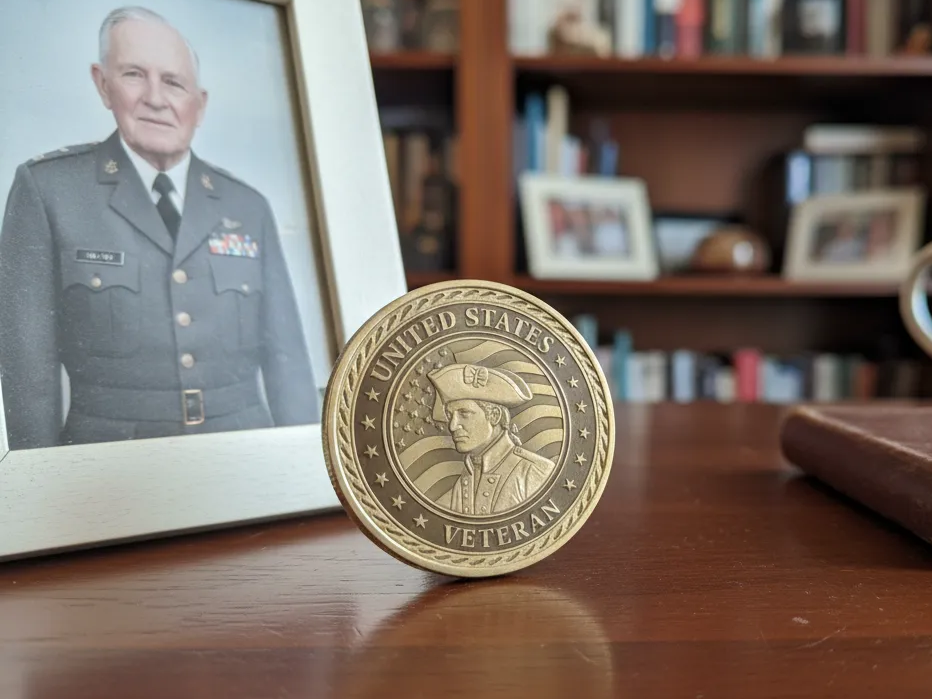
A fiber laser marks crisp, permanent detail into solid brass, as this challenge coin shows. It's exactly the bare-metal work a diode or CO2 machine simply can't do, and where an F-series engraver earns its keep.
Get this design free →Engraved glass photo frame
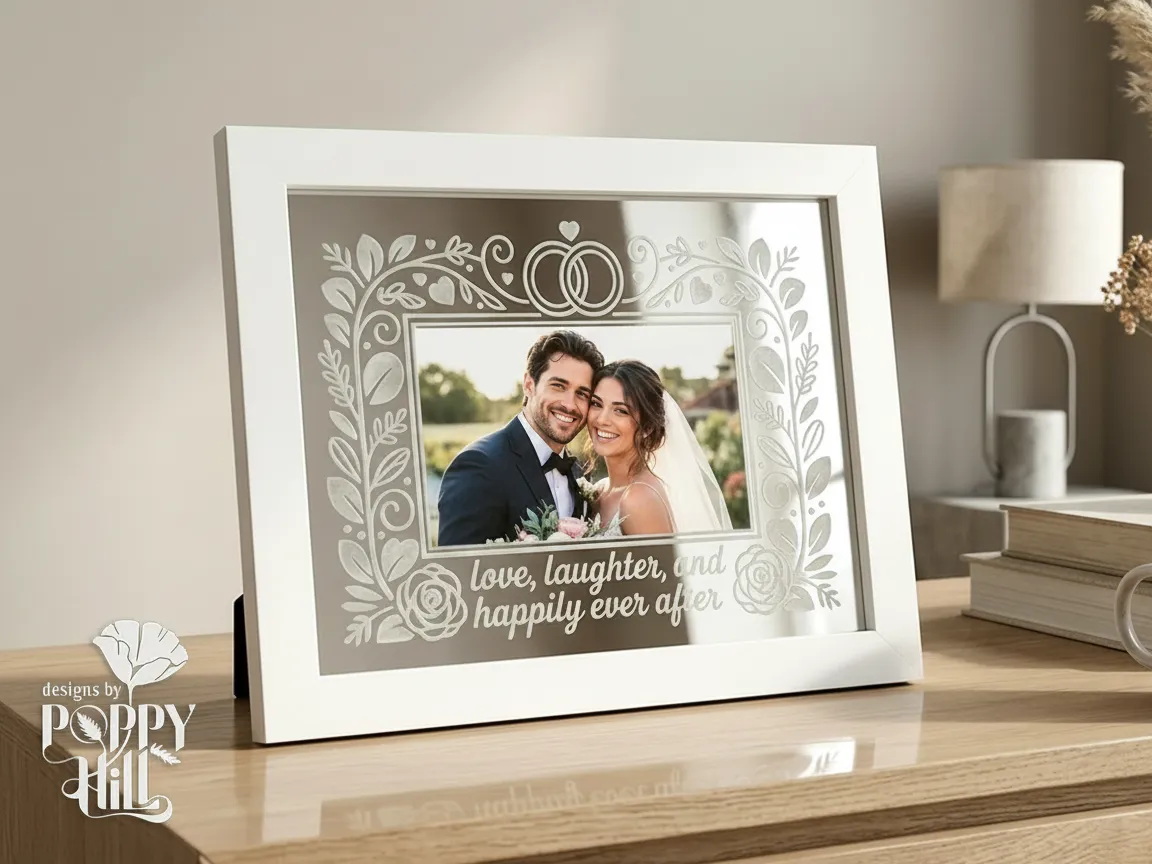
This frosted-glass frame proves an enclosed diode like the S1 handles more than wood — glassware engraves beautifully with the right settings. It's a popular wedding and anniversary gift you can personalize in minutes.
Get this design free →Stainless steel tumbler set
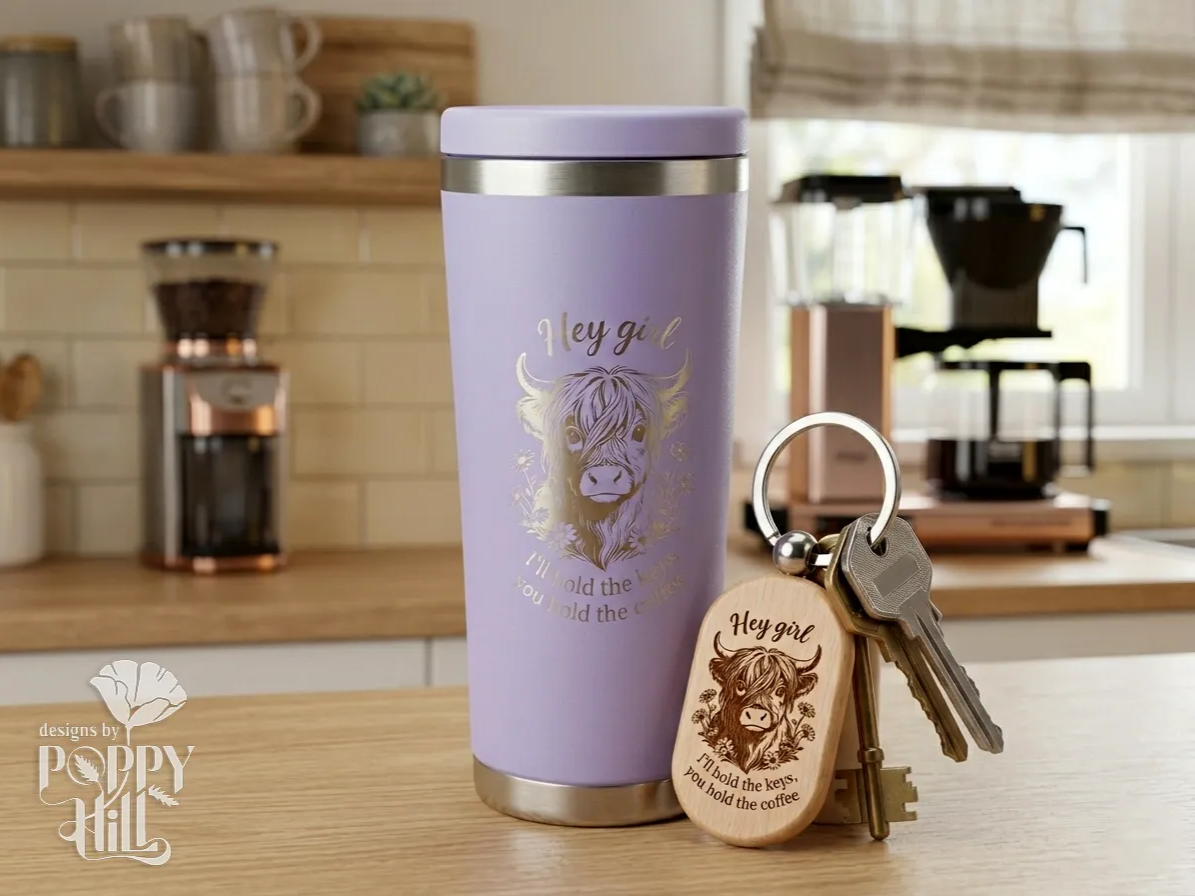
A matching tumbler and keyring show how a fiber laser turns plain stainless drinkware into a saleable personalized set. Consistent, repeatable marks like these are the backbone of a small engraving business.
Get this design free →Layered hummingbird wall art
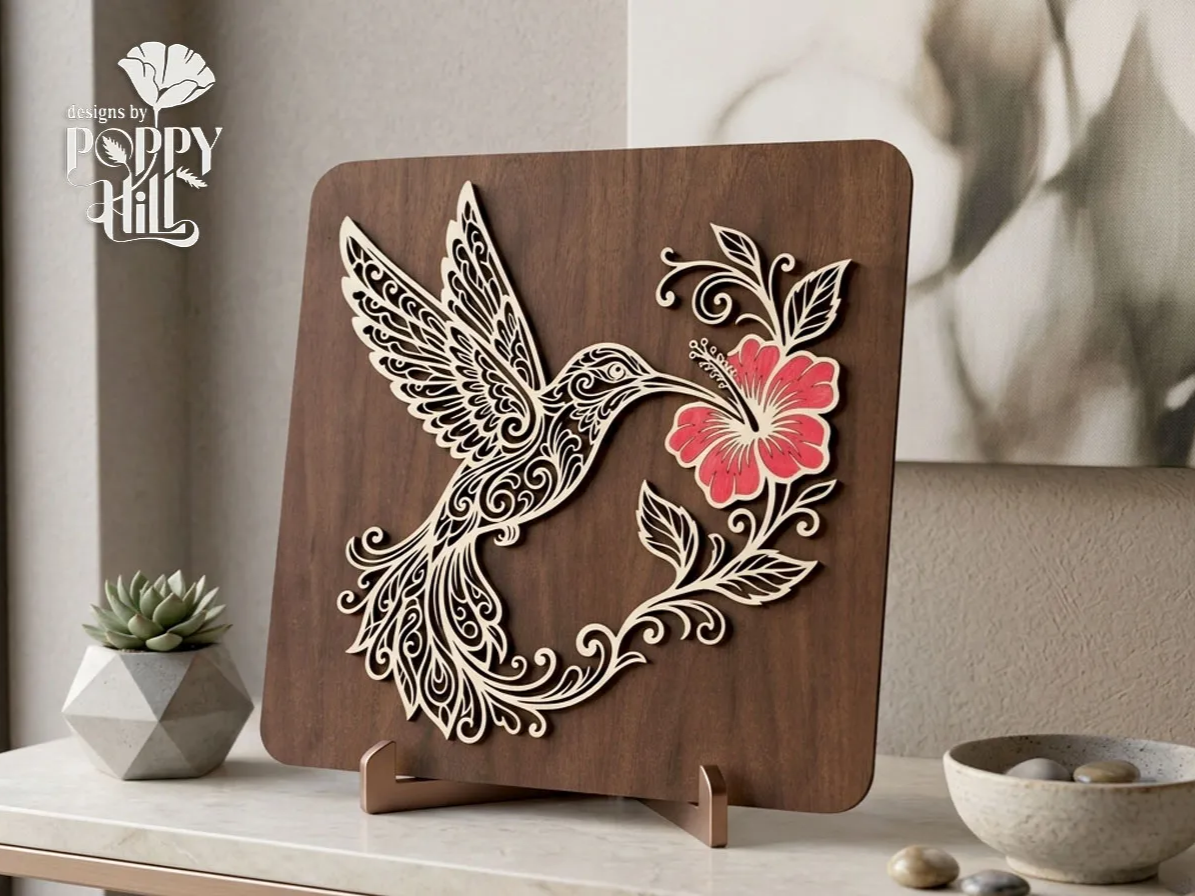
This multi-layer hummingbird piece combines precise cutting and engraving into finished decor. It's a showcase of what an enclosed diode can do when you stack cut layers into dimensional wall art.
Get this design free →Frequently asked questions about laser engravers
What is the best laser engraver for beginners?
The Glowforge Aura is the easiest to start with thanks to its camera preview and polished software. If you want more power in an equally safe enclosed body, the xTool S1 is the better long-term pick — and our best laser engraver for beginners guide walks through more first-machine options.
What is the best laser engraver for metal?
A fiber laser is required for bare metal. The xTool F1 Ultra is our top pick because it combines a 20W fiber laser with a 20W diode, so it also handles wood and acrylic.
How much does a good laser engraver cost?
Budget open-frame diodes start near $300–$650, capable enclosed diodes run $1,200–$2,100, fiber and desktop CO2 machines are $3,000–$4,000, and premium CO2 systems exceed $5,000.
Can any laser engraver cut as well as engrave?
Most can do both — you raise power and lower speed to cut. But diode and low-watt machines cut thin material slowly; for thick wood or acrylic, a 45–55W CO2 machine is far better.
Do I need an enclosed laser engraver?
An enclosure isn't required but is strongly recommended at home. It contains the beam, reduces fumes and noise, and adds safety — especially with kids or pets around.
Ready to start engraving?
Explore hundreds of free, ready-to-make laser designs — or generate your own artwork in seconds.
