



Online Sticker Maker
Design stickers in the browser and export print- and cut-ready files.
Upload a company logo, a club badge, or a drawing and the generator turns it into clean sticker art with a contour that follows the shape. It is the same thing people order as a custom laptop decal, except you keep the source files — so putting the mark on twenty team machines, or resizing it for a smaller lid, costs nothing but a re-export.

A lid is a collection, not one image. Type a theme and the generator builds a matching set, so your laptop sticker design ideas come out in one visual language instead of clashing. Pastel and cottagecore, high-contrast gaming shapes, or a running joke only your group gets — the border weight and palette stay consistent across the whole pack.

Shared classrooms and hot desks run on labels. Notebook label design here means a plaque or scalloped shape with room for a name, cut as a clean die-cut sticker for a Chromebook lid, a charger brick, or a spiral notebook cover. Make one, change the name, export again — custom computer stickers for a whole cart come out of a single afternoon.

Every export gives you the print-ready image and the SVG contour as a matched pair, so vinyl stickers for laptop lids do not need a tracing pass in vector software. Send both to a desktop cutter, or hand them to a print shop as-is. Choose your own material at that point — removable or permanent, matte, gloss, or holographic.

Custom laptop stickers are die-cut vinyl decals made from your own artwork and sized for the lid, palm rest, or bezel of a computer rather than for a wall or a car. What separates them from a printed picture is the cut line: it has to follow the artwork exactly, because a laptop lid is flat, dark, and read from a few feet away, so a sloppy border shows immediately. They also live under a different set of constraints than an outdoor decal. The surface is brushed metal or coated plastic, it gets warm, it opens and closes hundreds of times, and most people want the option to peel a sticker off later. Here you upload art or describe an idea, and the generator draws both the artwork and the matching contour, then exports a print file and an SVG cut file that already line up.
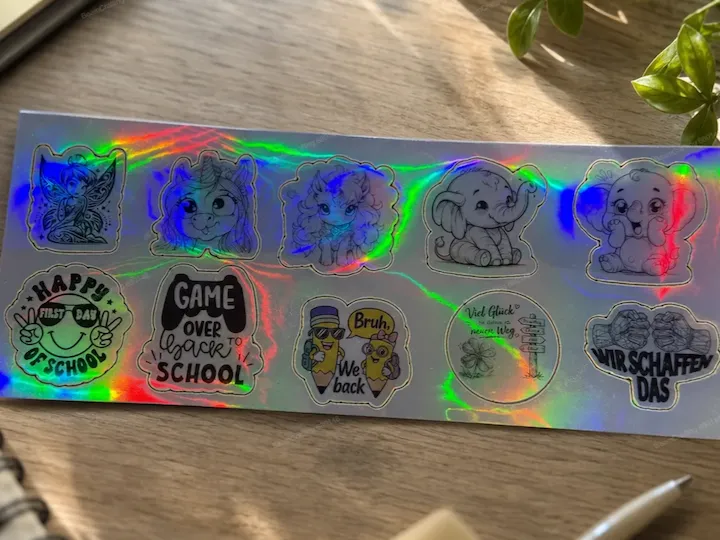
Die cut trims through to the shape, so one decal peels off the backing on its own. Kiss cut scores only the vinyl and leaves the backing whole, which is what you want when a dozen small shapes ship on one sheet and go on over weeks. The placements below are the ones people actually use on a machine they carry.
How to design bicycle sticker designs that fit: measure the tube, keep inside a third of its circumference, and pick cut vinyl over print for a bike left outdoors.
How to design stickers: what makes a good design, outline, bleed and cut line, and three ways to create the artwork — from a photo, with AI, or by hand.
How to make your own stickers: four routes compared — print on demand, cut by hand, a print-and-cut machine, or a local print shop — plus how to choose a machine.
How to design car stickers and decals: cut vinyl means one colour and no floating islands; printed vinyl means full colour and a laminate. Sizes, files and tools.

Turn any idea into a cut-ready laptop sticker.

Design stickers in the browser and export print- and cut-ready files.

Any shape, contour cut to your artwork, with matching cut files.

Name labels that wrap a bottle, printed at home.

Generate a scannable code and cut it to shape.

Turn an initial into an elegant die-cut monogram sticker.

Turn a logo into die-cut stickers for packaging and parcels.

Turn a funny cat idea into a die-cut sticker you can print.

Free floral templates with a clean cut line.