举报
![[Laser cut and engrave] Coffee Bean Productivity Tracker Set](https://storage-us.atomm.com/resource/xtool/community/attachment/xtool-community/ed016e6b-0e84-4356-8472-77f79fdffaab.jpeg?x-oss-process=image/resize,w_1200,h_900,limit_0/interlace,1/format,webp/auto-orient,1)
![[Laser cut and engrave] Coffee Bean Productivity Tracker Set](data:image/png;base64,iVBORw0KGgoAAAANSUhEUgAAAAoAAAAKCAYAAACNMs+9AAAAAXNSR0IArs4c6QAAABdJREFUKFNjZCASMBKpjmFUId6QIjp4AAppAAuXjCs4AAAAAElFTkSuQmCC)
![[Laser cut and engrave] Coffee Bean Productivity Tracker Set](https://storage-us.atomm.com/resource/xtool/community/attachment/xtool-community/ed016e6b-0e84-4356-8472-77f79fdffaab.jpeg?x-oss-process=image/resize,w_200,h_150,limit_0/interlace,1/format,webp/auto-orient,1)
![[Laser cut and engrave] Coffee Bean Productivity Tracker Set](https://storage-us.atomm.com/resource/xtool/community/attachment/xtool-community/226e7440-aa5e-4ca3-b06f-80787907166c.jpeg?x-oss-process=image/resize,w_200,h_150,limit_0/interlace,1/format,webp/auto-orient,1)
![[Laser cut and engrave] Coffee Bean Productivity Tracker Set](https://storage-us.atomm.com/resource/xtool/community/attachment/xtool-community/1cc27ed0-eb3c-4402-a055-bba6592f2ce4.jpeg?x-oss-process=image/resize,w_200,h_150,limit_0/interlace,1/format,webp/auto-orient,1)
![[Laser cut and engrave] Coffee Bean Productivity Tracker Set](https://storage-us.atomm.com/resource/xtool/community/attachment/xtool-community/41d81e15-1492-42bb-99a4-ea2f6f2f65e5.jpeg?x-oss-process=image/resize,w_200,h_150,limit_0/interlace,1/format,webp/auto-orient,1)
咖啡豆生产力追踪套装


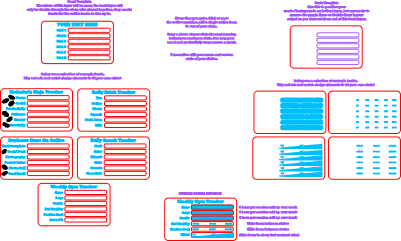
BrightWoodUK-Coffee-Bean-Trackers
.xcs
应用场景
激光加工 (15min)
机器与模块

xTool F2
5W, 15W兼容的 · 12
使用的材料

3mm黑胡桃胶合板
1
163
教程
1
步骤1

预览

预览
先下载设计文件,然后在 xTool Studio 中打开。我在设计文件里附上了很多笔记和说明,方便你。
你需要两块对比色的胶合板或丙烯,每块至少10cm x 7cm。
2
步骤2

预览

预览

预览
查看主模板,从零开始创建自己的模板,或者直接拖动预制模板到切割区域。
在使用最佳材料之前,务必测试切割和雕刻强度设置。
3
步骤3

预览

预览

预览

预览
查看主背模板,从零开始创建自己的设计,或者直接拖动预制背模板到裁切区域。
如果这种材料和第一层不同,务必在使用最佳材料前测试切割和雕刻强度设置。
一旦你满意的正反面,用强力胶把它们粘合在一起,骄傲地展示你的数据,让所有人都能看到!
4
步骤4

预览
想更进一步吗?为什么不混合统计和滑块,打造你自己的完美数据追踪器呢?
祝你好运,我迫不及待想看看你用这些数据追踪什么。
评论