
舉報
![[Laser cut and engrave] Mechanical toy car with gears](https://storage-public.atomm.com/xtool/community/attachment/xtool-community/6ec32ddc-754c-4208-b5b6-797829494087.gif)

![[Laser cut and engrave] Mechanical toy car with gears](data:image/png;base64,iVBORw0KGgoAAAANSUhEUgAAAAoAAAAKCAYAAACNMs+9AAAAAXNSR0IArs4c6QAAABdJREFUKFNjZCASMBKpjmFUId6QIjp4AAppAAuXjCs4AAAAAElFTkSuQmCC)
![[Laser cut and engrave] Mechanical toy car with gears](https://storage-public.atomm.com/xtool/community/attachment/xtool-community/9e0ba20d-4337-4823-8338-2576150a9f6d.png?x-oss-process=image/resize,m_fill,w_160,h_120,limit_0/interlace,1/format,webp/auto-orient,1)
![[Laser cut and engrave] Mechanical toy car with gears](https://storage-public.atomm.com/xtool/community/attachment/xtool-community/c579adba-1b0f-4894-93f5-8d360a4d09b5.png)
![[Laser cut and engrave] Mechanical toy car with gears](https://storage-public.atomm.com/xtool/community/attachment/xtool-community/7516a431-5f79-4aab-aa2c-643da63c1758.jpg?x-oss-process=image/resize,m_fill,w_160,h_120,limit_0/interlace,1/format,webp/auto-orient,1)
![[Laser cut and engrave] Mechanical toy car with gears](https://storage-public.atomm.com/xtool/community/attachment/xtool-community/20a38ba2-3dcf-4b28-83c4-e91582660a42.jpg?x-oss-process=image/resize,m_fill,w_160,h_120,limit_0/interlace,1/format,webp/auto-orient,1)
![[Laser cut and engrave] Mechanical toy car with gears](https://storage-public.atomm.com/xtool/community/attachment/xtool-community/2eae8e64-23bb-47c4-81e3-5ce9ccd30941.jpg?x-oss-process=image/resize,m_fill,w_160,h_120,limit_0/interlace,1/format,webp/auto-orient,1)
![[Laser cut and engrave] Mechanical toy car with gears](https://storage-public.atomm.com/xtool/community/attachment/xtool-community/1a563b12-748b-4f69-a729-c1ce6f2631bc.jpg?x-oss-process=image/resize,m_fill,w_160,h_120,limit_0/interlace,1/format,webp/auto-orient,1)
帶齒輪的機械玩具車
 教程
教程
coche
.xs
顯示剩餘(1項)
應用場景
激光加工 (90min)
機器與模組

xTool S1
20W兼容的 xTool 機器
P3
F2
F2 Ultra UV
F2 Ultra(Single)
F2 Ultra
F1 Ultra
F1
F1 Lite
P2S
P2
M1 Ultra
M1
D1 Pro 2.0
D1 Pro
D1
Laserbox
M2
使用的材料

3mm西黃松膠合板

3毫米的tilo

3mm白楊膠合板

4
182
教程
1
步驟1: 加入

預覽
Red: cut.
紫色:雕刻。
黑方:刪除。
如果你的機器不是 xTool S1,你需要根據所用材料和機器來設定設定。
2
步驟2: 雕刻與雕刻

預覽
流程完成後,你應該會有這些零件。
除了千斤頂,其他都沒問題。
3
步驟3: 安裝

預覽

預覽

預覽
20 More images
請依照圖片正確組裝順序。需要使用膠水或黏著劑。你可以選擇馬達的橡皮筋。
評論
二創



您可能還喜歡

鐳射切割3D機械汽車模型套件.cdr

6
70

雷射切割木製汽車玩具範本免費向量

19
112

拖拉機齒輪玩具

25
67

福特車型

16
75

F1電容車
15
45

雷射切割天蠍座木製玩具車模型免費向量

4
59

雷射切割木製卡丁車自由向量

5
35
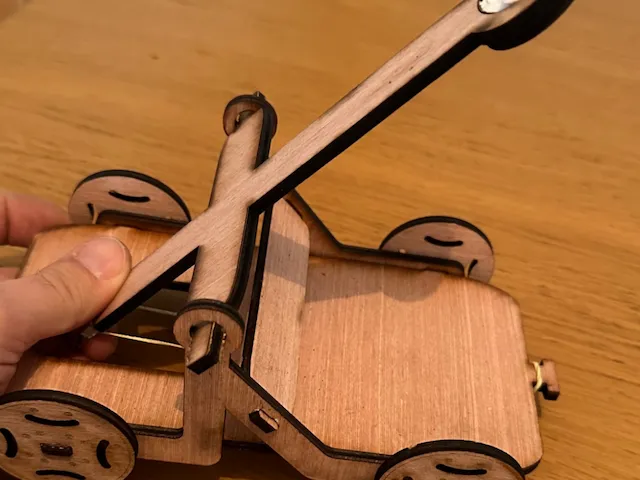
組裝迷你木製投石機

0
3

拖車機械

5
13

雷射切割雪鐵龍2CV DXF檔案

15
96

雷射切割木製機械自行車 DXF 檔案

7
90

一級方程式賽車模型

2
10

列車
47
257

3D 蒸汽火車模型玩具

84
346

Aser 切割木製賽車無玩具向量

4
28

運動型多功能車
34
180

3D拼圖福特V8汽車模型.pdf
1
16

退休人士
9
107