








































Background Remover
Remove photo backgrounds instantly for clean, high‑quality cutouts in seconds.
Simply draw a box to extract designs from clothing or objects. Use the new Engraving Mode to precisely extract designs from any surface, delivering clean SVGs optimized for laser engraving and cutting workflows.
Supported formats: JPG, JPEG, PNG, WEBP. Image size ≤10 MB. Please keep the main subject centered and fully visible.
Stop struggling with full-image processing. With Precision Box Selection, simply draw a frame around your target area to tell the AI exactly what to see. By ignoring surrounding noise, the algorithm focuses 100% of its power on your selection, ensuring you extract the exact subject you need with zero distractions.

Go beyond simple background removal. Our Design Extraction lets you surgically separate foreground subjects from complex scenes or isolate specific design components like floating UI layers, text bubbles, and icons. It allows you to essentially "unflatten" images and retrieve individual, high-quality assets ready for remixing.

Get laser-ready results instantly. Engraving Mode leverages local focus algorithms to deliver razor-sharp, high-resolution boundaries. We provide clean, sharp vector paths. The output features smooth, continuous lines that are perfect for vector conversion and laser engraving workflows, eliminating jagged edges and saving you hours of manual cleanup time in post-production.

Our AI design extractor works on any surface or product. Turn real-world objects into digital assets. Pull graphics from mugs, phone cases, and accessories. Capture designs from wall art, photo frames, posters, and home decor. Our AI automatically flattens curves and ignores fabric textures, delivering clean vector paths ready for cutting or engraving.

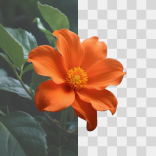
Remove photo backgrounds instantly for clean, high‑quality cutouts in seconds.
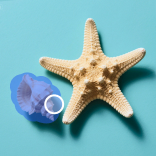
Clean up photos in seconds by removing objects, people, and watermarks.
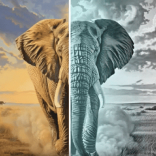
Convert images into files optimized for laser engraving.
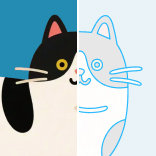
Convert images into scalable vector graphics (SVG).
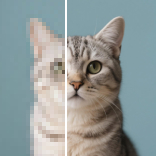
Increase resolution and sharpen details.
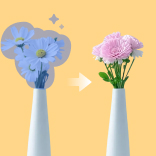
Redraw any part of an image using a text prompt.
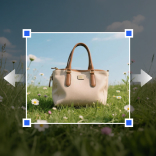
Extend your image beyond its original borders.
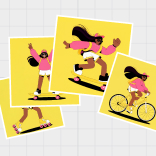
Generate quick, high-quality AI variations that keep your style.

AImake is your AI crafting agent that helps turn inspiration into real creations with ease.