
Almost everyone searching for a LightBurn alternative is searching for the same thing: a free one. LightBurn has no free tier — only a 30-day trial — and in May 2026 the renewal went up to $40 a year.
The catch is that the alternatives are not interchangeable. Which one replaces LightBurn for you depends on what your machine is, what you are running it on, and why you want out.
Key Takeaways
- The best free alternative is usually your own machine’s software — already supported, already free.
- LaserGRBL does not run on macOS. The alternative most lists name first is Windows only, which narrows the Mac field sharply.
- A lapsed LightBurn licence keeps working. You lose new versions, not the software, so replacing it may not be urgent.
- No free tool matches LightBurn’s range of controllers. For a mixed workshop it is still the only single answer.
Start With Why You Are Leaving LightBurn
The tools below solve different problems. Picking by reason rather than by popularity is what stops you installing something that cannot drive your machine.
You want a free LightBurn alternative
Start with the software that came with your machine. It is free, it is already supported, and for most single-brand workshops it is not a downgrade.
Only look further if your machine shipped without usable software, or if you own machines from more than one maker.
You need a LightBurn alternative for Mac
This is where most advice goes wrong. LaserGRBL is Windows only — it has no macOS build at all — and it is the first free option nearly every list names.
On a Mac the honest shortlist is your machine’s own app, xTool Studio if you own an xTool, or MeerK40t if you run a K40-class CO2. Everything else is design software that still needs something to drive the laser.
You do not want to pay the renewal
Worth knowing before you replace anything: a LightBurn licence is perpetual. When the year of updates runs out, the version you have keeps working indefinitely.

You lose access to new releases, not the software. If your machine and workflow are settled, letting the licence lapse costs you nothing this year.
LightBurn will not drive your machine
Then there is no decision to make. Closed machines — the ones that only talk to their maker’s app — cannot be driven by LightBurn at any price.
Which controllers LightBurn does and does not support is covered in our LightBurn review.
You want camera alignment without the LightBurn camera
LightBurn’s camera positioning needs a camera you buy separately. Third-party UVC-compatible cameras start around $80, on top of the licence.
The alternative is a machine that already has positioning cameras built in, which removes both the purchase and the calibration step. The xTool P2S carries dual 16MP cameras; the S1 uses its own Pin-point positioning.
LightBurn Alternatives Compared
What each one actually replaces, and what it cannot do. Prices and platforms checked on 16 September 2026.
| Tool | Cost | Runs on | Drives | Designs? |
|---|---|---|---|---|
| LightBurn | $99 Core / $199 Pro, $40 a year to keep updating | Windows, macOS, Linux | The widest range, GRBL and DSP alike | Yes |
| xTool Studio (XCS) | Free | Windows, macOS | xTool machines only | Yes, with templates and AI tools |
| LaserGRBL | Free | Windows only | GRBL diode and CNC boards | Barely — pair it with a design app |
| RDWorks | Free, bundled | Windows | Ruida-controller CO2 only | Basic |
| MeerK40t | Free, open source | Windows, macOS, Linux | K40-class CO2 | Basic, and technical to set up |
| Inkscape | Free | Windows, macOS, Linux | Nothing — design only | Yes |
Read the fourth column first. Most disappointment with a free alternative comes from installing something that was never going to talk to that machine.
xTool Studio (XCS)
The free alternative if you own an xTool
The one case where the machine’s own software is not a compromise. Design and machine control sit in one window, which is exactly LightBurn’s pitch, without the licence.
What you get on top is a template, element and font library and a set of AI tools for turning a rough image into something cuttable — work LightBurn deliberately does not try to do.
Pros
- Free against $99 or $199
- Design and machine control in one app
- Runs on macOS, which LaserGRBL does not
- Template and font libraries included
Cons
- Drives xTool machines and nothing else
- Desktop only, no mobile app
- No help if you own a second brand
If every machine you own is an xTool, this is not a downgrade from LightBurn. It is the same job for nothing.
Download xTool Studio freeLaserGRBL
Free, capable, and Windows only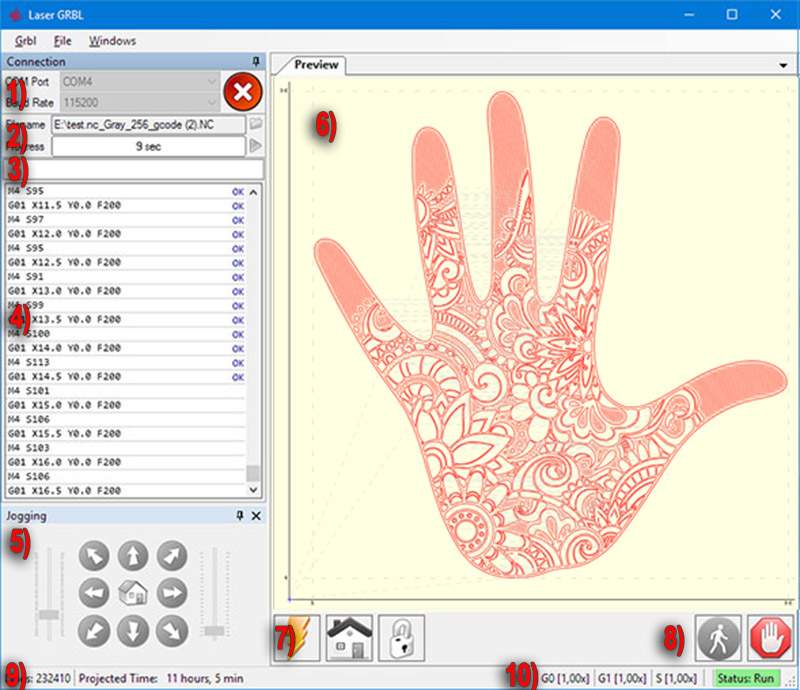
The default free recommendation for GRBL diode lasers, and a genuinely good one — provided you are on Windows and bring your own design software.
It has no macOS build at all, which rules it out for a large share of the people searching for a LightBurn alternative in the first place.
Pros
- Free, open source and actively developed
- Large user base and plenty of guides
- Light on system requirements
Cons
- No macOS version exists
- GRBL boards only, not DSP CO2 machines
- Almost no design tools, so you run a second program
Excellent at the job it does. Just be clear that it does half of what LightBurn does, on one operating system.
Visit the LaserGRBL projectRDWorks
Free with the machine, if it runs Ruida
Shipped free with most Ruida-controller CO2 lasers. It cuts and engraves reliably and it costs nothing, which is the whole argument for it.
The interface is a generation behind and the layout tools are basic. If you bought LightBurn specifically to get away from RDWorks, going back is a real loss of comfort rather than of capability.
Pros
- Free and already supplied with the machine
- Drives Ruida DSP controllers natively
- No licence to track or renew
Cons
- Dated interface and clumsy layout tools
- Ruida controllers only
- Windows only, with no macOS build
The honest fallback for a Ruida CO2 machine. Capable, free, and a step backwards in daily use.
MeerK40t
Open source, and one of the few real Mac answers
A community project aimed at K40-style CO2 machines, and cross-platform including macOS — which makes it one of the few genuine answers when a Mac user asks for a free LightBurn alternative.
The trade is setup. It is noticeably more technical than anything else here, and the documentation assumes you are comfortable troubleshooting.
Pros
- Free, open source and cross-platform
- Runs on macOS, unlike LaserGRBL
- Active community around K40 hardware
Cons
- Steeper setup than any paid tool
- K40-class machines only
- Documentation assumes some technical confidence
The Mac answer for cheap CO2 hardware, if you are willing to spend the first evening configuring rather than cutting.
Inkscape
Free design, and it drives nothing
Worth stating plainly because it appears on almost every alternatives list. Inkscape is excellent free vector software and it cannot talk to a laser.
LightBurn does two jobs: it makes the artwork and it runs the machine. A design tool replaces the first half only, so you still need a sender for the second.
Pros
- Genuinely capable vector design, for free
- Runs on every desktop platform
- Pairs with any of the senders above
Cons
- Cannot drive a laser at all
- Means running two programs instead of one
- No laser-specific settings such as power or passes
A component of a free workflow, not a replacement for LightBurn. Pair it with a sender that suits your controller.
Bonus: Atomm, for the Design Half of the Problem
Every tool above solves the same half of the job: driving the machine. None of them helps with the other half, which is having a file worth cutting in the first place.
Atomm is quick design for laser cut and engrave files — free, browser-based, and tied to no licence on either side of the LightBurn question.
Atomm
Quick design for laser cut and engrave files
Three things sit behind it. Community projects are thousands of free laser files with the material and machine listed. Generators build a keychain, bookmark or label to your measurements and export a ready cut file. AI design turns a description into artwork and separates the cut line from the engrave layer.
It replaces nothing on this page and it is not a machine controller. It sits in front of whichever one you choose, which is why it is worth knowing about whether you keep LightBurn or leave it.
Free, needs no install, and independent of the licence argument entirely. Worth a look before you spend an evening drawing something from scratch.
Browse the free generatorsWhat None of Them Replace
The honest limit of this page. Every free option above is tied to one controller family; LightBurn is not.
- A mixed workshop. Two machine brands means two free apps and two workflows, or one LightBurn licence.
- DSP and GRBL in one tool. No free alternative spans both.
- Advanced image dithering. The free senders do far less with photographs.
- One layout, many machines. Moving a job between brands means rebuilding it in the other app.
Check the price before you replace it
LightBurn is a one-off $99 with optional $40 renewals, not a subscription, and a lapsed licence keeps running. Against a second machine brand or a week of fighting a free tool, that is often the cheaper answer. What it costs in detail is in our LightBurn review.
Which LightBurn Alternative Should You Use?
- You own an xTool — xTool Studio, free, and it does the design too.
- Windows plus a GRBL diode laser — LaserGRBL, with Inkscape for artwork.
- Mac plus a GRBL diode laser — your machine’s own app, or MeerK40t on K40-class hardware. LaserGRBL is not an option.
- Ruida CO2 — RDWorks does the job free, with a dated interface.
- More than one machine brand — keep LightBurn. Nothing free covers that.

Conclusion
There is no single LightBurn replacement, because LightBurn’s real feature is breadth. Every free option here trades that breadth for a price of zero.
If you run one brand of machine, that trade costs you nothing and the switch is easy. If you run several, the licence is buying you something the free tools genuinely do not have.
Frequently Asked Questions About LightBurn Alternatives
Is there a free alternative to LightBurn?
Yes, several, but each drives one controller family. xTool Studio is free for xTool machines, LaserGRBL is free for GRBL diode lasers on Windows, and RDWorks comes free with Ruida CO2 machines. None of them covers the range LightBurn does.
What is the best LightBurn alternative for Mac?
Your machine’s own software, or xTool Studio if you own an xTool. LaserGRBL, the option most lists recommend, has no macOS build at all. MeerK40t runs on macOS for K40-class CO2 lasers.
Does LightBurn stop working if I do not renew?
No. The licence is perpetual and the version you have keeps running. The $40 renewal buys another year of updates, so letting it lapse costs you new features rather than the software.
Is LaserGRBL as good as LightBurn?
For driving a GRBL diode laser, it is capable and free. It does almost no design work, so you run a second program for artwork, and it is Windows only. LightBurn does both jobs in one app on three operating systems.
Can I avoid buying a LightBurn camera?
Yes. The camera is separate hardware and third-party UVC cameras start around $80. A machine with built-in positioning cameras, such as the xTool P2S or S1, removes the purchase and the calibration step entirely.
How much does LightBurn cost in 2026?
Core is $99 and Pro is $199, both permanent licences for up to three computers. Renewing for another year of updates costs $40, a price that rose in May 2026. There is a 30-day unrestricted trial but no free tier.
Set up your new software properly
The first job in any new laser software is a test grid. These are free.
