
“Cricut alternative” means at least four different things, and the right answer depends entirely on which one you mean. Cheaper machine? Different software? A tool that cuts wood? Or no machine at all?
This guide sorts the options by the reason you are looking, with current prices, and it includes the two cases where the honest answer is a different Cricut or no purchase at all.
Design something to cutFree generators that export cut-ready outlines for any machine.Explore generatorsKey Takeaways
- Want the same job done differently? Silhouette and Brother are the direct blade-cutter alternatives.
- Want wood, acrylic or engraving? That is a laser, which is a different tool rather than a rival cutter.
- For vinyl and iron-on specifically, a blade cutter is still the correct tool — sometimes a cheaper Cricut.
Why People Look for a Cricut Alternative

Price
Usually aimed at the Maker rather than the range, since a discounted Explore 5 is already inexpensive.
Software
Design Space is cloud-based and its subscription prompts irritate people, even though the free tier is fully functional.
Material limits
Wanting to cut thicker stock or engrave. This is the reason a rival blade cutter will not fix.
Ecosystem
Wanting to avoid proprietary formats such as Smart Materials, or wanting offline software.
If you are not yet sure what you would be replacing, our guide to what a Cricut is covers the machines and what they do.
Cricut Alternatives at a Glance
| Alternative | Type | Price | Solves |
|---|---|---|---|
| Silhouette Cameo 5 Alpha | Blade cutter | $279.99 | Different software, offline design |
| Silhouette Portrait 4 | Blade cutter | $199.99 | Compact, cheaper entry |
| Brother ScanNCut DX SDX125 | Blade cutter | $449.99 | Built-in scanner, auto blade depth |
| xTool M2 | Laser | $599.00 | Engraving and cutting wood and acrylic |
| Glowforge Pro HD | Laser | $7,999.00 | Simplest laser workflow, passthrough |
| A cheaper Cricut | Blade cutter | From $99.00 | Price, without changing ecosystem |
Blade Cutter Alternatives
If your work is vinyl, iron-on, cardstock or stickers, this is the section that matters. These machines do the same job as a Cricut with different software and different quirks.
1. Silhouette Cameo 5 Alpha
Best software alternative
The Cameo is the long-standing rival to the Explore, and software is the real reason people switch. Silhouette Studio installs on the computer and lets you design offline, which is the opposite of Design Space's cloud-first approach.
It is also the more designer-oriented tool of the two. Studio has stronger drawing and node-editing features, at the cost of being less hand-holding than Design Space for a first project.
Pros
- Desktop software, works offline
- Stronger design and editing tools
- No subscription prompts
- Cuts the same material categories as a Cricut
Cons
- Steeper learning curve than Design Space
- Smaller ready-made project library
Silhouette Cameo 5 Alpha: the switch to make if Design Space is the actual problem.
2. Silhouette Portrait 4
Cheapest full alternative
The compact Silhouette, and the direct counterpart to Cricut's Joy Xtra rather than to a full-size machine. It runs the same Silhouette Studio software as the Cameo.
At $199.99 it sits level with a discounted Explore 5, so this is a software-and-ecosystem choice rather than a saving. Compare it against the Joy Xtra at $179 instead.
Pros
- Same offline software as the Cameo
- Small footprint
- No proprietary mat-free format to buy into
Cons
- Priced level with a discounted Explore 5
- Narrower than a full-size machine
Silhouette Portrait 4: the compact option if you want out of the Cricut ecosystem rather than out of a price bracket.
3. Brother ScanNCut DX SDX125
Best for scanning artwork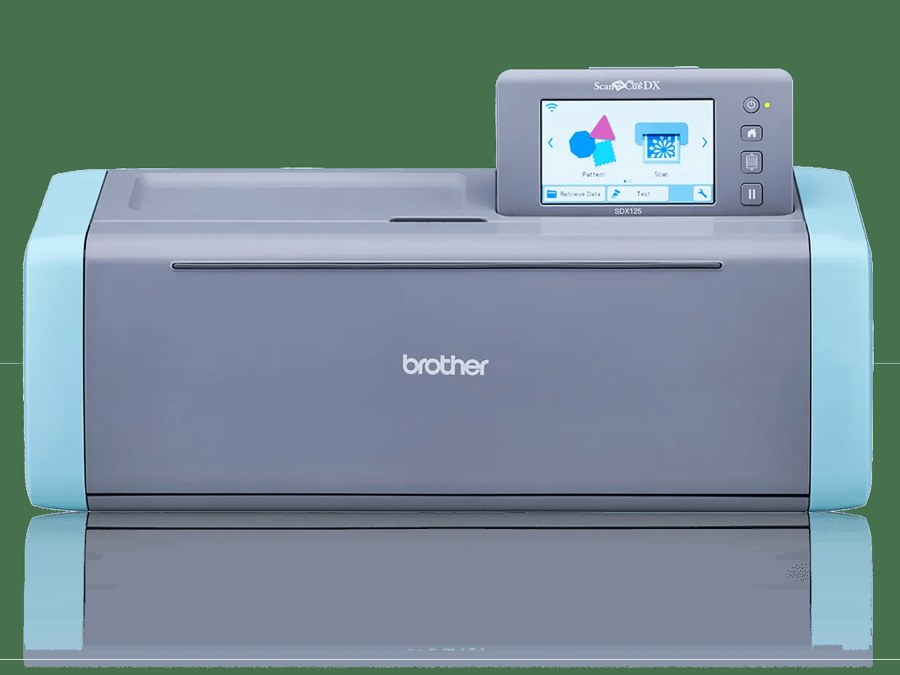
Two features separate this from both Cricut and Silhouette. The auto-blade sensor reads material thickness itself instead of relying on you picking a preset, and the 600 dpi scanner turns hand-drawn artwork into cut lines on the machine.
It costs more than either rival's full-size machine, and its design library and community are smaller. You are paying for the scanner and the sensor.
Pros
- Auto-blade sensor sets depth from the material
- Scanner digitises drawn artwork directly
- Cuts up to 3 mm
- Works without any subscription
Cons
- Most expensive blade cutter here
- Smaller design ecosystem
Brother ScanNCut DX SDX125: worth it specifically if you draw by hand and want the machine to read it.
Laser Alternatives
Only relevant if your reason for leaving is material. A laser cuts thicker stock and engraves surfaces no blade can touch — and it is genuinely worse than a Cricut at vinyl work, which the section after this one explains.
4. xTool M2 Color Craft Laser Cutter & Engraver
Cheapest way into engraving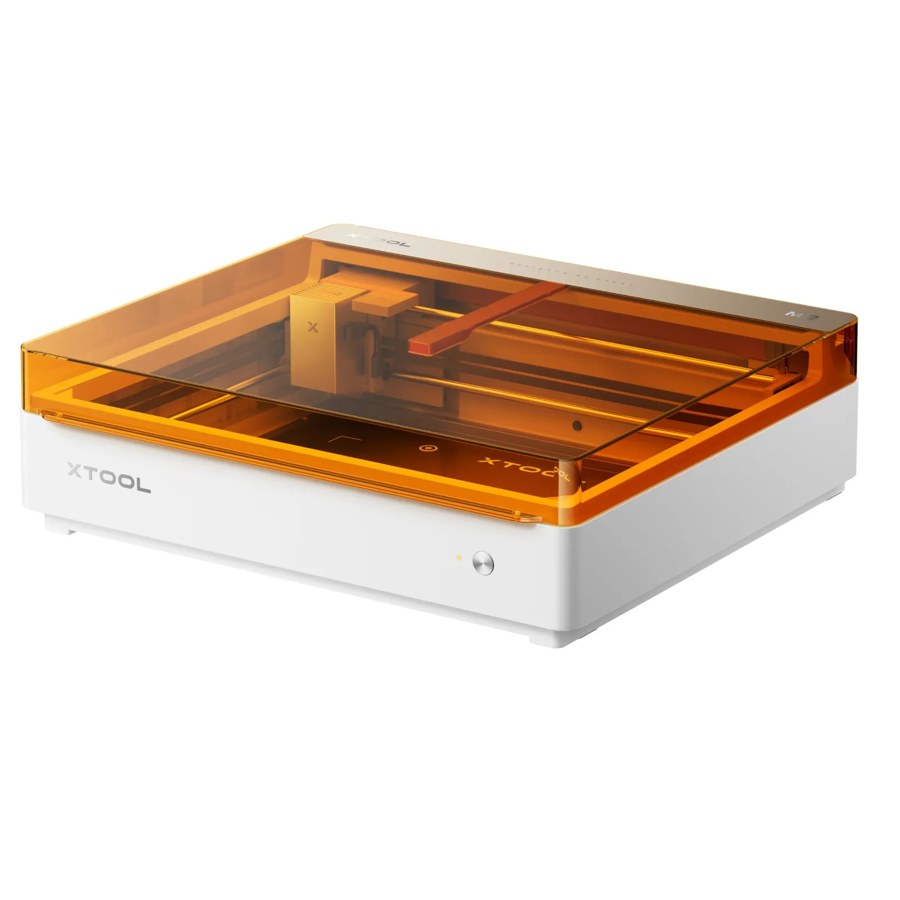
At $599 for the 10W standalone this is the laser that lands nearest Cricut money, and it prints, cuts and engraves across wood, acrylic, leather and coated surfaces.
It is not a replacement for a cutter if you make shirts. Add extraction to the budget too, because laser work produces fumes that a blade cutter does not.
Pros
- Opens up wood, acrylic and engraving
- Enclosed Class 1 design
- Dual cameras for placing work
Cons
- Needs ventilation and extraction
- Not a substitute for a blade cutter on vinyl
- 10W limits cutting thickness
xTool M2 Color Craft Laser Cutter & Engraver: the right move only if engraving is what you actually want to add.
5. Glowforge Pro HD
Simplest laser workflow
The other end of the laser market, and included here because software is often the reason people leave Cricut in the first place. Glowforge's camera-and-print workflow is the most beginner-friendly of any machine in this article.
The price is the objection, and it is a large one: more than twenty times a discounted Joy 2 and eight times a discounted Explore 5. It is a considered purchase, not a sideways move.
Pros
- Easiest laser workflow available
- Passthrough handles material longer than the bed
- Live camera preview
Cons
- Far more expensive than anything else here
- Cloud-based software, so it needs internet
- Still needs extraction
Glowforge Pro HD: only sensible if laser work is becoming the point rather than an experiment.
Where a Laser Is Not an Alternative
This is the part most “Cricut alternatives” lists get wrong, so it is worth being explicit: for vinyl and heat transfer vinyl, a laser is the wrong tool.
Kiss-cutting needs a blade
Vinyl is two layers, and the cut has to go through the top one and stop at the carrier. A blade does that by depth setting; a beam cuts by burning through.
Standard adhesive vinyl is often PVC, which must never be lasered because it releases chlorine compounds. Heat transfer vinyl is more often polyurethane and does not have that problem, but the kiss-cutting one still applies.
If shirts, decals and labels are your work, buy a blade cutter. There is a fuller breakdown in our Cricut vs xTool comparison.
When the Answer Is a Cheaper Cricut
If price is the reason you are looking, compare against Cricut's own range before leaving it, because the cheap end is cheaper than most alternatives.
6. Cricut Joy 2
Cheapest blade cutter here
At an observed $99 this undercuts every alternative in this article, including the compact Silhouette. If your projects are cards, labels and small decals, the cheapest way out of a Maker's price is a Joy rather than another brand.
The limit is width: shirt-sized designs are out of range. That is the trade you are making for the price.
Pros
- Cheapest machine in this guide
- Keeps you in a familiar ecosystem
- Very small footprint
Cons
- Too narrow for shirt designs
- Design Space remains the software
Cricut Joy 2: the sensible answer when the objection is price, not the brand.
The same logic applies one step up. A discounted Explore 5 at around $199 does more than the Silhouette Portrait 4 at $199.99, so “cheaper than a Maker” often just means “not a Maker”. Prices across the range are in our Cricut machine guide.
When You Do Not Need a Machine at All
Worth considering honestly, because a machine only pays off at a certain volume.
A handful of shirts a year?
Ready-made printed transfers, or a local print shop, will cost less than a machine plus a press plus material.
Selling designs rather than making them?
Print-on-demand services print and ship for you, and the equipment cost is zero.
One big project?
Many local makerspaces have cutters and lasers on the bench, which is far cheaper than buying for a single job.
Work out the break-even before buying
A machine plus a press plus starter material is comfortably over $250. If your plan is a dozen shirts, a print shop is cheaper. If it is a dozen a month, the machine pays for itself quickly.
Which Alternative Fits Your Reason
Design Space is the problem
Silhouette Cameo 5 Alpha at $279.99. Silhouette Studio is desktop software that works offline, which is the specific thing Design Space is not.
Price is the problem
A Joy 2 at $99, or a discounted Explore 5. Both undercut the third-party alternatives, so switching brands to save money mostly does not.
Material is the problem
A laser, starting with the xTool M2 at $599. No blade cutter of any brand cuts thick acrylic or engraves tonally, so no rival cutter fixes this.
You draw by hand
Brother ScanNCut DX SDX125 at $449.99. The 600 dpi scanner converts drawn artwork to cut lines on the machine, which neither Cricut nor Silhouette does.
You only need a few items
No machine. A print shop or print-on-demand service beats buying equipment until volume justifies it.
Check the Design Library Before You Switch
Switching machine also means switching design ecosystem, and that is the part people notice a month in rather than on day one. Whatever you buy, the file supply matters as much as the hardware.
For the laser route the output looks different from anything a blade cutter produces: keychain templates, personalised gift designs and home decor projects cut and engraved from wood and acrylic.
If nothing in that kind of library appeals, the honest answer is that a laser is not your alternative — a different blade cutter is.
Conclusion
Most people searching for a Cricut alternative want one of two things: different software, or different materials. Silhouette answers the first, a laser answers the second, and they are not interchangeable.
If price is the driver, look at Cricut's own cheap end first. A $99 Joy 2 undercuts every third-party machine here, and a discounted Explore 5 undercuts the equivalent Silhouette.
And if your work is vinyl and iron-on, stay with a blade cutter of some brand. That is the one conclusion worth holding onto whatever else you decide.
Some people switching away from a blade cutter are really switching to a different kind of machine entirely. If that is you, start with what a laser actually does and then the beginner laser comparison.
Frequently Asked Questions about Cricut Alternatives
What is the best Cricut alternative?
For the same kind of work, the Silhouette Cameo 5 Alpha at $279.99, mainly because Silhouette Studio is desktop software that works offline. For different materials, a laser is the answer instead.
Is Silhouette better than Cricut?
Not better, different. Silhouette Studio is more capable as design software and works offline; Design Space is easier for a first project and has a larger ready-made library. Both machines cut the same material categories.
Is there a cheaper alternative to a Cricut?
Cricut itself is usually the cheapest option: the Joy 2 was observed at $99 and a discounted Explore 5 at around $199, both under the Silhouette Portrait 4 at $199.99.
Can a laser cutter replace a Cricut?
Not for vinyl or heat transfer vinyl. Those rely on kiss-cutting, where the cut stops at the carrier sheet, which a blade does by design and a beam cannot. A laser adds materials rather than replacing a cutter.
What is the difference between the Brother ScanNCut and a Cricut?
The ScanNCut DX SDX125 has a 600 dpi built-in scanner and an auto-blade sensor that reads material thickness, so it needs no preset. It costs $449.99, more than the equivalent Cricut or Silhouette.
Do I need any machine to make custom shirts?
No. Ready-made transfers, a local print shop or a print-on-demand service all avoid the equipment cost. A machine plus a press plus material runs well over $250, so volume decides whether it pays off.
Design it before you choose a machine
Free Atomm generators export artwork that works on a blade cutter or a laser.
