
Key Takeaways
- A vinyl cutter is a machine that cuts designs out of thin, flexible material — adhesive vinyl, heat-transfer vinyl, paper, and cardstock — using a small blade, not ink or a laser.
- It's the go-to tool for decals, stickers, custom T-shirts (HTV), labels, and cards. Popular models: Cricut and Silhouette.
- Good beginner machines start near $150–$250; choose by cut width, the materials you'll use, and software.
- It only cuts thin material — to cut or engrave wood, acrylic, leather, or metal, you need a laser cutter or engraver instead.
If you've seen custom shirts, car decals, or personalized tumblers online, there's a good chance a vinyl cutter made them. It's one of the most popular crafting machines around — but what exactly is it, and how is it different from a printer or a laser? This guide covers what a vinyl cutter is, how it works, what you can make, the main types, how to choose, and the best models in 2026 — plus how it compares to a laser cutter and engraver.
What is a vinyl cutter?
A vinyl cutter is a computer-controlled machine that cuts shapes and designs out of thin sheet material using a small, sharp blade. Instead of printing a design or burning it in, it traces your artwork's outline and cuts through the top layer — most often adhesive vinyl, which is where the name comes from.
You design (or download) a shape, send it to the machine, and the blade cuts it out. After a quick step called “weeding” to remove the excess, you're left with a ready-to-apply decal, label, or iron-on design. Desktop models from Cricut and Silhouette have made vinyl cutters a fixture of home craft rooms and small businesses.

How does a vinyl cutter work?
A vinyl cutter works more like a precise, computer-guided craft knife than a printer. The material sits on a sticky mat (or feeds in directly), and a small drag blade moves across it, cutting your design's outline through the vinyl but not the paper backing underneath — a technique called a “kiss cut.”

Once cut, you weed away the extra vinyl, then use transfer tape to lift the finished design and apply it to a surface — a mug, a laptop, a shirt, a wall. Because it cuts rather than marks, everything comes down to that blade, the material, and the machine's precision.
What can you make with a vinyl cutter?
Vinyl cutters are wildly versatile for flat, surface-applied designs. Common projects include:
- Decals & stickers — laptop and water-bottle decals, car window graphics, and (with print-and-cut) full-color stickers.
- Custom apparel — T-shirts, tote bags, and hats made with heat-transfer vinyl (HTV) and an iron or heat press.
- Labels & organization — pantry, bin, and jar labels in any font or color.
- Cards & paper crafts — greeting cards, invitations, gift tags, and scrapbook cutouts.
- Home decor — wall quotes, window and mirror designs, and personalized signs.
- Personalized gifts — monogrammed tumblers, ornaments, and mugs.
The common thread: designs that get applied to a surface. To cut or engrave the surface itself — wood, acrylic, leather, or metal — you'd reach for a laser instead, which we cover in the bonus section below.
Types of vinyl cutters
Vinyl cutters come in three broad flavors, from craft-room machines to professional sign equipment.

- Craft/desktop cutters (Cricut, Silhouette) — what most people mean by “vinyl cutter”: compact, affordable, and app-driven, perfect for home craft rooms and small businesses.
- Roll-fed cutters (Roland, Graphtec) — pull vinyl from a continuous roll for sign shops and high-volume production.
- Print-and-cut — not a separate machine so much as a mode: you print a full-color design, then the cutter reads registration marks and cuts around it, ideal for stickers.
How to choose a vinyl cutter
Match the machine to the projects you have in mind. Five things matter most:
- Cut width. Most craft machines cut up to about 12 inches wide. If you want big decals or signs, size up or consider a roll-fed cutter.
- Materials. Nearly all cut vinyl, HTV, and paper. Only some (like the Cricut Maker) also cut thicker materials such as leather, felt, and thin wood.
- Software & ecosystem. Cricut's Design Space is beginner-friendly but app-based; Silhouette Studio is more open and works offline with any vinyl brand.
- Matless cutting. Machines that cut “Smart Materials” without a mat handle long, continuous projects far more easily.
- Print-and-cut. If full-color stickers are the goal, make sure the machine supports registration-mark cutting.
The best vinyl cutters of 2026
A shortlist across budgets and needs, from a compact starter to a do-it-all workhorse. Prices are approximate and move with promotions, so confirm before buying.
| Model | Best for | Cut width | Materials | Price |
|---|---|---|---|---|
| Cricut Maker 3 | overall | 12 in (matless up to 12 ft) | 300+… | ~$399 |
| Cricut Explore 3 | value | 12 in (matless up to 12 ft) | 100+… | ~$249 |
| Cricut Joy Xtra | compact & budget | 8.5 in (matless up to 4 ft) | Vinyl… | ~$149 |
| Silhouette Cameo 5 | for flexibility | 12 in | Vinyl… | ~$299 |
Cricut Maker 3
Best overall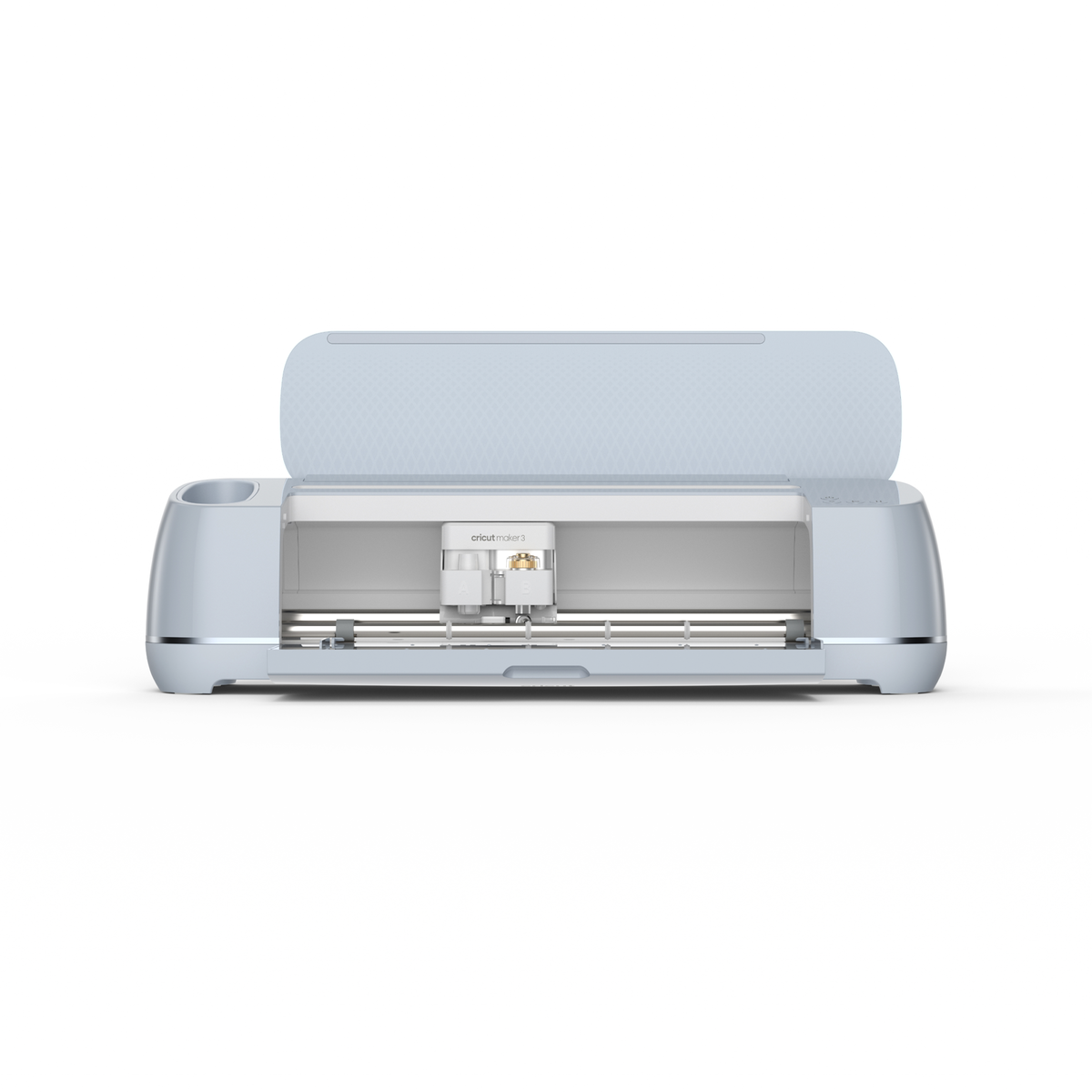
The Maker 3 is the most capable craft cutter Cricut makes. A rotary blade and adaptive tool system let it cut hundreds of materials — not just vinyl, but fabric, felt, balsa wood, and leather — with far more force than a standard machine.
With Smart Materials it cuts without a mat in long continuous runs, so it handles both fiddly detail and big projects. It's the pick if you want one machine that does nearly everything.
Pros
- Cuts 300+ materials
- Matless, up to 12 ft
- Rotary + knife blades
Cons
- Pricier than most
- Cricut-only Smart Materials
- App-based software
Cricut Maker 3: the do-everything craft cutter for serious makers.
Cricut Explore 3
Best value
The Explore 3 hits the sweet spot: it cuts the materials most people actually use — adhesive vinyl, heat-transfer vinyl, cardstock, and paper — quickly and cleanly, and it supports matless Smart Materials like the Maker.
It skips the rotary blade and thick-material cutting of the Maker, which is exactly why it costs less. For decals, shirts, and cards, it's all the machine most homes need.
Pros
- Great price
- Matless Smart Materials
- Fast and reliable
Cons
- No thick/fabric cutting
- Fine-point blade only
- Cricut ecosystem
Cricut Explore 3: the best value for everyday vinyl and HTV projects.
Cricut Joy Xtra
Best compact & budget
The Joy Xtra is the small, affordable way in. It cuts vinyl, HTV, and sticker paper up to 8.5 inches wide, does print-and-cut for full-color stickers, and takes up barely any desk space.
It won't handle big signage or thick materials, but for labels, cards, small decals, and shirts it's a genuinely capable machine at an entry price.
Pros
- Very affordable
- Compact footprint
- Print-and-cut stickers
Cons
- Narrow 8.5 in width
- Thin materials only
- Cricut ecosystem
Cricut Joy Xtra: the budget starter for stickers, labels, and small decals.
Silhouette Cameo 5
Best for flexibilityThe Cameo 5 is the leading alternative to Cricut. Its Silhouette Studio software is more open — you can design offline and use any brand of vinyl, not just the manufacturer's — and the dual carriage cuts and draws in one pass.
It has a steeper learning curve than Cricut's app, but rewards you with flexibility and lower material costs. A favorite of makers who like to tinker.
Pros
- Use any brand vinyl
- Powerful offline software
- Dual-tool carriage
Cons
- Steeper learning curve
- Fewer ready templates
- Setup takes longer
Silhouette Cameo 5: the flexible pick if you want open software and any-brand vinyl.
How much does a vinyl cutter cost?
Vinyl cutters are among the most affordable maker machines. Compact starters like the Cricut Joy Xtra run about $149, mainstream craft cutters land in the $249–$399 range, and professional roll-fed machines climb from $500 well past $2,000.
Materials are cheap and where the ongoing cost lives: a roll of adhesive vinyl or HTV runs a few dollars, plus transfer tape, spare blades, and (for shirts) an iron or heat press. Budget a little extra for the software subscription if you want Cricut's full design library.
Bonus: vinyl cutter vs. laser cutter and engraver
The machine most often confused with a vinyl cutter is a laser cutter and engraver. Both are computer-controlled cutting machines, but they work on completely different materials. A vinyl cutter uses a blade to cut thin, flexible sheets. A laser uses a focused beam of light to cut through and engrave solid materials — wood, acrylic, leather, slate, and (with the right laser) metal.
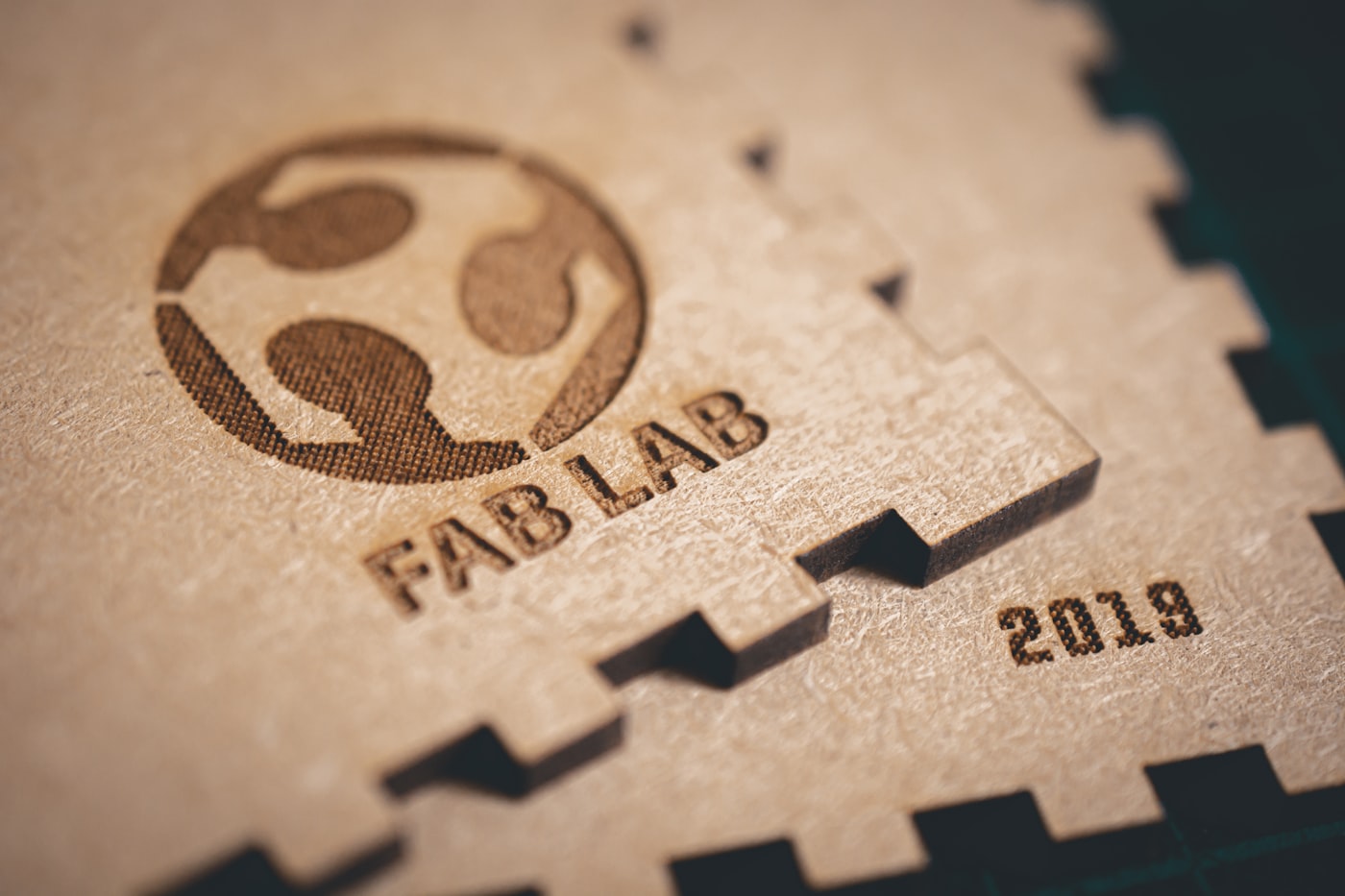
That makes them complementary rather than interchangeable. A vinyl cutter is unbeatable for decals, HTV shirts, and stickers you apply to a surface. A laser is what you want to make the surface itself — engraved signs, cutting-board designs, acrylic keychains, and custom engraved gifts — with permanent marks and no weeding or transfer tape.
Want to cut and engrave more than vinyl?See our tested picks for laser cutters and engravers that shape and personalize wood, acrylic, leather, and metal.See the best picksVinyl cutter vs. laser cutter: how they compare
Here's the quick side-by-side.
| Vinyl cutter | Laser cutter / engraver | |
|---|---|---|
| Cuts with | A small blade | A focused beam of light |
| Materials | Vinyl, HTV, paper, cardstock | Wood, acrylic, leather, slate, metal |
| Can engrave? | No — cuts outlines only | Yes — permanent engraved detail |
| Makes | Decals, stickers, HTV shirts, labels | Signs, engraved gifts, cut-out parts |
| Extra steps | Weeding + transfer tape | None — marks the material directly |
| Price from | ~$150 | ~$200–$1,000+ |
Plenty of makers own both — a vinyl cutter for quick decals and apparel, and a laser for engraving and cutting real materials. (Curious about other “cutting” machines? A 3D printer is a different tool again — it builds solid objects up in plastic.)
Which should you choose?
- Choose a vinyl cutter if you mainly make decals, stickers, labels, cards, and custom apparel — anything you design flat and apply to a surface. It's affordable and beginner-friendly.
- Choose a laser cutter/engraver if you want to cut and engrave solid materials — wood signs, acrylic keychains, engraved gifts, and cutting boards — with permanent detail.
- Choose both if you sell personalized products; the two cover different materials and complement each other in one craft business.
For pure paper-and-vinyl crafting, a vinyl cutter is the cheaper, simpler start. If your ideas keep bumping into “I wish I could engrave this,” a laser is the natural next machine.
The bottom line
A vinyl cutter cuts designs out of thin, flexible material with a blade — perfect for decals, stickers, HTV shirts, and labels, starting around $150. Choose by cut width, the materials you'll use, and software. Just remember its limit: it cuts thin sheets, not solid materials. To cut or engrave wood, acrylic, leather, or metal, you want a laser cutter or engraver instead — and many makers happily own both. For decorating T-shirts, a vinyl cutter is just one of several apparel-decoration methods — a DTF printer is another route when you want full-color, photo-quality transfers.
Frequently asked questions about vinyl cutters
Is a vinyl cutter the same as a printer?
No. A printer lays down ink to create a colored image, while a vinyl cutter uses a blade to cut a design out of a sheet of colored vinyl — there's no ink involved. The color comes from the vinyl itself. Some machines offer “print-and-cut,” where a separate printer prints a design and the cutter then cuts around it, but the cutter's only job is cutting.
What can you make with a vinyl cutter?
Decals and stickers, custom T-shirts and tote bags (using heat-transfer vinyl), labels for jars and bins, greeting cards and paper crafts, wall quotes and window designs, and personalized gifts like monogrammed tumblers. The common thread is flat designs you apply to a surface. For engraving or cutting solid materials, you'd use a laser instead.
Do I need a computer to use a vinyl cutter?
You need a design device, but not always a full computer. Most machines are controlled from an app on a phone or tablet, or from software on a Windows or Mac computer. Cricut uses its Design Space app, and Silhouette uses Silhouette Studio. You design or import a shape, then send it wirelessly or by cable to the machine to cut.
Cricut vs. Silhouette: which is better?
Both are excellent; it comes down to how you like to work. Cricut's Design Space is more beginner-friendly and polished, with a big library of ready-made projects, but it's app-based and pushes Cricut materials. Silhouette Studio is more powerful and open — it works offline and cuts any brand of vinyl — but has a steeper learning curve. Beginners often start with Cricut.
Can a vinyl cutter cut wood or engrave metal?
No. A vinyl cutter's blade only cuts thin, flexible materials like vinyl, paper, and cardstock (and, on stronger models, thin leather or felt). It cannot cut wood or acrylic, and it cannot engrave anything — it only cuts outlines. Cutting or engraving wood, acrylic, and metal is the job of a laser cutter and engraver, a completely different machine.
